ES Xeon Discussion

Notice: Page may contain affiliate links for which we may earn a small commission through services like Amazon Affiliates or Skimlinks.

RolloZ170

Well-Known Member
Apr 24, 2016
9,020
2,865
113
germany
And how is memory compatibility of D0 compared to later Ex or even retail CPUs?
depends on the model. on ASUS W790 Ace & SAGE QYFP,QYFQ,QYFS.... support overclocking
and works with Kingston Renegade Pro DDR5-6000
...memory copatibility is more BIOS thing, should fine if you can run latest BIOS.
 
  • Like
Reactions: Civiloid

sam55todd

Active Member
May 11, 2023
212
65
28
not really. you have 8x dual channel - or 2x 8 channel in best case.
its hard to get a single socket board to have 8 channel interleaving, and will be impossible on dual socket boards.
Decided to google again for memory related performance tests, I've compared Conjugate Gradient benchmark (sensitive to cache and memory, but not sure where it's bottlenecking between those two) from results pictured here:
CPU/Score (core/threads/Base Ghz)
8380 1P = 20.65 (40/80/2.3)
8280 2P = 28.98 (28/56/2.7 x2)
8490H 1P = 31.24 (60/120/1.9)
8592+ 1P = 35.42 (64/128/1.9)
8380 2P = 40.31 (40/80/2.3 x2)
8490H 2P = 60.42 (60/120/1.9 x2)
8592+ 2P = 70.95 (64/128/1.9 x2)

And it feels like if we check performance adjusted for core counts and memory frequencies - results attributable to better memory (channels, frequencies, DDR4toDDR5) aren't revolutionary different, even arriving to a conclusion what personally to me further investment into neither Sapphire nor Emerald Rapids are not even close to be justifiable at current ebay prices (despite Prod stepping QS and $ being multiples below Intel's advised prices), I mean I have it already for back then affordable price but won't be upgrading in near time to Dual-socket variant.
 

bayleyw

Active Member
Jan 8, 2014
333
109
43
Is SPR even good as an ML host? There are references to there being 4 32-lane PCIe root complexes which is not ideal for your communications collectives and the block diagram shows two PCIe "blocks" per quadrant.
 

DHamov

Active Member
Jan 12, 2024
119
29
28
pls ask before, there are some exceptions in this rule.
i.e. QY36 = stepping C2, like QXxx
if you get a HPE server with very early BIOS you are lucky, but have to stay with old BIOS until the last days.
What about the compatibility of: QY08, 8468, ES CPU, 1.9GHZ, 3.3GHz, x 40, 48C/96T?
Would it be compatible with asus W790? I asked the ebay seller and they told me not compatible.
So is this another exception, or maybe the seller is just not sure and to honest?

Current ebay sellers block the TDP of QY08 in their screenshots and only mention it runs on 350W supporting mainboard.
I saw mentions of higher TDP's for some 4677 processor like 385W.
Can anyone confirm the TDP of QY08?
 
Last edited:

RolloZ170

Well-Known Member
Apr 24, 2016
9,020
2,865
113
germany
What about the compatibility of: QY08, 8468, ES CPU, 1.9GHZ, 3.3GHz, x 40, 48C/96T?
Would it be compatible with asus W790?
simply yes. ASUS W790 does not block any TDP, it is an OC board.
you see on the CPU-Z shot the seller runs two QY08 on a dual socket board. chn. mostly use Gigabyte MS73 or SM X13DEI.
some D0 ES2 freeze on windows/linux loader:
this solves the issue.
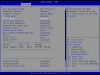
set CPU C-states to enabled(def.=auto) only then next options comes visible.
and set Package C-State to C2(or C0/C1)
cpupowermanagementconn2ihp.png
 
  • Like
Reactions: DHamov

RolloZ170

Well-Known Member
Apr 24, 2016
9,020
2,865
113
germany
  • Like
Reactions: UhClem

RolloZ170

Well-Known Member
Apr 24, 2016
9,020
2,865
113
germany
Current ebay sellers block the TDP of QY08 in their screenshots and only mention it runs on 350W supporting mainboard.
I saw mentions of higher TDP's for some 4677 processor like 385W.
Can anyone confirm the TDP of QY08?
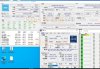
Here's the full shot.the HWInfo screen show a 56C processor, So something is wrong here, weird.
QY08.jpg
 
  • Like
Reactions: DHamov

DHamov

Active Member
Jan 12, 2024
119
29
28
Besides the usual suspects from GIGABYTE MS03-CE0, MS73-HB1 and HB0.
There are now also newer boards, MW83-RP0, and updates like MS03-6L0 and MS73-HB2.
My question is does GIGABYTE maintain compatibility with D0 and other ES stepping that they previously supported also in their newer boards and BIOS?
 

RolloZ170

Well-Known Member
Apr 24, 2016
9,020
2,865
113
germany
Besides the usual suspects from GIGABYTE MS03-CE0, MS73-HB1 and HB0.
There are now also newer boards, MW83-RP0, and updates like MS03-6L0 and MS73-HB2.
My question is does GIGABYTE maintain compatibility with D0 and other ES stepping that they previously supported also in their newer boards and BIOS?
MW83-RP0 is a W790 board.
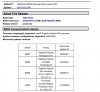
new. rev. 3 brings only out of the box support of Emerald Rapids (BIOS R01,R02)
Zwischenablage_01-17-2024_01sth.jpg
 
  • Like
Reactions: DHamov

DHamov

Active Member
Jan 12, 2024
119
29
28
Another question is about the P-cores and E-Cores. Official intel specs, list different frequencies for the e-cores and p-cores, and for most of the discussed Xeon cpu's here 16 p-cores are stated. While users also often speak about all-core boost/turbo. Not really differentiating, between the different types of cores. Does it mean that the difference is just not that visible?

For the normal 1700 socket intels for some applications, performance gains can be obtained, by disabling the efficiency 'e-cores', in the bios. Giving more power/cooling to the 'p-cores', enabling higher clocks. In an earlier post in this thread (here) , i RolloZ that disabled cores in the ES versions of Ice-lake based Xeons. Did anyone here try such things on the Sapphire Rapids ES Xeons?
 

RolloZ170

Well-Known Member
Apr 24, 2016
9,020
2,865
113
germany
In an earlier post in this thread (here) , i RolloZ that disabled cores in the ES versions of Ice-lake based Xeons. Did anyone here try such things on the Sapphire Rapids ES Xeons?
it is the same. if you disable half of the cores, the remaining can boost to max. turbo.
 

DHamov

Active Member
Jan 12, 2024
119
29
28
ice lake, sapphire rapids and emerald rapids have only P cores, no E-cores here.
maybe you refer to Intel SST-BF ?
I am not doubting your expertize but, for example on the intel website with specs of the 8470 i see:
Low_High_Prio_Cores_8470.JPG
I thought that these low and high priority cores were similar as the 'p' and 'e' cores? Also it looks like they should have different frequencies. But maybe/probably i am wrong. Maybe only the base frequencies are different but the boost frequencies the same.
 

RolloZ170

Well-Known Member
Apr 24, 2016
9,020
2,865
113
germany
I am not doubting your expertize but, for example on the intel website with specs of the 8470 i see:
View attachment 33840
I thought that these low and high priority cores were similar as the 'p' and 'e' cores? Also it looks like they should have different frequencies. But maybe/probably i am wrong. Maybe only the base frequencies are different but the boost frequencies the same.
this is Intel SST-BF ( Intel® Speed Select-Technology - Base frequency )
you can configure OS to send high priorised workload to High Priority cores, and let the low Priority cores do background services i.e.
this is NOT the default. you have to enable SST-BF in BIOS and use compatible OS.
 
  • Like
Reactions: DHamov