
ES Xeon Discussion
- Thread starter britinpdx
- Start date
Notice: Page may contain affiliate links for which we may earn a small commission through services like Amazon Affiliates or Skimlinks.
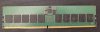
don't find a datasheet from Micro with resistor values,aha, spot on. three of the bad DIMMs were missing resistors (?) near the pins and the fourth had a decoupling capacitor ajar.
anyone know what value the 0201 resistors near the edge connector should be or should I just ohm it out?
but Kingston(Hynix) uses 15 ohm there and JEDEC schematics force to use 15 ohm too.
Would the 8280 ES QQ87 28C be good for a supermicro Super X11DPG-OT-CPU server? If so what bios version do I need to get right microcode?QQ87 is A0 50655, microcode not supported by intel since 2019
Intel / HP latest BIOS lacks this microcode.
What about a SRF81 Intel Xeon Platinum 8273CL? (I've seen some threads with microcode discussion on it too) or
8272CL 2.60GHz 26-Core 35.75MB LGA-3647 SRF89. -- best price on ebay but I've not found much about which microcode.
supermicro still includes A0 stepping microcode. you need only BIOSWould the 8280 ES QQ87 28C be good for a supermicro Super X11DPG-OT-CPU server? If so what bios version do I need to get right microcode?
can have issues, but SM BIOS is moddable.What about a SRF81 Intel Xeon Platinum 8273CL? (I've seen some threads with microcode discussion on it too)
this is B1 stepping, nothing special. But TDC is 255A, maybe you need a VRM reprogram.8272CL 2.60GHz 26-Core 35.75MB LGA-3647 SRF89. -- best price on ebay but I've not found much about which microcode.
EDIT: with a little chance the X11DPG-OT-CPU does not need VRM modd.
Last edited:
Great info thanks. I noted that supermico says "BIOS version 3.2 or above is required to support 2nd Gen Intel® Xeon® Scalable processors (codenamed Cascade Lake-R)"supermicro still includes A0 stepping microcode. you need only BIOS 2.x or higher.
can have issues, but SM BIOS is moddable.
this is B1 stepping, nothing special. But TDC is 255A, maybe you need a VRM reprogram.
EDIT: with a little chance the X11DPG-OT-CPU does not need VRM modd.
So should I be aiming for just the newest if its in all of them.
For the 8280 ES.. any known problems. Is the A0 stepping subject to MDS vulnerability?
sure 3.x i made a typo.I noted that supermico says "BIOS version 3.2 or above is required to support 2nd Gen Intel® Xeon® Scalable processors (codenamed Cascade Lake-R)"
A0 microcode is unsupported since 2019, so YES.For the 8280 ES.. any known problems. Is the A0 stepping subject to MDS vulnerability?
Hi, I just bought a 45homelab Full Build that come with a Supermicro X11SPH-nCTF Motherboard and an Intel Xeon Bronze 3204. I would like to plan a CPU upgrade to a beefier CPU and came across the Intel Xeon Platinum 8272CL (2.60GHz), 26-Core SRF89 on Ebay. I know that the board is advertised to support CPU up-to 205W and that the 8272CL is at 195W. My thinking is that it should be working, but before buying, I also came across this thread and saw the TDC 255W etc.
Is anyone know if that Xeon Platinum 8272CL would work out-of-the-box on the HL15's motherboard that come from 45drives/45homelab Full build ?
Is anyone know if that Xeon Platinum 8272CL would work out-of-the-box on the HL15's motherboard that come from 45drives/45homelab Full build ?
Supermicro non OEM X11 LGA3647 boards support TDC up to 228A (default) need VRM modd for 8272CL.I know that the board is advertised to support CPU up-to 205W and that the 8272CL is at 195W. My thinking is that it should be working, but before buying, I also came across this thread and saw the TDC 255W etc.
Is this the same for 8259CL ? Looking for a cheap path to lots of cores and not slow single core. Any other alternative in the price range of 250-300$USD on ebay you think of? Or, for a total noob, is this easy to the the VRM mod or I would need to send the board to an expert like you?Supermicro non OEM X11 LGA3647 boards support TDC up to 228A (default) need VRM modd for 8272CL.

yes. 8259CL TDC=255AIs this the same for 8259CL ?
buy Adafruit MCP2221a or ElmorLabs EVC and check this.Or, for a total noob, is this easy to the the VRM mod or I would need to send the board to an expert like you?
Just bought the ElmorLabs EVC linked in the VRM Mod thread. Hopefully, i'll be able to do the Mod :Oyes. 8259CL TDC=255A
buy Adafruit MCP2221a or ElmorLabs EVC and check this.
Just came across this thread at the perfect time, was about to buy an ES Xeon with D0 and was just expecting it to work with any motherboard.
Anyways I was looking at a Intel Xeon Platinum 8470 ES (CPU Z below from seller) and wanted to use it with a ASRock Rack SPC741D8UD-2T/X550 motherboard, I don't see the stepping code so I'm hoping their won't be any compatibility issues b/c I need micro atx motherboard for a project I'm working on, am I missing something or will this work without any funky workarounds
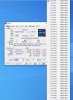
Anyways I was looking at a Intel Xeon Platinum 8470 ES (CPU Z below from seller) and wanted to use it with a ASRock Rack SPC741D8UD-2T/X550 motherboard, I don't see the stepping code so I'm hoping their won't be any compatibility issues b/c I need micro atx motherboard for a project I'm working on, am I missing something or will this work without any funky workarounds
only Gigabyte and ASUS W790 boards (yes realy)Just came across this thread at the perfect time, was about to buy an ES Xeon with D0 and was just expecting it to work with any motherboard.
Tyan, Supermicro and ASRock Rack support only E-Stepping processors.
step id 4 is cpuid 806F4 = stepping E0Anyways I was looking at a Intel Xeon Platinum 8470 ES (CPU Z below from seller) and wanted to use it with a ASRock Rack SPC741D8UD-2T/X550 motherboard, I don't see the stepping code so I'm hoping their won't be any compatibility issues b/c I need micro atx motherboard for a project I'm working on, am I missing something or will this work without any funky workarounds

should run on any C741 motherboard.
thank you very much I appreciate itonly Gigabyte and ASUS W790 boards (yes realy)
Tyan, Supermicro and ASRock Rack support only E-Stepping processors.
step id 4 is cpuid 806F4 = stepping E0
should run on any C741 motherboard.
Thank you man! Saved my biscuit there from spending another 700$ on ES cpu. I was going to mod the bios for X13SEM-TF but it appears that I can hold off with just getting E0 stepping.only Gigabyte and ASUS W790 boards (yes realy)
Tyan, Supermicro and ASRock Rack support only E-Stepping processors.
step id 4 is cpuid 806F4 = stepping E0
should run on any C741 motherboard.
you can not mod supermicro X13 C741 (RoT protected) BIOS. if you change just one Bit, the security validations fails and the BIOS is restored from Backup.I was going to mod the bios for X13SEM-TF but it appears that I can hold off with just getting E0 stepping.
I've modded dual bioses on HP but that might be different with SM.you can not mod supermicro X13 C741 (RoT protected) BIOS. if you change just one Bit, the security validations fails and the BIOS is restored from Backup.
Is RoT check against second bios chip? Have you tried to mod two at same time?
the check is cryptographical nature with Private Key. if you have the supermicro Private Key you just have to re.sign the modded BIOS.I've modded dual bioses on HP but that might be different with SM.
Is RoT check against second bios chip? Have you tried to mod two at same time?
but i doubt you will get the PK.
edit: after BIOS restore of the BIOS flash, the content is validated again. no chance.
Oh thats rough. I am glad that I pinged you here before getting burned on any attempts.the check is cryptographical nature with Private Key. if you have the supermicro Private Key you just have to re.sign the modded BIOS.
but i doubt you will get the PK.
edit: after BIOS restore of the BIOS flash, the content is validated again. no chance.