Where are the DDR5 ECC UDIMMs?

Notice: Page may contain affiliate links for which we may earn a small commission through services like Amazon Affiliates or Skimlinks.
I have four Micron ECC sticks for 128 GB total working fine in my X13SAE, but I am running them at JEDEC spec speed, which means 3600.
Great info, thanks! But where does the 3600 frequency come from? I've been seeing JEDEC speed for DDR5 listed as 4800. Not that I'm gonna pay the few hundred bucks to download the official spec and see for myself...

I'm becoming more tempted to run a non-ECC high density, 96GB 5200 2-DIMM kit and just underclock to 4800 or 4400 for stability and watch this space to see how the standard develops in ECC flavors. Got about a month before I start pushing "Add to Cart" buttons, we'll see. Come on, SK Hynix!
 
Good to see them out there, at least in theory.

96GB across 2 DIMMs would be great for my next build. I'm outgrowing 64GB but I don't want to take the memory bandwidth hit of going to 4 DIMMs.
The SR6G7UD5385MB one (non-extended temperature) was recently added to the ASrock Rack B650D4U memory QVL though I still can't find them for purchase anywhere online.
And now there is something you can actually buy: Axiom AXG1075102162/1
  • UDIMM
  • DDR5
  • 288 pins
  • 4800 MT/s
  • 72-bit-word ECC
  • 1.1 V
  • 48 GiB
…for a price of $274.99 or $301.15. lol. We should expect these to be priced around $215.

48 GiB32 GiB
ECC$274.99 for UDIMM, $177.00 for RDIMM$126.99 for UDIMM, $119.99 for RDIMM
Non-ECC$134.98* for UDIMM$75.00* for UDIMM
* They are sold as a pair so I divided the price in half.
 
Great info, thanks! But where does the 3600 frequency come from? I've been seeing JEDEC speed for DDR5 listed as 4800. Not that I'm gonna pay the few hundred bucks to download the official spec and see for myself...

I'm becoming more tempted to run a non-ECC high density, 96GB 5200 2-DIMM kit and just underclock to 4800 or 4400 for stability and watch this space to see how the standard develops in ECC flavors. Got about a month before I start pushing "Add to Cart" buttons, we'll see. Come on, SK Hynix!

See https://forums.servethehome.com/index.php?threads/lga-1700-alder-lake-servers.35719/post-370867. The JEDEC spec requires that the speed decline as the number of slots per channel/dimms per channel/ranks per DIMM increase. Most people do not know this. Supermicro follows the JEDEC standard strictly if the frequency is set to auto.
 
Most people do not know this. Supermicro follows the JEDEC standard strictly if the frequency is set to auto.
this is a memory-controller signal lines output load requirement.
this is not specified by JEDEC
Intel POR = Plan of Record
AMD uses similar rules.

but this BIOS behavior can be disabled:
Enforce POR
 
Last edited:
Ah. You are right about who enforces the frequency reduction standard based on the load factor. In this case it is the CPU manufacturers, because the memory controller is actually on the CPU. I would advise that if you don't follow the rules specified by JEDEC and the CPU, then the reliability of the memory is not guaranteed. This means if a user wants to run "out-of-spec", they must do stress testing on the memory to ensure no errors crop up...
 
The Asus W680 was really tricky to setup.

I basically read out the subtimings of the X13SAE and set this timings on the Asus W680 BIOS

And afterwards I had memorycorrection 5

It is now a Windows Server 2022 machine and working really fine.

The X13SAE is now my developer machine (both the Asus and the Supermicro with ECC).
Interesting you had that much of an issue. My Asus W680 has seemingly worked since day 1 (I believe I was the first person on this forum to have the board). I just tested again with latest 2703 BIOS and 2x32GB HMCG88MEBEA. Memtest Pro 10.6 shows ECC enabled and passes with ECC error injection, also memorycorrection shows "5".
 
I'm sad that it's taking them so long to get the 48gb sticks out. It would make swapping my Epyc a no brainer
 
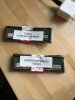
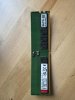
Thanks, I might try upgrading my Hynix 4800 to 2x KSM56E46BD8KM-32HA
Note to self, don't buy "open box" from Provantage
 

Attachments

  • signal-2023-11-04-115816_002.jpeg
    signal-2023-11-04-115816_002.jpeg
    441.9 KB · Views: 72
  • signal-2023-11-04-115816_003.jpeg
    signal-2023-11-04-115816_003.jpeg
    371.2 KB · Views: 77
  • signal-2023-11-04-115816_004.jpeg
    signal-2023-11-04-115816_004.jpeg
    511 KB · Views: 69
  • signal-2023-11-04-115816_005.jpeg
    signal-2023-11-04-115816_005.jpeg
    583.2 KB · Views: 66