intel doesn't provide this for ES, and for prod.unit is under NDA (or just hard to find LOL)Is there a chart, list, or projected graph anywhere with correlated core counts to clock speed for D0?
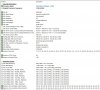
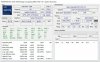
i usualy install CPU and run HWinfo.
intel doesn't provide this for ES, and for prod.unit is under NDA (or just hard to find LOL)Is there a chart, list, or projected graph anywhere with correlated core counts to clock speed for D0?
Something like this or this (SST-PP section aka Speed Step Technology for some SKUs configurable via BIOS where you can select number of cores from very limited set of configurations) ?I had read that before and it was where I got this idea, not realizing that it wasn't a mix of cores but based on amount of them.
Considering that I wouldn't expect to have more than 24 or 26 cores on an Asrock W790, that sounds very good.
Is there a chart, list, or projected graph anywhere with correlated core counts to clock speed for D0?
EMR-SP QS processor.
Q2P1 is EMR-SP early A0 ES, better try Q2SR with Gigabyte C741 motherboard, if not work ask me for help.
Do you have couple of post codes from the sequence before hangup?..Is no POST nor video Output = dead cpu?
Some activity on CPU sensors, if I read it right, but feels like it's just MB hickup...

Do you have couple of post codes from the sequence before hangup?
I might be wrong here, but as far as I understood MS33 doesn't have POST snooping, logs show power events and that basically it.
I'll look into redfish api may be I can get more out of mainboard.
Generally it should tell you what's wrong (what detection stage has some issues like RAM/CPU/PCIe etc.)
I'd expect so, but I don't think it gets to that stage. I remove everything from mainboard except CPU and PSU connection.
No beep for missing memory.
Worst case scenario - you probably can get relatively cheap SPI/GPIO or perhaps even LPC/PCIe diagnostics/debug board (sometimes called post tester, motherboard analyzer, etc.) for £5-£20 on ebay which will show codes to you on built-in display (LCD or 7-segment pack)....I might be wrong here, but as far as I understood MS33 doesn't have POST snooping, logs show power events and that basically it.
I'll look into redfish api may be I can get more out of mainboard...
Oh wow! Thanks! I didn't know that such thing exists will look into it.Worst case scenario - you probably can get relatively cheap SPI/GPIO or perhaps even LPC/PCIe diagnostics/debug board (sometimes called post tester, analyzer, etc.) for £5-£20 on ebay which will show codes to you on built-in display (LCD or 7-segment pack).
AC power cycle after BMC/BIOS update.Is no POST nor video Output = dead cpu?
Some activity on CPU sensors, if I read it right, but feels like it's just MB hickup.

have you checked the MS33 with other CPU first ?Stupid question, gygabyte MS33-AR0 ("BIOSVersion" : "R07") - latest I'm afrade, xeon ES QYFS .
Is no POST nor video Output = dead cpu?
Nope. I have only one at the moment. Considering to buying one from somebody you know on ebay.have you checked the MS33 with other CPU first ?
That what I'd like to figure out. But it looks like to do so I have to get MB or CPU. And sine CPU is cheaper. I think I'll get it first after Christmas.QYFQ runs on MS33-CPA BIOS F09 which is very very similar to MS33-AR0 F07 (i have too but not installed)
so dead motherboard or bad CPU installation, the mainboard usualy don't beep,
you can see all in the BMCWebGUI, update BIOS there.

That's very helpful, since I flashed F0 with GbtUtility-2.1.78.jar both and it still shows R07.note: to see the lately flashed new BIOS version in BMCWebGUI you need successfully POST. This is for historical reason and
the BMC Firmware is universal to all boards with AST2600, some have dual BIOS and the Firmware still can't know which BIOS is running.
why do you use this crap ? you can update/downgrade BIOS with BCMWebGUI.That's very helpful, since I flashed F0 with GbtUtility-2.1.78.jar both and it still shows R07.
checked if there is any POST code yet ?That what I'd like to figure out. But it looks like to do so I have to get MB or CPU.
I tried few of them. Wasn't sure if gigabyte removed ES macrocodes from new firmware.why do you use this crap ? you can update/downgrade BIOS with BCMWebGUI.
I hope so. Did it twice. The second time I didn't screw fun properly, just place CPU in carrier to socket. In hope to here some beeps at least or events in log. And seems MB detected it and didn't power it up.are you sure you have installed the CPU properly ?
Asus ROG Strix 1000 Whave you modern PSU ? (not 20 year old)
you need 80 kilogramms pressure.I hope so. Did it twice. The second time I didn't screw fun properly, just place CPU in carrier to socket. In hope to here some beeps at least or events in log. And seems MB detected it and didn't power it up
can burn out CPU and motherboard easy.The second time I didn't screw fun properly, just place CPU in carrier to socket.
Oh really?you need 80 kilogramms pressure.
At this stage I prepared to take risks. Most probably one of them is dead already. Or I'm too dumb and pretty much deserve itcan burn out CPU and motherboard easy.

To me it felt like for LGA4677 there's resistance spring-s (on both sides) which prevents carrier-mounted CPU from landing onto contacts fully, it's simply impossible to have all contacts in right position without sufficient pressure, at the same time if some random contacts are connected but some are not then there's a possibility of having wrong current balance leading to (m)Amps flowing via pins which are not designed for it, this can easily result in bricked CPU or MB....I hope so. Did it twice. The second time I didn't screw fun properly, just place CPU in carrier to socket. In hope to here some beeps at least or events in log. And seems MB detected it and didn't power it up...
ID: 26 BMC Event sensor of type OEM logged a BMC Event : BIOS Update Image-1 Success was assertedAnd yes I flash them both ways UI and GbtUtility. Actually I'd prefer GbtUtility since it spits out info during flashing.
but in both cases I see "bios flash alert" in MB log.