ES Xeon Discussion

Notice: Page may contain affiliate links for which we may earn a small commission through services like Amazon Affiliates or Skimlinks.

RolloZ170

Well-Known Member
Apr 24, 2016
8,848
2,823
113
germany
3.) Do you have any information regarding Asrock C741 motherboards and stepping D0? I have had good luck with them in the past, but have only seen Supermicro, Tyan, and Gigabtye mentioned in regards to Sapphire Rapids ES CPUs
ASRock Rack: no BIOS download available,but i think same.
edit: now checked ASROck C741 BIOSs - missing D0 stepping microcode.
Tyan first BIOS does NOT include microcodes other than E-steppings.
 
Last edited:

Insan1tyOne

New Member
Apr 30, 2023
4
2
3
BIOS F06 is OK, but F10 still uncludes D0.(cpuid 806F3)
newer BIOS without this MC can be modded thought.
View attachment 28704
BIOS F13 still includes microcode for stepping D0
View attachment 28712
Appreciate the quick replies as always. Good to know that even the latest Gigabyte MS03-CE0 F13 BIOS still has support for microcode stepping D0. Also, since the Gigabyte BIOS files can be modified, does this mean someone could add support for earlier microcodes like B0, C0, C1, C2? Or not because there are no BIOS files in the wild that includes these early microcodes?

The reason I ask is because there is a particular "off roadmap" SPR ES CPU that I have had my eyes on. The specs are as follows:
SPR-SP ES? ?? (QXP4) 44C/88T 1.4 GHz 82.5 MB 270W

Regardless, seems like Gigabyte is the way to go on motherboards for SPR ES CPUs unless you want to take a soldering iron to an $800+ motherboard to add your own SOIC8 SMT socket.
 

RolloZ170

Well-Known Member
Apr 24, 2016
8,848
2,823
113
germany
Also, since the Gigabyte BIOS files can be modified, does this mean someone could add support for earlier microcodes like B0, C0, C1, C2? Or not because there are no BIOS files in the wild that includes these early microcodes?
i theory yes, but i don't if there is more required, proper(older) Intel RC code etc.
i have older Supermicro BIOS for B0,C0/C1/C2 but they used different cryptokey and are not accepted by RoT.
The reason I ask is because there is a particular "off roadmap" SPR ES CPU that I have had my eyes on. The specs are as follows:
SPR-SP ES? ?? (QXP4) 44C/88T 1.4 GHz 82.5 MB 270W
i know, there are many others, i have some of them too, but never saw them working. ( have SPR-WS C1, needs W790 board )
seems like Gigabyte is the way to go on motherboards for SPR ES CPUs unless you want to take a soldering iron to an $800+ motherboard to add your own SOIC8 SMT socket.
if you need to mod the BIOS, a chip replacement is required too, depends on the flashing tools, do they accept modified BIOS ? unknown.
my experience is they do not, butthere are other ways to flash: in circuit with a clamp i.e.
(a warning, do not try at supermicro, you can brick the board)
 

RolloZ170

Well-Known Member
Apr 24, 2016
8,848
2,823
113
germany
The reason I ask is because there is a particular "off roadmap" SPR ES CPU that I have had my eyes on. The specs are as follows:
SPR-SP ES? ?? (QXP4) 44C/88T 1.4 GHz 82.5 MB 270W
why not spend $60 more for a D0 ES2 which is known working ?

cpuid/platform
806F0/97, PRE "SPR-SP A-Stepping" <- QVV5 ES1
806F1/10, PRE "SPR-HBM A-Stepping" (Xeon Max.)
806F1/87, PRE "SPR-SP B-Stepping"
806F2/87, PRE "SPR-SP C-Stepping"
806F3/87, PRD "SPR-SP/WS D0-R0-Stepping" <- QY06,QY0C,QYFN,QYFP,QYFQ,QYFS,QYFT,QYFU,QYFX,Q071,Q074,Q075,Q076,Q077,Q079
806F4/87, PRD "SPR-SP/WS E0/S1" <- Q0KS,Q0KG,Q0KL,Q03J
806F5/87, PRD "SPR-SP/WS E2/B1"
806F6/87, PRD "SPR-SP/WS E3/S2"
806F7/87, PRD "SPR-SP/WS E4/S2"
806F8/87, PRD "SPR-SP/WS E5/S3"
806F8/10, PRD "SPR-HBM B-Stepping" (Xeon Max.)
 
Last edited:

Insan1tyOne

New Member
Apr 30, 2023
4
2
3
why not spend $60 more for a D0 ES2 which is known working ?

806F0, "A0/A1" <- QVV5
806F1, "B0"
806F2, "C0/C1/C2" <- QXP4 C2 ???
806F3, "D0/R0" <- Q076,Q071, QYFQ,QYFP
806F4, "E0/S1" <- Q0KS ES2
806F5, "E2/B1" <- first QS
806F6, "E3/S2"
806F7, "E4/S2"
806F8, "E5/S3"
Yes, you are right. Spending the extra $60 to save all the headache is definitely worth it in this scenario. Unrelated question, but have any of the SPR-WS or Xeon W9, W7, W5 "X" series ES CPUs been unlocked for overclocking like their retail versions?
 
  • Like
Reactions: Sparky'sAdventure

RolloZ170

Well-Known Member
Apr 24, 2016
8,848
2,823
113
germany
but have any of the SPR-WS or Xeon W9, W7, W5 "X" series ES CPUs been unlocked for overclocking like their retail versions?
good question ! next please...
serious: i don't seen any of them working except a w9-3495 ( QS without 'X') which is not unlocked.
anything is possible, like at LAG3647 1st gen scalables ES, some ES are unlocked but the retail not.
 
  • Like
Reactions: Sparky'sAdventure

Insan1tyOne

New Member
Apr 30, 2023
4
2
3
good question ! next please...
serious: i don't seen any of them working except a w9-3495 ( QS without 'X') which is not unlocked.
anything is possible, like at LAG3647 1st gen scalables ES, some ES are unlocked but the retail not.
Haha very funny. In all seriousness I appreciate all the info you have shared here. This is the only source of information on SPR ES CPUs that I have been able to find anywhere on the internet, so it is basically a gold mine for anyone looking to learn the best way to get one of these CPUs running. It is a big investment after all, $400 for a CPU, $800 for a motherboard, then cross your fingers that everything is stable. But when the retail price of these ES CPU SKUs are $7,200 or more, the savings makes it all worth it.
 
  • Like
Reactions: RolloZ170

dsp8913

New Member
Jan 22, 2018
7
2
3
36
only ? the max. turbo is reached with only 1-2 cores on most processors.

max. 1 MB
(dl & install irfanview and reduce file size, save as jpg, percentage quality down from 100% to x until it fits)
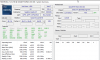
Here's a screenshot from HWINFO64. It says 3.6Ghz on up to 18 cores. Now, I haven't tested it to get it to load 18 cores at 3.6Ghz, but that's what HWINFO is saying. Maybe that's an error from HWINFO?
 

Attachments

brickmover

New Member
May 5, 2023
3
0
1
ice lakes ES2 become cheap, even from ebay us.
you need asrock or gigabyte motherboard, or supermicro but:
works only on supermicro single socket with BIOS 1.0(hardly to find) and X12DPi with BIOS up to 1.1c
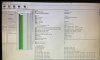
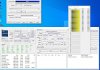
on the first picture it looks like the QVM7(8360y ES2) can go x36 all cores, but it is only an illusion(greetings from windows task scheduler)

View attachment 28554View attachment 28555
View attachment 28556
but if we disable 18 cores QVM7 can do x36 all cores.
View attachment 28591

How did you configure the BIOS to run 3.6G when idle or on a single core?
My qvm7 + X12 Dpi N6 only run 3.0 on single core. Even when idling, no core is running higher than 3.0Ghz.

Maybe there is some performance setting I need to change in the BIOS for CPU pstate or cstate?

Thanks!
 

RolloZ170

Well-Known Member
Apr 24, 2016
8,848
2,823
113
germany
How did you configure the BIOS to run 3.6G when idle or on a single core?
My qvm7 + X12 Dpi N6 only run 3.0 on single core. Even when idling, no core is running higher than 3.0Ghz.
no changes other than this:
disable 18 cores.(bitmap FFFFF)
windows power plan balanced, run CPU-Z stress cpu to put load.
edit/update:
i use X12SPM with BIOS 1.0, you can not expect the same BIOS default settings.
X12SPM_1.0.jpg
if you run linux maybe you have to set to "BIOS Controls EPB" and "Maximum Performance"
 
Last edited:
  • Like
Reactions: AlexKaz

gsm

New Member
May 10, 2023
3
0
1
Hi,

I'm about to pull the trigger in a Xeon QWAT with X12SPZ-SPLN6.
Not sure on how to check compatibility but it the latest (1.4) BIOS compatible?
 

RolloZ170

Well-Known Member
Apr 24, 2016
8,848
2,823
113
germany
I'm about to pull the trigger in a Xeon QWAT with X12SPZ-SPLN6.
Not sure on how to check compatibility but it the latest (1.4) BIOS compatible?
QWAT is final production stepping D0, i had QWAS(D0) working on X12SPM BIOS 1.4a
 

sam55todd

Active Member
May 11, 2023
212
65
28
I was one of those punters taking a risk about 1-2 months ago with Supermicro X13 (BIOS ver 1.1) and ES/QS LGA 4677 Sapphire Rapids Xeon QYFQ seeing it for cheap on ebay while waiting for first wave of low-end Prod version upgrades being disposed by datacenters.

Well, as this thread already mentions - this MB/CPU combo doesn't work, MB/BIOS doesn't recognize CPU, system doesn't boot (apart from BMC part) and behaving like CPU is not even installed, turns on for around 30 seconds, then powers off automatically, no output from system (except standard BMC UI), multiple restarts after each 20 seconds do heat up CPU a bit (suggesting it's not CPU or socket fault) but couldn't progress any further.

Was surprised to see significantly fewer PCIe lanes implemented than CPU can support, e.g. X13DAI has only 64 PCIe lanes wired instead of expected 80 (so 20% less) on CPU1 and 48 PCIe lanes on CPU2 (-40%), IMV they're taking a step backwards, although Gigabyte MS73 does the same but seems like AsRock SP2C741D16X has better implementation with more hardware limit coverage implemented (7 PCIe slots + M.2 + 2x MCIO + 3x OCuLink but last one goes via PCH). Not accounting for Tyan since their Dual-socket LGA4677 range doesn't have customer-level form-factors yet (but Single-CPU does have a better options almost like their SuperMicro X13SEI counterpart - which is practically implementing all PCIe lanes, Tyan even has some PCH PCe lanes exposed to customer devices via M.2 PCH-bound slots), of course not mentioning Advantech / DFI and other manufacturers because of broad market non-availability.

Therefore since even smartest community people don't have minimum effort/risk solution - for now will have to park X13 along with RAM and case into storage for another 3 months and list CPU on ebay at half price to stay competitive (there are plenty ES's already listed there), Also as IT manager in mid-size corp - from now on trying to avoid Supermicro from our shopping list because of all these added restrictions over recent generations, seems to be a bit dodgy imposing these artificial limits (I'm not talking about official compatibility support obviously).
 

brickmover

New Member
May 5, 2023
3
0
1
no changes other than this:
disable 18 cores.(bitmap FFFFF)
windows power plan balanced, run CPU-Z stress cpu to put load.
edit/update:
i use X12SPM with BIOS 1.0, you can not expect the same BIOS default settings.
View attachment 28808
if you run linux maybe you have to set to "BIOS Controls EPB" and "Maximum Performance"

Maybe I need to get the 1.0 BIOS..
 

bayleyw

Active Member
Jan 8, 2014
333
109
43
Was surprised to see significantly fewer PCIe lanes implemented than CPU can support, e.g. X13DAI has only 64 PCIe lanes wired instead of expected 80 (so 20% less) on CPU1 and 48 PCIe lanes on CPU2 (-40%), IMV they're taking a step backwards, although Gigabyte MS73 does the same but seems like AsRock SP2C741D16X has better implementation with more hardware limit coverage implemented (7 PCIe slots + M.2 + 2x MCIO + 3x OCuLink but last one goes via PCH). Not accounting for Tyan since their Dual-socket LGA4677 range doesn't have customer-level form-factors yet (but Single-CPU does have a better options almost like their SuperMicro X13SEI counterpart - which is practically implementing all PCIe lanes, Tyan even has some PCH PCe lanes exposed to customer devices via M.2 PCH-bound slots), of course not mentioning Advantech / DFI and other manufacturers because of broad market non-availability.

Therefore since even smartest community people don't have minimum effort/risk solution - for now will have to park X13 along with RAM and case into storage for another 3 months and list CPU on ebay at half price to stay competitive (there are plenty ES's already listed there), Also as IT manager in mid-size corp - from now on trying to avoid Supermicro from our shopping list because of all these added restrictions over recent generations, seems to be a bit dodgy imposing these artificial limits (I'm not talking about official compatibility support obviously).
It's not an artificial limitation. X13DAI is standard EATX and with the increased size of the socket and routing requirements of PCI-e 4.0 they can only fit a limited number of lanes. SP2C741D16X is an enormous EEB motherboard hence its increased connectivity, but EEB is a miserable form factor to work with - the mounting holes don't match any of the (E)ATX standards so outside of a few cases you're stuck drilling your own holes.
 

sam55todd

Active Member
May 11, 2023
212
65
28
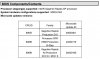
I've checked BMC side of configuration on my SuperMicro X13 and it feels like I'm out of luck to get compatible one (presumably having right microcode to support ES - QYFQ) because older version of BIOS is not listed (right side of evidence attached, section {B}) in "resilience actions" (not available for recovery, plus even if it would - there are extra licensing requirements aka "contact vendor" as was mentioned over the PM by local guru) there's only BMC image having version 1.0 (therefore I was mistaken when trying to remember it and there was a flashback of something having 1.0 in reserve), even though previous version of BIOS (1.0) is listed on "Inventory" tab (section {A}).

As a result - no any sort of boot is possible atm for LGA4677 Xeon ES : QYFQ with my DualSocket X13 (no any activity on console, section {D} of image, and post code is always ff as per section {C}), seems like will have to wait until a proper cheap prod versions hits secondary market via ebay (probably in 2-3 months). Won't do anything hardcore (e.g. soldering out BIOS chip, etc.) because of warranty concerns (MB is quite expensive after all).
 

Attachments

Last edited:

sam55todd

Active Member
May 11, 2023
212
65
28
It's not an artificial limitation. X13DAI is standard EATX and with the increased size of the socket and routing requirements of PCI-e 4.0 they can only fit a limited number of lanes. SP2C741D16X is an enormous EEB motherboard hence its increased connectivity, but EEB is a miserable form factor to work with - the mounting holes don't match any of the (E)ATX standards so outside of a few cases you're stuck drilling your own holes.
sorry, probably off-topic, will try to cut this short and won't expand to any other replies.

I wasn't necessarily talking about PCIe slots (even though X13DAI could have all implemented as X16 instead of having one X8).
It would be great to see at least an effort of delivering these lines via other alternatives (.e.g. MCIO/OCuLink/SFF-86xx or even having an extra M.2, not necessarily M-keyed but E-key for say WiFi or even B-keyed for other devices {e.g. LTE modem} would do too since it's workstation MB and there is plenty of room available on MB surface). Some time ago SM was actively sending a commitment message of implementing all functionality, now this is over.

I was eyeing X12DPG (before deciding to go with Sapphire Rapids in the end, partially because of DDR5 although it doesn't bring much of improvement but at least can be reused on future generations of platforms too, while it's dead-end for RDIMM DDR4, so decided not to waste money on it) and found several affordable cases available on ebay to fit this larger form-factor without much of an effort (e.g. ThermalTake, Phanteks, Antec, LianLi,.., I think some rare models of CoolerMaster, Corsair, PC Specialist, InWin, Abkoncore do have sufficient space too but I had suitable options with first four therefore didn't go into more measurements with latter).
As for drilling case holes - again, with lots of SuperMicro it was always ongoing issue, I tend to have a bunch of 6.5mm hex standoffs/pillars and M3 (prefer metric) relevant tap drill bit ready for almost every of recent builds, shouldn't be a case for whoever does this as occupation or generic consumers of course but for a higher-end system enthusiast having frequent upgrades it's probably inevitable.
 
Last edited: