
That's bonkers. I may have missed it but are you reselling these or putting them into production or...?Unloaded 100 of them into our office.
159$ US 'new' Quanta D51B-1U LGA2011-3 Server Best Offer
- Thread starter Sable
- Start date
Notice: Page may contain affiliate links for which we may earn a small commission through services like Amazon Affiliates or Skimlinks.
works great, although not like supermicro, it seems SUPER picky about java versions, first one would crash each time i tried to mount an ISO, i finally found a JRE version that wouldn't, but still had oddities once in a while, and no html5 kvm like SMCI does. Other than that, sensors are great though.How is the IPMI on these?
Hmm.. after a couple days, I may end up putting the fan back on...seems temps are even higher (I didn't replace compound though)No, I did not do a before and after but I really doubt it would be any worse than the stock fan. I also applied fresh thermal paste on the GPU.

That gap in the middle was around when I removed it, but with transcoding going on regularly after, it seems its almost at its peak (51C)
Hey guys, if you need caddies, here's some at 4.95$....a STEAL
QUANTA QCT QuantaGrid TD14AS 2.5" SFF HDD TRAY CADDY FOR SERVER D51B-1U D51B-2U | eBay
QUANTA QCT QuantaGrid TD14AS 2.5" SFF HDD TRAY CADDY FOR SERVER D51B-1U D51B-2U | eBay

Dedicated servers (rentals).That's bonkers. I may have missed it but are you reselling these or putting them into production or...?
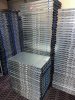
yesDo the power supplies in these run on 240V AC?

They are quite loud like all 1U serversWhat the sound like on these bad bois?

Not something I would advise having in a house or office.
The fans on mine definitely aren't running at full speed during normal operation. It isn't the loudest 1U server I have owned, but it is still pretty loud, definitely a lot louder than newer Dell 1U servers under normal operation.Ok thanks! Yeah I was hoping it was similar to my Dell R430. They spin up like a bitch, but they quiet down to almost silent. So the fans spin almost continuously?
It depends on how fast the fans are spinning, typically 1U systems are quite loud to be in a house if you have any type of loads on them. We use them in our data centers and can push a lot of load onto some of these systems. We have customers who max these out with dual E5-2695v3's and they spin up high to stay cool.
My unit tends to stay at around 7k RPM for all of the fans at idle. Compared to the other 1Us in the rack that typically idle at around 4k, I can definitely tell when the Quanta is on.Ok thanks! Yeah I was hoping it was similar to my Dell R430. They spin up like a bitch, but they quiet down to almost silent. So the fans spin almost continuously?
Has anyone messed with the D51B 2U LFF unit? I am tempted to snag one since 12x LFF plus SAS3, 10GBe mezzanine, and (if Quanta will sell it) 2x NVMe and 2x 2.5" rear slots means I have space for a nice GPU and turn it into an "all in one" server. But... I live in essentially an apartment sized situation with paper thin walls - so I would rather not have something screaming at me all day.
There are two type of BIOS on QuantaGrid-D51B | 1U Rackmount Server | QCT.io.
One is S2B_3A** other is S2B_3B**.
Mine last is S2B_3A22.
Are those BIOS compitable?
I tried flash S2B_3B09 via maintance menu in IPMI. Flashing had no issue but server had black screen with new BIOS.
So I returned S2B_3A22 and all is ok.
One is S2B_3A** other is S2B_3B**.
Mine last is S2B_3A22.
Are those BIOS compitable?
I tried flash S2B_3B09 via maintance menu in IPMI. Flashing had no issue but server had black screen with new BIOS.
So I returned S2B_3A22 and all is ok.
First of all the forum seems to be for experienced people which I am not. If you happen to know any site where I can get more info about these servers are great. I will figure it out.NVME drives are typically just electrically wired PCIe 4x, so adapters should work just fine, and Windows should work with EX950.
I got my server, since my idea was to be used with NVME Drive and keep the cost low. I went with the model with 4 3.5 inch Drive (probably no one wants to buy).
1. For the experiment, I have hooked up one drive into one 3.5 slot and start the server. it doesn't show up any drive. I suppose I have to configure something to let the server know it has one drive ?
Mostly its relate to RAID Card installed. where can I learn more about it ?
Now the PCIE NVME Card
GIGABYTE Shows PCIe 4.0 x16 Four-Way M.2 PCIe Add-In Card
I got this to fix 4 NVME drive which is more than what I need, but I think this is not compatible as I am not sure how to set the required config for PCIE , called Intel® Virtual RAID on CPU.
Again need more info on BIOS setup.
Is there any way I can connect one or two SATA drive directly to the motherboard ?
Any pointers will help me.
Last edited:
? They're custom by Quanta. Maybe some more info?Anyone has motherboard specification of these servers ?
quanta d51b-1u - I am looking for SATA power details from this motherboard.? They're custom by Quanta. Maybe some more info?
Pasteboard - Uploaded Image