(US) 90 dollar Wyse 5070 Thin client/mini-server?

Notice: Page may contain affiliate links for which we may earn a small commission through services like Amazon Affiliates or Skimlinks.
I got one of the $67.15 systems. Mine has no eMMC, only a 32GB SATA drive.

Question for you guys buying network cards. A lot of the posted options don't appear to have low profile brackets. What is your plan for installing one of those?
I haven't opened mine yet and won't get a chance until next week, but I also got a $67.15 one so will confirm if it's the same as yours.

As far as the network card, you can just install it without the bracket. Or you can 3d print one or purchase a used one online.
 
  • Like
Reactions: SonicBlue5
I got one of the $67.15 systems. Mine has no eMMC, only a 32GB SATA drive.

Question for you guys buying network cards. A lot of the posted options don't appear to have low profile brackets. What is your plan for installing one of those?

I ended up getting one off of eBay from a US-based seller for a few bucks more than the ones that ship from China just so that it would get here a little sooner.
 
  • Like
Reactions: Samir
Might be kind of a niche question but has anyone tried using a M.2 wireless port to sata adapter and connecting it to an esata JBOD like this one? I'm curious if the performance is at all decent with the port multiplier. The use-case would be for a media box where only one of the drives is likely to be accessed at a time. I currently have it connected this way to a single-drive enclosure and it works great, but looking to expand.
 
  • Like
Reactions: Samir
I haven't opened mine yet and won't get a chance until next week, but I also got a $67.15 one so will confirm if it's the same as yours.

As far as the network card, you can just install it without the bracket. Or you can 3d print one or purchase a used one online.

I was curious and looked for some models. I haven't tried this one, but looks like it should work:

 
  • Like
Reactions: Samir
One problem on Wyse 5070, once inserted the Mellanox card knocks out my M.2 SSD. I had to use USB Ubuntu Live to run the test.

I am running into an issue where if I plugin my connectx-3 10GB into the PCIE slot of the Wyse 5070 extended it seems to prevent the bios from detecting my SATA m.2 drive and after a normal reboot the connectx-3 stops being detected.

I grabbed a few 5070 extendeds and put a mellanox connectx-3 in each. The 5070s all work, except for one, where the m.2 SATA stops working ONLY when I have these conectx-3 cards in (tried three of them that work in the other boxes). I upgraded the BIOS and mellanox firmware, no improvement. I tried two AMD GPUs and a random old broadcom NIC I had laying around, all of which worked correctly with the m.2 SATA. I tried multiple different m.2 SATA drives, no difference. Also tried the SMBus tape trick, no difference.

Very strange and frustrating! Maybe this one will just be the GPU node in my little cluster!

Edit: actually, with more testing, it seems like only two of the five work with the mellanox cards, I think I'm going to just return these and go for m720q or something instead.
 
Last edited:
  • Like
Reactions: Samir and Fritz
I have about 300/400 slim Celeron and Silver 5070s, but some of them are IOT and none are ThinOS past 8.6.
Almost all were Ubuntu or IOT. Does anyone know what and how to change the BIOS or efi to tell the machines they're ThinOS PCoIP machines?
 
  • Like
Reactions: Samir
Hey Guys, short question. Does the mainboard have any hidden SATA ports who can be soldered like the S740?
 
  • Like
Reactions: Samir
Hey Guys, short question. Does the mainboard have any hidden SATA ports who can be soldered like the S740?
What I found:
you can try to find something similar for internal usb https://www.amazon.de/dp/B08J7Q81SF
also the motherboard has an unsoldered pcie slot, maybe you can do something with it (maybe put a m.2 ssd, not sure if adapter will fit)
1622638025.jpg
and i think the mmc can be replaced with a bigger one (i do it on a wyse 3040)
 
  • Like
Reactions: Samir and Manu182
Wondering if anyone has tried using a H1110 (LSI SAS9211-4I IT Mode, LSI SAS2004 controller) on the 5070 (extended) to connect additional drives. The drives will be powered (and mounted) externally but I'm trying to see what I may be missing from a compatibility perspective if I go that route... Objective is to set it up as a NAS under Proxmox...

Long-due update on this just in case it's helpful to anyone else... (and somebody asked me about it on another thread :))

It's currently up and running...
- Wyse 5070 extended, 32GB RAM, 2TB M.2 SATA
- Oracle LSI SAS9300-8e HBA (8-Port 12Gbps) (went with @UhClem recommendation of 8e - so no case adaptations needed)
- 4x 10TB WD RED (for now, have 2 more to add) housed on a drive cage 'upcycled' from an old server tower
- 2x 12V 120mm generic fan (running at 6-7V for now - will move to quiet 92mm PWM someday). One for the HDD cage and the other for the top of the wyse
- external PSU with jumper to power the drives

Software:
Running proxmox and multiple containers and VMs using only the SSD.
All 4 HDDs are set up as pass-through to a VM hosting the NAS.

Temps & Power:
- CPU temps around 104-140F/40-60C
- HBA card around the same 104-140F/40-60C
- HDDs temps have been around 95-113F/35-45C
- Power draw at the wall (wyse + HDDs + external PSU + 2 fans) is around 60W without any power optimization/configuration for drive spin down yet. Gets up to 75W with heavy drive usage (NAS showing 690MB/s read peak)
- Before the HBA/drives/fans/psu the same machine would fluctuate between 8-14W with multiple dongles/adapters (BT, UPS USB, SDR, etc) in use...
 
Hi, i've been contemplating running 4 drives in a Icy Box IB-564SAS-12G, which is meant to be installed in 3x5.25". But i was planning to stick some rubber feet under it, and running it external.
That looks like a nice self-contained unit. And just need the SATA Power and mini-SAS cable.
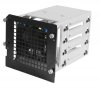
I’m using a cage like this that was inside a tower server case and fits a fan on the front.

IMG_5663.jpeg

Could you expand on your power solution? I've been searching for power bricks with a Molex connector from china, As i don't really want to start soldering something..
As this may grow in the future towards a larger dedicated storage server, I’ve got already an actual Corsair modular SFX PSU which is pretty small and the fan never runs with the current load. Being modular, I can just use the SATA power cable connected to the drives.
Because it’s not connected to a motherboard, you need a jumper between 2 pins or use something like this (on the 24-pin ATX):
https://www.aliexpress.us/item/1005004045090030.html
 
  • Like
Reactions: e97 and Samir
"Sorry, we've detected unusual activity on your network." - Guess they don't like my PI-Hole. :p
 
  • Like
Reactions: Samir
Wyse 5070 extended

Wyse 5070 extended + quad-port NIC(i350-t4?)

I am not sure about whether the oracle oem i350-t4 is genuine or not.
 
  • Like
Reactions: Samir and Fritz
Wyse 5070 extended

Wyse 5070 extended + quad-port NIC(i350-t4?)

I am not sure about whether the oracle oem i350-t4 is genuine or not.
Curious if the 256GB storage version comes with a windows iot license attached to it or not.

As far as the quad-port, why not ask the seller here as he's a member--https://forums.servethehome.com/index.php?members/beaflag-vonrathburg.20237/ :)
 
Whats the best way to internally power a 2.5 SATA SSD? Going to use a sata to mkey adaper. Maybe off the 19 pin header? Seems like you'd have to chain 19 pin to usb to sata 5v somehow.


Has anyone managed to figure out a decent way to mount a 2.5 in drive internally, maybe something printed? I have a spare 4TB ex DC drive, m.2 SATA only goes to 2TB afaik.
 
  • Like
Reactions: Samir
Whats the best way to internally power a 2.5 SATA SSD? Going to use a sata to mkey adaper. Maybe off the 19 pin header? Seems like you'd have to chain 19 pin to usb to sata 5v somehow.


Has anyone managed to figure out a decent way to mount a 2.5 in drive internally, maybe something printed? I have a spare 4TB ex DC drive, m.2 SATA only goes to 2TB afaik.
It is mentioned here on parkytowers that 'There are a few other connectors dotted around that are probably used in the 'extended' version.'

I'd try to see if you can pull power from one of those. It's been done before on some of the other Dell thin clients and documented on that site.