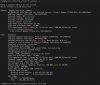
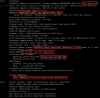
[root@localhost:~] fio-status -a

Found 1 VSL driver package:
   4.3.7 build 1205 Driver: loaded

Found 2 ioMemory devices in this system

Adapter: ioMono  (driver 4.3.7)
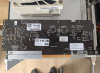
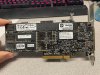
        HP 1.2TB HH/HL Value Endurance PCIe Workload Accelerator, Product Number:763834-B21, SN:1405G0114
        ioScale3 Adapter Controller, PN:764125-001
        Product UUID:5d58a7e5-5327-5c22-8154-848039eddf41
        PCIe Bus voltage: avg 12.25V
        PCIe Bus current: avg 0.76A
        PCIe Bus power: avg 9.31W
        PCIe Power limit threshold: 24.75W
        PCIe slot available power: unavailable
        Connected ioMemory modules:
          fct0: 12:00.0,        Product Number:763834-B21, SN:1405G0114

fct0    Attached
        ioScale3 Adapter Controller, Product Number:763834-B21, SN:1405G0114
        ioScale3 Adapter Controller, PN:764125-001
        Microcode Versions: App:0.0.44.0
        Powerloss protection: protected
        PCI:12:00.0
        Vendor:1aed, Device:3002, Sub vendor:1590, Sub device:a3
        Firmware v8.9.9, rev 20200113 Public
        1250.00 GBytes device size
        Format: v501, 2441406250 sectors of 512 bytes
        Format: v501, 1953125000 sectors of 512 bytes
        PCIe slot available power: 25.00W
        PCIe negotiated link: 8 lanes at 5.0 Gt/sec each, 4000.00 MBytes/sec total
        Internal temperature: 51.19 degC, max 53.65 degC
        Internal voltage: avg 1.01V, max 1.01V
        Aux voltage: avg 1.79V, max 1.81V
        Reserve space status: Healthy; Reserves: 100.00%, warn at 10.00%
        Active media: 100.00%
        Rated PBW: 4.00 PB, 99.99% remaining
        Lifetime data volumes:
           Physical bytes written: 547,309,228,160
           Physical bytes read   : 29,026,565,568
        RAM usage:
           Current: 545,395,584 bytes
           Peak   : 545,395,584 bytes
        Contained Virtual Partitions:
          fioiom0:      ID:0, UUID:e6c19b3a-adf3-4b7c-a956-69c74f428520

fioiom0 State: Online, Type: block device, Device: /dev/disks/eui.e6c19b3aadf34b7c002471c74f428520
        ID:0, UUID:e6c19b3a-adf3-4b7c-a956-69c74f428520
        1250.00 GBytes device size
        Format: 2441406250 sectors of 512 bytes
        Sectors In Use: 0
        Max Physical Sectors Allowed: 2441406250
        Min Physical Sectors Reserved: 2441406250

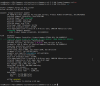
Adapter: ioMono  (driver 4.3.7)
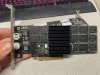
        HP 1.0TB HH/HL Value Endurance PCIe Workload Accelerator, Product Number:775666-B21, SN:1406G0653
        ioScale3 Adapter Controller, PN:775677-001
        Product UUID:abd4a1ec-525c-5963-a063-8cede7465b81
        PCIe Bus voltage: avg 12.25V
        PCIe Bus current: avg 0.77A
        PCIe Bus power: avg 9.46W
        PCIe Power limit threshold: 24.75W
        PCIe slot available power: unavailable
        Connected ioMemory modules:
          fct1: 13:00.0,        Product Number:775666-B21, SN:1406G0653

fct1    Detached
        ioScale3 Adapter Controller, Product Number:775666-B21, SN:1406G0653
        ioScale3 Adapter Controller, PN:775677-001
        Microcode Versions: App:0.0.44.0
        Powerloss protection: protected
        PCI:13:00.0
        Vendor:1aed, Device:3002, Sub vendor:1590, Sub device:b2
        Vendor:1aed, Device:3002, Sub vendor:1590, Sub device:a3
        Firmware v8.9.9, rev 20200113 Public
        1000.00 GBytes device size
        Format: v501, 1953125000 sectors of 512 bytes
        PCIe slot available power: 25.00W
        PCIe negotiated link: 8 lanes at 5.0 Gt/sec each, 4000.00 MBytes/sec total
        Internal temperature: 52.17 degC, max 54.63 degC
        Internal voltage: avg 1.01V, max 1.01V
        Aux voltage: avg 1.79V, max 1.81V
        Reserve space status: Healthy; Reserves: 100.00%, warn at 10.00%
        Active media: 100.00%
        Rated PBW: 12.00 PB, 100.00% remaining
        Lifetime data volumes:
           Physical bytes written: 547,689,149,464
           Physical bytes read   : 19,245,502,080
        RAM usage:
           Current: 85,640,000 bytes
           Peak   : 545,395,584 bytes

[root@localhost:~]