Brocade ICX Series (cheap & powerful 10gbE/40gbE switching)

Notice: Page may contain affiliate links for which we may earn a small commission through services like Amazon Affiliates or Skimlinks.
I have a 6450-24P and 6450-48P in the mail to play with and ultimately be in a new home I'm building. The two units will be approximately 100 feet away from each other. The walls are open and I want to make a permanent connection to the two units now and treat them as stacked. However, I have absolutely no idea what type of cables I need to make this happen. Prior to running into this thread I already ran one CAT6 cable and a single fiber optic cable (specs say LC to LC OM3 Corning 10GB) which I now don't think is correct or complete.

1. Can someone guide me on what type of cable, how many and what other type of accessories I'll need to make this work. I am a complete novice when it comes to fiber, SFP+, the transceivers and other misc accessories and devices more common in data centers and enterprise environments.

2. Also can someone link to the appropriate console cable I'll need? I'm sure someone on Amazon or eBay has one that works with the 6450 but it seems so cryptic reading "DB9/RJ45" cable when searching Amazon and eBay. I have USB-A and thunderbolt3 on my laptop so I'm not sure if I need one part or two parts to be able to connect into the console and start my beef journey. I understand how to use screen to view the feed once connected just don't know the exact cable(s) needed.
 
Prior to running into this thread I already ran one CAT6 cable and a single fiber optic cable (specs say LC to LC OM3 Corning 10GB) which I now don't think is correct or complete.

If you want a ring stack then two pairs of LC to LC.

If you want your future self to thank you then run OS2 / single mode.

I try to run at least 1 more pair than I think I will need (depending on space / budget).

2. Also can someone link to the appropriate console cable I'll need? I'm sure someone on Amazon or eBay has one that works with the 6450 but it seems so cryptic reading "DB9/RJ45" cable when searching Amazon and eBay. I have USB-A and thunderbolt3 on my laptop so I'm not sure if I need one part or two parts to be able to connect into the console and start my beef journey. I understand how to use screen to view the feed once connected just don't know the exact cable(s) needed.


USB A USB C
 
1) you could run an active optical dac like this if indeed 100ft is enough

Otherwise I'd run 2 pairs of 2-6 strand fiber. Om3/4 will work, I prefer OS2. OM is multimode using leds, os is single mode using lasers. Om3 is good for 100gbps at 100 meters or less. OM4 is good for 100gbps at 150m or less. All overkill for 10gbps but you might as well. You will be using lc ends.

For transceivers, brocade doesn't care. Of course sfp+ which is up to 10gbps, and pay attention to light wavelength. Ie you will probably be using 850nm for your rin length. Each pair needs to use the same wavelength. You should also pair for the same distance, ie 30m.
 
Last edited:
If you want a ring stack then two pairs of LC to LC.

If you want your future self to thank you then run OS2 / single mode.
Where is the good choice for buying OS2? I have no problem spending a bit more for being super future proof. If going OS2 would I still need a pair of the cable or is that only for OM3 and OM4 because they are "multimode"?
 
I'd do a pair of cables for redundancy/ future proofing. Ie one breaks. The number of strands is the same reasoning and the cable is cheap enough. Think of it like copper cabling, how many strands are there in Cat 6? However cat 6 needs 8 strands per link. Fiber CAN be one called bi directional but typically 2 strands per link. Buy pre terminated LC to LC duplex as your walls are open. Compare transceiver costs for OM3/4 and OS2 to determine whT you want to run for cables and trancievers. Is this all in wall? Riser/plenum, outside etc?I did not buy pre terminated but my house was finished, so it's ~$600 per drop to terminate via trustworthy techs.

FS.com website is well organized but seems like a generic website for Chinese switches and fake reviews. I still have had no problems with them, and generally the rep is helpful. I found a POE±+ 801.11bt switch I wanted but it's actually not bt and had to explain to the rep the issue. They kept the poe±+ wording though. I use it to find what I'm looking for often then buy used on ebay for personal, especially for nics.Feel free to pm me, we can discuss over phone as well.
 
Where is the good choice for buying OS2? I have no problem spending a bit more for being super future proof. If going OS2 would I still need a pair of the cable or is that only for OM3 and OM4 because they are "multimode"?

You pretty much are doing what I did. I have ~300ft between two buildings and I ran 12 strand OS2 MTP fiber between the two buildings. I use a cassette to break it out on both sides to dual LC and plug that into the switch using LR transceivers. This future proofs me if I ever need more then 10Gbit or if I need additional runs.

You can look here to see https://www.fs.com/products/57016.html an example in their "10G Cable Trunking". I used the regular basic 1U mount with 1 cassette on each side. Make sure if you do cassette "Mode A" on one side and "Mode AF" on the other. The example is not a very sturdy cable as its just plenum rated and no protection.

I ran an industrial armoured cable to be sure (https://www.fs.com/products/70220.html) as it will be covered (in wall or in a conduit). You can customize it as needed and even put pull eyes on both sides. Just make sure the connector matches with the cassette if you are going that way. Most of the time you want MTP Female.

Good luck!
 
If you want to do something simpler, a single pair of SM fiber with simplex (not duplex) LC connectors and two pairs of this SFP+ (BiDi SFP+ 10GBase-LR Tx1270/Rx1330nm 10KM) will give you a full ring and nothing extra. If you like you can order the SFP+ transceivers with "Brocade coding" (that's what I did) but it's not strictly necessary.

This is an option as well just make sure if you are doing BiDi the one receiver is 1270/1330 and the other is 1330/1270 or else it will not work (you cannot get qty 2) you need to get a different receiver.
 
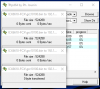
I am having TFTP issues setting up my second Brocade ICX 6610-48P. I had no issues getting my non POE 6610 up and running. I can get into the boot monitor and set my IP. the problem comes when i try to load things from the TFTP server running on my pc. It connects starts 4 transfer windows and times out on the brocade side. I will include my Wireshark log below. Any help would be great as I don't know what to do next.
1711996521357.png
1711996471406.png
1711996134125.png
 
I can get into the boot monitor and set my IP. the problem comes when i try to load things from the TFTP server running on my pc.
Are the switch and the tftp server supposed to be on different subnets (is the box running the tftp server multi-homed or is there an intermediate router)? Does it work if the switch and the host running the tftp server are in the same subnet?
 
If going OS2 would I still need a pair of the cable or is that only for OM3 and OM4 because they are "multimode"?
You use a pair because one is for sending and one is for receiving data. :)

You can also do both over a single fiber using different wavelengths, but that requires more expensive transceivers and makes it necessary for the transceivers on each end to be different (wavelengths swapped).
 
Are the switch and the tftp server supposed to be on different subnets (is the box running the tftp server multi-homed or is there an intermediate router)? Does it work if the switch and the host running the tftp server are in the same subnet?
Turned out I forgot the cheap router was pushing everything into the 192.168.1.??? subnet while everything I had set up before was on the 192.168.0.??? subnet. they will send requests, but no packets will transfer. Set them both to the same subnet and everything worked properly.
 
  • Like
Reactions: dbvader
random, never read this thread much, but hey thanks @fohdeesha for the resources, also pinout help for usb hax cable

power draw on 7250-48P
67w idle
70w idle with 2 optics (10g)


now disable 44 ports
your down to
58w idle
61w idle with 2 optics

almost 24 port numbers for power usage!
 
  • Like
Reactions: jei
it was for getting wattage readout with the stuff I had, to get an idea what could be done, and how it was on power usage vs other 24 ports

I will only use about 10 ports on it I think... but I might also be able to replace the oob/1G switch in one of my racks with it, since it has enough 10g sfp+ ports!

kinda bummed (I knew this) no redundant PSU's on it

wonder what a 24 or 48 port 7450 actually use. then again I do like my arista 7010t