Drag to reposition cover

Brocade ICX Series (cheap & powerful 10gbE/40gbE switching)

Notice: Page may contain affiliate links for which we may earn a small commission through services like Amazon Affiliates or Skimlinks.

nominal

New Member
Dec 17, 2023
2
1
3
Hey all, I could really use some help setting up ACL's. I've been trying to find posts, documentation and guides but I really just don't quite get how this works. Very much an amateur with more advanced networking stuff.

Currently my network config is:

- Home_Main 192.168.0.1/24 (Default VLAN 1)
- Home_IoT 192.168.100.1/24 (VLAN 100)

What I want to achieve is:

- Devices on Home_IoT blocked from accessing any device on Home_Main except 192.168.0.50 (any port). Everything on Home_Main should have access to everything on Home_IoT however.

I'd much appreciate any help in setting this up.
This post may point you in the right direction
 
  • Like
Reactions: ManoftheSea

Fluxor

New Member
Sep 17, 2019
2
0
1
Hi, I have a weird issue with an ICX6610-48P, I gave it an IP and a default gateway. Most of the time it responds to pings from beyond the gateway, but at some random interval it will not accept traffic. If you are on the same subnet with it, you don't see this problem. I have other devices in that same subnet that do not experience this problem.

ICX6610 ------- Gateway -------- Computer -> Random Drops

ICX6610 ------- Computer -> No Drops

Has anyone experienced this before ? Thanks for any and all suggestions

EDIT: So I configured OSPF on the 6610 and started feeding it routes from my gateway and this problem seems to have disappeared. I'm glad the problem is gone, just uneasy as to what it might have been.

Update: As it turns out, if you have two devices with the same IP, this is less than optimal. It's almost always the easy stuff that gets us.
 
Last edited:

EBRAddict

Member
Jun 16, 2023
36
11
8
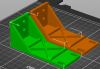
Anyone have a STL for 3D printing rack ears for the ICX7150-C12P?
Update: Printing some up now. If they work I'll post the file.
icx7150-c12p-ears.png
 
Last edited:
  • Like
Reactions: fohdeesha

i386

Well-Known Member
Mar 18, 2016
4,821
1,871
113
36
Germany
And again the guide saved my butt :D

(I got about three weeks ago a new integrated router from my isp and it came with dhcp enabled and caused a lot of trouble becuase it was using another network address and the lease was for 3 weeks... I wanted to assign static ip addresses to my "fixed" hosts/devices and accidentally deleted the ip address on the ve 1 interface on my 6450 and it "disappeared" :D)
 

nominal

New Member
Dec 17, 2023
2
1
3
I have an ICX 7250 running 08095m. Is there any way to specify the LAG load balancing type?

I have a Cisco 1852i AP (I know I'm asking for trouble) I'm trying to LAG to the 7250. Cisco docs state to use method "src-dst-port" and that "If one doesn't configure L4 port load balancing (for example when using a switch model which does not support this feature) then the port channel will still come up but all the traffic will go through the same port. One will not have 2 gigabits of speed but there will be redundancy."

On the Ruckus docs it does speak to LAG Load Sharing but I cannot see any way to specify it explicitly. I haven't done any testing to see if it's balancing yet but when running "show ap config general" I see the following:

AP LAG Configuration Status ..................... Disabled
LAG Support for AP .............................. Yes


edit: that above said -- traffic is definitely passing through both interfaces after some testing. Not sure if it's capable of >1 Gbps but we'll see.
 
Last edited:

dwright1542

Active Member
Dec 26, 2015
377
73
28
52
Are the breakouts on a 6610 1/2/2-1/2/5 able to be configured back to a single 40G link? I'd prefer that over an LACP connection.
 

Griffon551

New Member
Nov 13, 2023
12
0
1
I have an icx 6610, followed the directions, everything seems to have installed fine. When I go to boot, it keeps ending with "Process [1] stopped by sds monitor. Any suggestions on how to fix?
 

NateR

Member
Feb 10, 2022
35
23
8
Hello all,

I've got an ICX6450-24p I've had in use for a year or so now. I've noticed that when I mess around with stuff in my rack, sometimes I'll lose the SFP ports (no status lights), which I use for uplink to the upstream switch, requiring a reboot of the switch. I believe I've finally figured out what is causing it - I disconnected a shielded network cable the other day, and happened to touch the metal shielding on the connector and shocked it with ESD (it's pretty dry here, and I typically touch the rack before anything else to discharge it, but either forgot to or just moving around built up a charge). The SFP ports went dark when this happened. Rebooted, and they came back up.

Any ideas on how to keep this from repeatedly happening?

Also, has anyone found a good alternative to OEM rack-mount ears? Mine came with a couple, but as I didn't have a rack at the time, I stupidly removed them and put them "where I will remember them..." well, after much searching, I have failed to find them.

Thanks
Anyone have any ideas about the ESD issue? Been eyeing the Mikrotik CRS328-24P-4S+RM as a possible replacement for the lower noise, lower power usage, and due to the perception of lack of reliability in the Brocade (my other switch is currently full because I've tried to keep as much as possible off the Brocade due to this issue), but that's an expensive pill to swallow.
 

klui

༺༻
Feb 3, 2019
1,025
601
113
Anyone have any ideas about the ESD issue? Been eyeing the Mikrotik CRS328-24P-4S+RM as a possible replacement for the lower noise, lower power usage, and due to the perception of lack of reliability in the Brocade (my other switch is currently full because I've tried to keep as much as possible off the Brocade due to this issue), but that's an expensive pill to swallow.
It appears you have a ground potential difference that's causing you problems. If both ends are on a different circuit that could be why. But it looks like the 6450 doesn't have any ground posts at its rear/sides. If you're not using any ears then you can try bonding the switch to your rack (somehow) or try replacing your cables with non-shielded variety. First, use a ground tester to see receptacles for your switch and the equipment on the other end of that shielded cable are properly grounded. If the other end is connected to a switch that has no ground plug then look for a grounding screw and bond that to ground. Even Netgear consumer switches have these ground posts, which is why I'm surprised the 6450 doesn't.

Shielded configurations are challenging and that's why people don't recommend them unless they understand how to deploy them.
 
  • Like
Reactions: blunden

NateR

Member
Feb 10, 2022
35
23
8
It appears you have a ground potential difference that's causing you problems. If both ends are on a different circuit that could be why. But it looks like the 6450 doesn't have any ground posts at its rear/sides. If you're not using any ears then you can try bonding the switch to your rack (somehow) or try replacing your cables with non-shielded variety. First, use a ground tester to see receptacles for your switch and the equipment on the other end of that shielded cable are properly grounded. If the other end is connected to a switch that has no ground plug then look for a grounding screw and bond that to ground. Even Netgear consumer switches have these ground posts, which is why I'm surprised the 6450 doesn't.

Shielded configurations are challenging and that's why people don't recommend them unless they understand how to deploy them.
Thank you for the response. This switch is not connected to anything outside of my rack, and everything within it is connected to the same PDU. It was purely from static electricity (I live in a dry area) from me. I've had other times where it seemed like just touching the front of the switch around where the cables are (disconnecting an un-shielded cable) would do the same thing. Internally, is the chassis not grounded to the ground of the power cable coming into it? I would think ESD would go out that, but not very familiar with how that works.
 

klui

༺༻
Feb 3, 2019
1,025
601
113
I once thought the same way and because I'm not trained as an EE/electrician the only reason I could see why there are bonding points in DC equipment is they facilitate a better path for ESD to be routed away from sensitive components. When installing equipment to racks the paint is supposed to be scratched off ears during this time to facilitate the bond. Even if you have the bond but your body has accumulated a charge, by touching a port cage that charge could pass through components you don't want before it exits through the plug or bonding wire.

This "electricity follows all paths" is why some equipment has an ESD point that one should touch/connect an ESD strap before the equipment is serviced. Ideally your rack and all equipment should be bonded to a grounding bar (which in turn bonded to your electrical ground) and you either touch it or wear an ESD wrist strap connected your grounded rack before you service any equipment in your high static environment.

See: https://www.juniper.net/documentation/us/en/hardware/srx550-hm/srx550-hm.pdf, pg 14 (#13).
 

Griffon551

New Member
Nov 13, 2023
12
0
1
Anyone able to help? Tried everything but just keep getting "Process [1] stopped by sds monitor" when it tries to boot
 

Richard Berg

New Member
Sep 4, 2021
4
0
1
What is the current recommendation for SFP+ to RJ45 adapters?

This is for wiring an ICX-6450 to a few PCs that (will soon) have 10GbE NICs.
 

NablaSquaredG

Bringing 100G switches to homelabs
Aug 17, 2020
1,886
1,284
113
Just got an ICX7750-48F, which seems to be dead as a brick (there's some initial console output, aka bootloader version + SVR: 0x82100120, PVR: 0x80230032, but then just silence)

Any idea what this could be? I'd guess memory issue maybe?

If you power cycle the switch, there are two different bootloader versions. Neither of them works.


Does anyone have a spare XW1648E8GMNE-AO DIMM (8GB DDR3 SODIMM Registered(!))?
 
Last edited:

hedgiedahawg

New Member
Dec 30, 2023
2
0
1
I'm setting up one of the ICX 7250 switches, and when I do the licensing, it says that I have a trial period of 45 days and then I have to buy a license. This is for a home lab, so I'm not all that interested in paying $1k for licensing. In the licensing guide, it says that it's honor-based, so I'm confused. Does it stop working after 45 days? Does it just keep on? Is this something that changed with the more recent version of the firmware and I need to downgrade the switch to an older firmware?

Thanks!
 

itronin

Well-Known Member
Nov 24, 2018
1,403
948
113
Denver, Colorado
I'm setting up one of the ICX 7250 switches, and when I do the licensing, it says that I have a trial period of 45 days and then I have to buy a license. This is for a home lab, so I'm not all that interested in paying $1k for licensing. In the licensing guide, it says that it's honor-based, so I'm confused. Does it stop working after 45 days? Does it just keep on? Is this something that changed with the more recent version of the firmware and I need to downgrade the switch to an older firmware?

Thanks!
my suggestion is to worry about it in 45 days and see if it all still works.