
Actually, it's not Vcore. This is Vccin/Vrin for FIVR (fully integrated voltage regulators) inside CPU. Values around 1.80 volts are OK.Good to see that he adequately responded and helped you the best way he could.
Do you remember where you read about "1.8v vcore" related to E5 v3 Xeons?
ASUS Z10PA-D8 - Dual Socket 2011-3
- Thread starter gb00s
- Start date
Notice: Page may contain affiliate links for which we may earn a small commission through services like Amazon Affiliates or Skimlinks.

Relisted: ASUS Z10PA-D8 Motherboard, dualxeon 2011-3 Socket | eBay
Does anyone in Europe need original i/o shield?

I can import it:
Can anybody confirm, that M.2 2242 is connected to chipset with one PCIe Gen2 lane?
Does anyone in Europe need original i/o shield?
ASUS IO Shield for ASUS Z10pa D8 Z10pe D16 100 Original One for sale online | eBay
Find many great new & used options and get the best deals for ASUS IO Shield for ASUS Z10pa D8 Z10pe D16 100 Original One at the best online prices at eBay! Free shipping for many products!
www.ebay.com
ASUS IO Shield for ASUS Z10pa D8 Z10pe D16 100 Original One for sale online | eBay
Find many great new & used options and get the best deals for ASUS IO Shield for ASUS Z10pa D8 Z10pe D16 100 Original One at the best online prices at eBay! Free shipping for many products!
www.ebay.com
I can import it:
Can anybody confirm, that M.2 2242 is connected to chipset with one PCIe Gen2 lane?
Last edited:
Z10PA-D8 | Servers & Workstations | ASUS USACan anybody confirm, that M.2 2242 is connected to chipset with one PCIe Gen2 lane?
1 x M.2 Connector , NGFF Type : 2242, Capacity : 16~128GB
under 'Notes':
*1: SATA 6Gb/s & PCI-E Gen2 x1 link
And from: https://dlcdnets.asus.com/pub/ASUS/...8/Manual/E13692_Z10PA-D8_Series_UM_V3_WEB.pdf
"The SSATA4 [Light Gray] will be automatically turned off if the M.2 connector (NGFF) is occupied.
There are 3 Apacher M.2 (NGFF) devices listed at Z10PA-D8 Series AVL
without checking though, i would imagine there exists Mini-SAS adapters that fit right into a PCIE3 x4 slot, and if not, just buy a standard PCIE3 x4 to M.2 adapter, then slap that M2 to Mini-SAS onto that

https://www.amazon.de/s?k=pcie+to+m.2&crid=JK8NWHD8AT91&sprefix=pcie+to+,aps,205&ref=nb_sb_ss_ts-a-p_1_8
hi all, i search the net to resolve my problem but found no info to help me so i'm here to ask your help... I have 2x e5-2630L v3 with 32 gigs of ram, the problem is that my cpu didn't want to turbo boost, frequency didn't go over the 1.8 ghz, also if under cinebench or other stress utility... in hardware info the turbo is marked red and result "capable, but disable", i try to switch almost every option in bios with no result... so i'm wondering if this motherboard won't turbo boost or it's just my problem. every help accepted

First of all, I assume you will never see 2.9Ghz out of this processor until you have a very specific workload to achieve this goal. Additionally, you will see max 2.9Ghz on 1 core only. Please remember, this is a processor of 55W TDP only. Further to the above, you will never see 1 core with max turbo in a dual-socket environment.
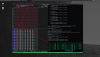
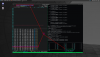
My Bios on this board is optimized for io sensitive workload. Not performance. I have this processor on my Kubernetes station and run short stress tests. Find screenshots below. My max turbo clock out of the stress-ng test engine was around 2.63Ghz. I couldn't get a screenshot of it.
Stress-NG all cores
Stress-NG 1 single core
Also I would have the following questions:
1. Which BIOS-version
2. Which 'Performance/Energy' settings were set?
3. Did you deactivate all C-states?
:
etc.
Regards
Mike
My Bios on this board is optimized for io sensitive workload. Not performance. I have this processor on my Kubernetes station and run short stress tests. Find screenshots below. My max turbo clock out of the stress-ng test engine was around 2.63Ghz. I couldn't get a screenshot of it.
Stress-NG all cores
Stress-NG 1 single core
Also I would have the following questions:
1. Which BIOS-version
2. Which 'Performance/Energy' settings were set?
3. Did you deactivate all C-states?
:
etc.
Regards
Mike
my goal is not to see 2.9 ghz on one or all core... it's just to understand why all my core are always at 1.8 ghz and never never never never go over this frequency, i expect to see the frequency go up under an heavy load, only 1.9 ghz on only one core, but nothing happens, always 1.8 ghz
i have the latest bios, every option related to energy save, hibernation, c state are disabled
p.s. i had 1x e5 2630L v3 on my asrock x99x killer and the cpu will turbo boost sometimes to 2.1/2.2 ghz so the cpu it's capable to use the turbo, i start to think that dual socket world it's a little different


i have the latest bios, every option related to energy save, hibernation, c state are disabled
p.s. i had 1x e5 2630L v3 on my asrock x99x killer and the cpu will turbo boost sometimes to 2.1/2.2 ghz so the cpu it's capable to use the turbo, i start to think that dual socket world it's a little different
Turn on the energy management features, that enables more stuff. The other thing is to disable all the bios "tuning" for performance/balanced/energy, which can unintentionally override the OS ability to enable turbo.
The OS in this case, thinks turbo mode is disabled. The 2630L is a low-power version of the 2630, so it won't turbo as much a the regular Xeon. But it should turbo some, if turbo is enabled in the bios. With a 55w tdp, it ain't gonna turbo much or for very long.
Being dual socket, you'll have to make sure the per-cpu configs are the same too.
You could also try it with one CPU installed and see if you can get it setup.
The OS in this case, thinks turbo mode is disabled. The 2630L is a low-power version of the 2630, so it won't turbo as much a the regular Xeon. But it should turbo some, if turbo is enabled in the bios. With a 55w tdp, it ain't gonna turbo much or for very long.
Being dual socket, you'll have to make sure the per-cpu configs are the same too.
You could also try it with one CPU installed and see if you can get it setup.
ok guys big news tired of trying to change the various bios options I decided to downgrade the bios to version 3202, which according to the seller is the best for this mainboard, and simply load defaults settings. Just changed the boot option to uefi and fresh install of windows 10 64 bit: everything seems to work! turbo in green in hwinfo, turbo works under cinebench, also single core turbo works great


I was stuck on trying to figure out which bios options to change, when there was a much easier way to solve the problem
tired of trying to change the various bios options I decided to downgrade the bios to version 3202, which according to the seller is the best for this mainboard, and simply load defaults settings. Just changed the boot option to uefi and fresh install of windows 10 64 bit: everything seems to work! turbo in green in hwinfo, turbo works under cinebench, also single core turbo works greatI was stuck on trying to figure out which bios options to change, when there was a much easier way to solve the problem
Last edited:
to be honest, and I don't know why, I didn't try to load the defaults of the latest bios, the first thing I did was flash the old bios ... it is not said that with the basic settings the latest bios works, the only problem is that I don't have the server here at home so I can't do any more tests until tomorrow
however for any modded flash bios tests I use afudos version 3.05.04, it is the only version that allows you to use the /gan option, you can flash anything.
however for any modded flash bios tests I use afudos version 3.05.04, it is the only version that allows you to use the /gan option, you can flash anything.
Bios 3202 from 2016 might worked best for the seller (I assume it's the eBay seller). Unfortunately, I had lots of issues with 3202, especially when it comes to RAM specifications. LRDIMM with bios 3202 is a nightmare. Gives you lots of errors and can lead to a broken storage pool (zfs). Also, with bios 3202 I had lots of issues with HBA's when it comes to PCIe-slot location and passthrough of hardware (HBA's and network cards) to virtual machines.
My experience varies from your seller and I have/had fewer issues with bios 3801 (latest). So user experience is always different. But your issue is not a bios version issue! I had all servers here running with both bios versions and with several v3/v4 CPU's and they were all 'turboing' if you set the correct energy/performance settings.
My experience varies from your seller and I have/had fewer issues with bios 3801 (latest). So user experience is always different. But your issue is not a bios version issue! I had all servers here running with both bios versions and with several v3/v4 CPU's and they were all 'turboing' if you set the correct energy/performance settings.
i am just hoping that one day i will be able to finally put in two 2699 v4 as the end all ultimate ending upgrade to the Z10Pe-D16 i have
i am just hoping that one day i will be able to finally put in two 2699 v4 as the end all ultimate ending upgrade to the Z10Pe-D16 i have
Nahh, you want the 2696v4. It's the same 22 core count, but higher turbo speeds, if your board will support the 165w TDP. Or a pair of the 2689v4, 10 cores each, but the highest turbo and base speeds at the higher core counts.
Hey guys, has anyone had a problem booting up the machine with 2 cpus but not with 1? Is it up to the BIOS?
I have bought these from tne seller 4 months ago, but got my cpus from ebay only a week ago. Now that im testing I cant boot at all when im using both cpus (v4 es versions) but it runs ok using 1 cpu.,not really useful with one so Ill have to ask if anyone has any advice on what to do to make it work.
Tried different power supplies, tried both mobos I got, tried 4 slots ram and 2... nothing, not turning on at all let alone posting...
Any help will be appriciated many thanks guys <3
I have bought these from tne seller 4 months ago, but got my cpus from ebay only a week ago. Now that im testing I cant boot at all when im using both cpus (v4 es versions) but it runs ok using 1 cpu.,not really useful with one so Ill have to ask if anyone has any advice on what to do to make it work.
Tried different power supplies, tried both mobos I got, tried 4 slots ram and 2... nothing, not turning on at all let alone posting...
Any help will be appriciated
many thanks guys <3Yes, all 4 cpus I have work when only 1 socket used with 2 sticks of ram (doesnt work with 4 for 1 socket) Both mobos I got also work the same with 1 cpu.
When they dont work they dont work at all, like no posting, no fan spins, no nothing like they are completely dead.
All ram and cpus work on my x10 supermicro dual socket with out any issues.
When they dont work they dont work at all, like no posting, no fan spins, no nothing like they are completely dead.
All ram and cpus work on my x10 supermicro dual socket with out any issues.