X12SPL-F Failing to boot after Bios

Notice: Page may contain affiliate links for which we may earn a small commission through services like Amazon Affiliates or Skimlinks.

AVID-MEDIA

Member
Nov 26, 2023
122
17
18
I will be interested in what letter I will receive tomorrow from super micro, I wrote them a very long letter in support, like the Declaration of Independence :D
I completely forgot that every time you update the BIOS you need to turn off the power and reset the BIOS
 

AVID-MEDIA

Member
Nov 26, 2023
122
17
18
I'm confused: you mean the system is running DURING the bios update?
I did this once with a x10 board and it messed up something in the bios or the intel me things making the system unbootable and unflashable.
X10 systems can be easily flashed using the ch341a programmer clothespin
I’ve done this from personal experience several dozen times
in addition, you can easily make a modified BIOS
 
Last edited:

AVID-MEDIA

Member
Nov 26, 2023
122
17
18
guys I have a new problem
after updating BMC and BIOS to the latest version
the fans are loaded at full power and after 1-2 seconds they are reduced and so on cyclically
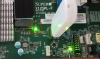
In addition, the LED next to Nvme
1710487299537.png
 

RolloZ170

Well-Known Member
Apr 24, 2016
10,078
3,221
113
germany
guys I have a new problem
after updating BMC and BIOS to the latest version
the fans are loaded at full power and after 1-2 seconds they are reduced and so on cyclically
In addition, the LED next to Nvme
#####################################################################################################
WARNING!
Please do not download / upgrade the BIOS/Firmware UNLESS your system has a BIOS/Firmware-related issue. Flashing the wrong BIOS/Firmware can cause irreparable damage to the system.

In no event shall Supermicro be liable for direct, indirect, special, incidental,or consequential damages arising from a BIOS/Firmware update.
#####################################################################################################
every time you update Firmware you risk brick the board.
this becomes never ending story and waste of time.
i am out, sorry.

 
  • Like
Reactions: AVID-MEDIA

AVID-MEDIA

Member
Nov 26, 2023
122
17
18
#####################################################################################################
WARNING!
Please do not download / upgrade the BIOS/Firmware UNLESS your system has a BIOS/Firmware-related issue. Flashing the wrong BIOS/Firmware can cause irreparable damage to the system.
i am out, sorry.
Thanks for the advice I’ll keep it in mind, but I still want to ask the question why companies release new BIOS
 

AVID-MEDIA

Member
Nov 26, 2023
122
17
18
Hey guys, I have a question for you.
I'm using a Micro X12SPL-F mobo
I'm having this problem.
I bought a dual-drive NVMe drive.
The motherboard only detects one drive.
No matter what I do, it doesn't work.
If anyone knows how to solve this problem, I'd be grateful.
I tried all the options

Regads!
 

xf-vc

New Member
Jun 17, 2024
18
1
3
In the BIOS advanced menu, there should be an option called PCI UPnP. In the submenu, set M.2 to AMI, and you'll find NVMe.
Hi guys, I have exactly the same problem, I use an MOBO X12SPL-F CPU-8360y ES I sent it to supermicro for repairs. After the system was repaired, it won’t start. I wrote to technical support and they explained to me that they made an update and my processor cannot work in new update because it is an ES.
All I have to do is unsolder the chip and load BIOS version 1.0
Please tell me where the BIOS is located on the motherboard
View attachment 34739
 

xf-vc

New Member
Jun 17, 2024
18
1
3
No need for a programmer—the X12SPL can roll back to an older BIOS, and I’ve verified this.

In the IPMI Web UI’s Firmware Upgrade menu, select "Upgrade on Next Boot".

With the system powered off, upload the official BIOS V1.X firmware file (non-official versions will fail the verification check).

Once the upload is complete, close the pop-up menu.

Next, in the IPMI Web UI, select "Reset Device".

After the reset finishes, log back into the IPMI Web UI, go to the Power section, and select "Power On".

That’s it! You’ll soon see the IPMI blue LED start blinking.

Grab a coffee and wait… the system will power on automatically once the rollback is done.
 

xf-vc

New Member
Jun 17, 2024
18
1
3
Request for help: Could any expert share the BIOS V1.0 firmware for the X12SPL-F (4LNF)? My CPU is stepping 5, and the system shuts down automatically right after power-on (automatic protection trigger). This issue occurs with BIOS versions ≥1.1. Thanks a lot!
 

RolloZ170

Well-Known Member
Apr 24, 2016
10,078
3,221
113
germany
Request for help: Could any expert share the BIOS V1.0 firmware for the X12SPL-F (4LNF)? My CPU is stepping 5, and the system shuts down automatically right after power-on (automatic protection trigger). This issue occurs with BIOS versions ≥1.1. Thanks a lot!
PM you with link, but afaik you can't downgrade to 1.0