Potential Deal: 2 x Dual 2011 nodes @$199, Quanta Openrack

Notice: Page may contain affiliate links for which we may earn a small commission through services like Amazon Affiliates or Skimlinks.

semidetached

Active Member
Sep 18, 2018
120
155
43
I think I did not ask question clearly.

I know that minisas headers in front of motherboard next to ethernet ports are for NTB on PCIe.
I read all your posts about 3 storage ports. I would like to thank you that It was very helpful to me.
As you explained, there are three mini SAS connectors on the mid board. One for SATA ports 2-5 and others for SAS ports 0-3 and 4-7. We know that SATA ports 2-5 are working. Not sure about their bandwidth. I think it is 3Gbps.
According to manual, SAS ports 4-7 need upgrading ROM. But nothing about SAS ports 0-3. We can use them as additional 4 drives, total 10 but you reported that only SATA ports were working. My question was about SAS ports 0-3.
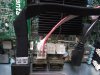
Drives are connected to SATA ports 2-5 at the picture loaded by Semidetach. My question was whether he tried to connect drives to SAS port 0-3, middle socket on the picture.
Sorry, I completely missed your question when you originally asked it.
Unfortunately, no, I never had a chance to test the other connectors. I've since broken down all my units and just have them as bare motherboards packed away somewhere.
 

hmartin

Well-Known Member
Sep 20, 2017
438
415
63
39
Not sure about their bandwidth. I think it is 3Gbps.
You are correct. The 2 SATA ports on the board are 6Gbps, the ports through the Mini-SAS connector are 3Gbps.

But nothing about SAS ports 0-3. We can use them as additional 4 drives, total 10 but you reported that only SATA ports were working. My question was about SAS ports 0-3.
I soldered the headers myself, so possibly I missed some required components, but I have never had the board recognize anything on the other 2 mid-board SAS headers. I assumed they were for PCIe, but your comment makes more sense that the PCIe connections would be at the end of the board.
 

Nhan Nguyen

New Member
Mar 11, 2020
6
0
1
I've uploaded it here:
BIOS.zip

Please refer to the thread for instructions. Make sure to read it carefully. And just in case, have a EPROM chip writer/reader just in case something goes wrong.

Check out the README file, i've updated it with new instructions. All 3 versions of the ROMs have the NVME driver.

Happy new year!
Hi @iguy, thanks for reposting the bios. May I know if it's a latest bios when compared to F03C3A07.
My dual-node Winterfell has bios version of F03_3B08 and F03_3B11 and both support UEFI but sometime hangs at restart, not sure if bios upgrade will fix the issue. Thanks!
 

Nhan Nguyen

New Member
Mar 11, 2020
6
0
1
Phew! Glad I am not the only one with this problem!

My BIOS says: F03_3B08 (dated 3/4/2014)

Where would I find the correct update? If anybody has a direct link I would appreciate it. I tried the Quanta web-site, but it is not clear to me which BIOS update to get.
Hi @kfriis, my node got a error in updating ME, now fan is going crazy. Can you please send me your 3B08 bios? My appreciation in advanced!
 
Last edited:

Nhan Nguyen

New Member
Mar 11, 2020
6
0
1
I have mine fully covered by a box to ensure good airflow. Had it off for many hours, turned it on and it immediately goes into full speed fans (just shy of 17,000RPM) and IPMI doesn't indicate any issues (see below, the CPU0 TjMax is at 90C as soon as I hit power when cold, so I think that is literally just the max it's allowed to be..??). I only have one CPU installed right now, so I'm not sure if that's related. Installing Ubuntu 16.04 via SoL (ttyS4) as I type this (with earmuffs on...) and hoping the OS has some sane fan management or additional info I can glean to figure out what's up. Full BIOS reset (via jumper) brought it down to maybe 50% fan for a few minutes, then it ramped back up to 100%; messing with thermal and power management settings in BIOS also has no impact.

# ipmitool -I lanplus -U USERID -P PASSW0RD -H 192.168.0.91 sdr
Outlet Cntr Temp | 17 degrees C | ok
Inlet Temp | 17 degrees C | ok
PCH Temp | 43 % degrees C | ok
P0 Therm Margin | -50 degrees C | ok
P1 Therm Margin | no reading | ns
P0 DIMM Temp | no reading | ns
P1 DIMM Temp | no reading | ns
HSC0 Input Power | 68 Watts | ok
HSC0 Input Volt | 12.28 Volts | ok
CPU0 Tjmax | 90 degrees C | ok
CPU1 Tjmax | no reading | ns
SYS_Fan0 | 17040 RPM | ok
SYS_Fan1 | 16756 RPM | ok
TSOD SMBus Sts | 0xe8 | ok
CPU Therm Trip | 0x36 | ok
Pwr Thresh Evt | 0xfb | ok
Battery Mon | 0xe1 | ok
SEL Status | 0xb7 | ok
DCMI Watchdog | 0xa6 | ok
Processor Fail | 0x91 | ok
Chassis Pwr Sts | 0x76 | ok
Thermal Limit 1 | Not Readable | ns


Mine also had the internal USB port completely disabled by default.

Hi @tbkdan, thanks for sharing the tips. May I know if ipmi works with Ubuntu Server 16.04.6 or which version of kernel (OS) you are using. Thanks!
 

Klee

Well-Known Member
Jun 2, 2016
1,289
398
83
A little update, on my Wiwynn SV7210 Open Compute servers I installed Ubuntu 20.04 server and it still hangs on reboot.

So you still have to issue this command to fix it:

echo "options mei-me disable_msi=1" | sudo tee /etc/modprobe.d/mei-me.conf


Same issue going back for years with Ubuntu server.
 
  • Like
Reactions: Jaket

Jaket

Active Member
Jan 4, 2017
270
166
43
Seattle, New York
purevoltage.com
A little update, on my Wiwynn SV7210 Open Compute servers I installed Ubuntu 20.04 server and it still hangs on reboot.

So you still have to issue this command to fix it:

echo "options mei-me disable_msi=1" | sudo tee /etc/modprobe.d/mei-me.conf


Same issue going back for years with Ubuntu server.
I remember finding that fix years ago I believe it was. This is the only pain with these systems that's for sure. I believe we still have 50 of these systems a bunch we unracked a week or two ago to free up space in one of our racks.
 

iguy

New Member
Feb 23, 2017
13
7
3
43
Hi @iguy, thanks for reposting the bios. May I know if it's a latest bios when compared to F03C3A07.
My dual-node Winterfell has bios version of F03_3B08 and F03_3B11 and both support UEFI but sometime hangs at restart, not sure if bios upgrade will fix the issue. Thanks!
Hi there! They are the latest i could find at the time, a year or so ago. I have the B11 with the NVME efi modules for my servers and they are still humming. If you happen to find another a newer bios i'll gladly play around and test it on my spare board.
 

Nhan Nguyen

New Member
Mar 11, 2020
6
0
1
Hi there! They are the latest i could find at the time, a year or so ago. I have the B11 with the NVME efi modules for my servers and they are still humming. If you happen to find another a newer bios i'll gladly play around and test it on my spare board.
I did flash your bios and it works pretty solid NVME runs at full speed. Regarding restarting issue, I think it's because OS not the hardware. Thanks!
 

bzfzis

New Member
Apr 16, 2020
5
9
3
I used HP's server power supply, which provides 12Vsb to provide standby power to the motherboard. After pressing the power button, the motherboard outputs 5V to the relay, which is used to start the HP power supply. This scheme can achieve one-key start.IMG_1879.jpg
 

bzfzis

New Member
Apr 16, 2020
5
9
3
Awesome, thanks! Are you located in China, or did you use a shipment forwarding service to ship it outside China?
I am in China. If you have an account and a payment method, it should be easy to transfer out after purchase. Please contact me if you need help.
 
  • Like
Reactions: bob_dvb

M@}{

Member
Feb 28, 2020
45
1
8
Hello, friends.

I have a lot of quanta f03b servers, help me find the bios update

1599488130357.png
 
Last edited:

horribol

New Member
Jul 18, 2016
4
1
3
35