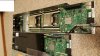
Potential Deal: 2 x Dual 2011 nodes @$199, Quanta Openrack

Notice: Page may contain affiliate links for which we may earn a small commission through services like Amazon Affiliates or Skimlinks.

grfxlab

Member
Apr 6, 2016
63
12
8
56
for everyone looking for technical info....you can find a copy of the "Quanta Rackgo X Series F03A Technical Manual" on manualslib. It is a different version (4 node ) so do not think that everything in the manual is correct, but the bios description looks the same and is helpful to find things like, turbo mode shows up after selecting "custom" for power management.
 

grfxlab

Member
Apr 6, 2016
63
12
8
56
Can anyone help with bios settings? I have supermicro servers that when setting power management to "performance"on e5-2670's it will run all cores at 3Ghz at 100% load and 68 degrees(although super loudly). I have been trying different settings on the Quanta and have gotten 2.7ghz on one cpu and 2.8 on the other. The cpus are running at 95 watts and temps for CPU 0 are 85 deg and CPU 1 are 76 deg. Is there something that can be set in the power management long or short duration or elsewhere to help squeeze more from these cpu's? The supermicro's process 30% faster with the same specs.
 

YetAnotherMinion

New Member
Mar 22, 2016
15
1
3
Chicago
Does anyone know what the strange three prong white connector on the power supply is called? The one where all three pins are in a straight line, the outer two pins profiles are D shaped and the center pin profile is a circle. I received one chassis from eBay that has that connector on both ends of the power cable and I need to find an adaptor to C14.
 

MWP

New Member
Apr 19, 2016
2
0
1
49
I'm having some issues with installing an OS on several Wiwynn SV7210's. When attempting to install any variety of windows (I've tried 7, 8, 10 so far) I get a "non acpi compliant bios" error message maybe 45 sec into the process which terminates the install. On the other hand, I've installed linux and it works fine. Ideas?
 

grfxlab

Member
Apr 6, 2016
63
12
8
56
the brochure for the Wiwynn SV7210 only mentions Centos for a certified OS. I have a Quanta so I can't comment on the issue but it might run if anyone can point you to a bios update, otherwise you could run a windows VM on top of the Linux version you have running.
 

svt3391

Member
Feb 11, 2016
113
17
18
the brochure for the Wiwynn SV7210 only mentions Centos for a certified OS. I have a Quanta so I can't comment on the issue but it might run if anyone can point you to a bios update, otherwise you could run a windows VM on top of the Linux version you have running.
NorCalm was able to install Windows 7 on the Wiwynn SV7210 and showed some screen shots.
I have contacted Wiwynn's HQ in Taiwan and spoke with the product manager of the OCP line. Basically this batch was ODM-Direct for Riot Games, and they do not have a bios file that matches the microcode.
 

svt3391

Member
Feb 11, 2016
113
17
18
Just found out the seller of Wiwynn SV7210 raised the list price by $50 (now listed as $279). I think there is still wiggle room with BO but not sure how much. This almost made the Quanta a better deal with its continuing support for BIOS files etc.
 
  • Like
Reactions: crotaphiticus

imchipz

Member
Apr 18, 2016
38
2
8
42
Just found out the seller of Wiwynn SV7210 raised the list price by $50 (now listed as $279). I think there is still wiggle room with BO but not sure how much. This almost made the Quanta a better deal with its continuing support for BIOS files etc.
Ive noted that too, anyone have experience with any sellers of Quanta?
 

YetAnotherMinion

New Member
Mar 22, 2016
15
1
3
Chicago
Has anyone tried connecting one of these open rack boards to a SAS drive using an adapter cable? I saw another thread with a tempting deal on SAS 2TB drives, and my other server take SAS so it would be nice to have all of the same.
 

Phildesign

New Member
Apr 24, 2016
3
0
1
Canada
Progress so far

Day 3 got all components at last.

Got a Wiwynn SV7210 and up and running, one node with 2 x e5-2670s and 32g dd3 ram.
Old radeon 3450 card works ok.
Windows 7 pro, took a day to update.
In my back garage with 220 plugs are present, using teamviewer to virtually connect

Still got warning signs on device manager for device update, looking around for bios update and driver updates.

Thanks for this forum.
 

macrules34

Active Member
Mar 18, 2016
483
38
28
42
I was wondering if these two motherboards are connected to a back-plane of some sort for its power distribution? Could these motherboards be run outside of their chassis?
 

Phildesign

New Member
Apr 24, 2016
3
0
1
Canada
The two motherboards are connected to the fan backplane, if you look back in this thread history some people have taken a Atx psu and adapted the connector to make it work.
The only case I can think of that fit these is the Thermaltake Core X9, I was going to do that but decided on a 2nd system in a tower case ( yet to be built ).

some pics serv0.jpg serv1.jpg serv2.jpg serv3.jpg
 

macrules34

Active Member
Mar 18, 2016
483
38
28
42
Looking for a solution if at all possible to rack mount these things in a standard 19" rack, as in its current case it is too wide.

On page 21 of the Open Compute Project Intel Motherboard v2.0 it shows the pin out for the motherboard connector.
 
Last edited:

novegg4

Member
Nov 23, 2013
57
23
8
Can anyone help with bios settings? I have supermicro servers that when setting power management to "performance"on e5-2670's it will run all cores at 3Ghz at 100% load and 68 degrees(although super loudly). I have been trying different settings on the Quanta and have gotten 2.7ghz on one cpu and 2.8 on the other. The cpus are running at 95 watts and temps for CPU 0 are 85 deg and CPU 1 are 76 deg. Is there something that can be set in the power management long or short duration or elsewhere to help squeeze more from these cpu's? The supermicro's process 30% faster with the same specs.
Were you able to find the way to set the quanta's bios up to the maximum performance matching your supermicro rig? Please share your solution.
 

MWP

New Member
Apr 19, 2016
2
0
1
49
Thanks to everyone who replied about my Wiwynn Win 7 issue earlier--finally got windows 7 installed. Not even sure why I was having issues but loading from an official 5 year old windows 7 cd using an "amazon basics" usb cd drive plugged into the inside usb port did the trick.

One more question: has anyone figured out how to disable the staggered boot delay feature on the Wiwynn? With just a few of these, that feature is not really needed. I see some jumpers around the fans on the front of the power interconnect boards. Wonder if those control that?
 

svt3391

Member
Feb 11, 2016
113
17
18
Thanks to everyone who replied about my Wiwynn Win 7 issue earlier--finally got windows 7 installed. Not even sure why I was having issues but loading from an official 5 year old windows 7 cd using an "amazon basics" usb cd drive plugged into the inside usb port did the trick.

One more question: has anyone figured out how to disable the staggered boot delay feature on the Wiwynn? With just a few of these, that feature is not really needed. I see some jumpers around the fans on the front of the power interconnect boards. Wonder if those control that?
I found for Windows thumb drive it needs to be booted from the internal USB. For Linux based OS (that includes VMWare) both the internal and external ports work.

I think the internal port is designed to be the "booting" port, while the external port maybe for keyboard/mouse combo. NorCalm confirmed the same thing IIRC.
 

grfxlab

Member
Apr 6, 2016
63
12
8
56
Were you able to find the way to set the quanta's bios up to the maximum performance matching your supermicro rig? Please share your solution.
Yes. good question. Here are a few things I discovered.

The bios on the Quanta system when shipped was F03_3A07.

All the things needed are under the advanced tab in the bios.

First I enabled the show hidden options. Then go into the CPU configuration make sure hyper-threading is enabled, and active processor cores set to all.

I read in the F03A manual that you can enable the Turbo mode only after selecting custom for the cpu power profile, so the next thing is go into the CPU power management configuration.

With show hidden options enabled you can now set the Max CPU Speed. default is 255 but the description says max of 26, 27 for turbo mode. I set it to 32. (the spec from Intel is 33 for a single core).

for power technology set it to custom. EIST=enabled, Turbo Mode=enabled, Energy performance = Performance.

set the Factory long duration power limit to 115w (intel spec.)
set long duration maintained to 10 seconds (intel spec)
short duration power limit 140w (intel spec 1.2-1.3x TDP)
short duration maintained to 6ms (1-10 is bios suggestion)

After setting these I was able to get all cores to run at constant turbo mode at 3.0ghz.

I was very happy with these results. For us it resulted in a 20% gain in performance. An image that rendered in 51 minutes with default settings now rendered in 40.5. The max total CPU power use was 112w and the fans kicked in when the cpu temps got to 90c and cooled them down to 84-86 for CPU 1 and 74-76 for CPU 0. CPU 1 always runs 10 degrees hotter since it is in line with air flow from the other CPU.

AFTER doing all this I wanted to test the long term usefulness by installing windows server 2012 V2 and windows 10......they did not install. So....I flashed the bios to F03C3A07 and the ME. after doing that some of the settings in the bios changed and the default values were more like what I used. I tested renderings and got the same performance (40.5 min render) although the turbo mode was now 2.93 ghz. The big difference was......

After flashing the bios to F03C3A07 I could install windows 10 pro and windows server 2012 V2.

I hope all that helps.
 
  • Like
Reactions: sharpnel and dba

novegg4

Member
Nov 23, 2013
57
23
8
Yes. good question. Here are a few things I discovered.

The bios on the Quanta system when shipped was F03_3A07.

All the things needed are under the advanced tab in the bios.

First I enabled the show hidden options. Then go into the CPU configuration make sure hyper-threading is enabled, and active processor cores set to all.

I read in the F03A manual that you can enable the Turbo mode only after selecting custom for the cpu power profile, so the next thing is go into the CPU power management configuration.

With show hidden options enabled you can now set the Max CPU Speed. default is 255 but the description says max of 26, 27 for turbo mode. I set it to 32. (the spec from Intel is 33 for a single core).

for power technology set it to custom. EIST=enabled, Turbo Mode=enabled, Energy performance = Performance.

set the Factory long duration power limit to 115w (intel spec.)
set long duration maintained to 10 seconds (intel spec)
short duration power limit 140w (intel spec 1.2-1.3x TDP)
short duration maintained to 6ms (1-10 is bios suggestion)

After setting these I was able to get all cores to run at constant turbo mode at 3.0ghz.

I was very happy with these results. For us it resulted in a 20% gain in performance. An image that rendered in 51 minutes with default settings now rendered in 40.5. The max total CPU power use was 112w and the fans kicked in when the cpu temps got to 90c and cooled them down to 84-86 for CPU 1 and 74-76 for CPU 0. CPU 1 always runs 10 degrees hotter since it is in line with air flow from the other CPU.

AFTER doing all this I wanted to test the long term usefulness by installing windows server 2012 V2 and windows 10......they did not install. So....I flashed the bios to F03C3A07 and the ME. after doing that some of the settings in the bios changed and the default values were more like what I used. I tested renderings and got the same performance (40.5 min render) although the turbo mode was now 2.93 ghz. The big difference was......

After flashing the bios to F03C3A07 I could install windows 10 pro and windows server 2012 V2.

I hope all that helps.

Great recap, thank you very much.
Do you mind to share the bios download links?
 

grfxlab

Member
Apr 6, 2016
63
12
8
56
Great recap, thank you very much.
Do you mind to share the bios download links?
The bios, drivers (windows and Linux) can be downloaded for the Quanta system here. Please note this is not the exact system but is a compatible motherboard. (download the bios and read the release notes to verify if you want.) I wonder if it would work on a Wiwynn? The mobo bios chip is supposed to be replaceable...might be worth trying for someone who needs windows.

Download Center

The system is considered an F03B motherboard.

A better manual with bios settings and descriptions can be found here...

QUANTA RACKGO X SERIES F03A TECHNICAL MANUAL Pdf Download.

This manual is for a different model so although the bios looks the same the rest of the manual is partially usable. i.e. the info about IPMI and remote KVM do not apply to the windmill boards we have. Other info may or may not apply directly but is very similar.

Hope it helps.
 
  • Like
Reactions: McSquizzy