Supermicro X10SRH-CF

Notice: Page may contain affiliate links for which we may earn a small commission through services like Amazon Affiliates or Skimlinks.
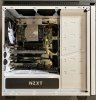
I couldn't help myself, I know earlier I mentioned that I would just run the 1U heatsink, well, a Noctua NH-D9DX i4 3U heatsink found its way into the CSE-836 3U case I used for this build! :cool:

 
  • Like
Reactions: Patrick
Just got mine and it looks good as well. Great packaging as mentioned :)
  • Xeon 2680V4 worked out of the box and it the bios was only one version old.
  • Onboard SAS flashed easily to newest IT firmware.
  • Used some garbage Pacific Sun 2133 DDR4 I had lying around. I don't even think it's ECC :/
  • ASUS Hyper M.2 X16 PCIe 3.0 X4 Expansion Card works fine, but I only have a single NVME drive in there
  • The iKVM/HTML5 console is a nice change from the X9 java one!
Installed ESXi 7.0 and easily passed through the onboard SAS controller to an UNraid virtual machine.

Now I just need to find a good deal on some DDR4 :D
 

Attachments

  • IMG_0745.JPEG
    IMG_0745.JPEG
    620.7 KB · Views: 71
Last edited:
Just got mine and it looks good as well. Great packaging as mentioned :)
  • Xeon 2680V4 worked out of the box and it the bios was only one version old.
  • Onboard SAS flashed easily to newest IT firmware.
  • Used some garbage Pacific Sun 2133 DDR4 I had lying around. I don't even think it's ECC :/
  • ASUS Hyper M.2 X16 PCIe 3.0 X4 Expansion Card works fine, but I only have a single NVME drive in there
  • The iKVM/HTML5 console is a nice change from the X9 java one!
Installed ESXi 7.0 and easily passed through the onboard SAS controller to an UNraid virtual machine.

Now I just need to find a good deal on some DDR4 :D

You are not concerned about the temp of the SAS 3008 chipset in a tower case like this? It was too hot to touch in my case, I added a noctua 40mm directly on it.

If you want to put two NVME on the Asys Hyper, you will have to configure bifurcation, I posted a pic on the previous page. It works for me with the same card.
 
Agreed, you'll probably want to put a fan on the SAS 3008 heatsink or at least blow a decent fan towards it. There is also a jumper to disable the SAS 3008 chip if you do not need it right now. I believe powering it off with the jumper saves about 12w of power.
 
  • Like
Reactions: Markess
I got all my stuff in today except for my drive enclosures those will be here tomorrow, same as the others bios/bmc/sas controller were outta date updated easily to the latest.

I updated the BMC first via the gui, then the BIOS, followed by the SAS controller (it was in IT mode already).
Running memtest now but seems solid, I booted a blank unraid install and it showed both NVME, yay.

Any recommendations on confirming the speed its operating at and/or whether the bifurcation is working? Or is the fact both cards are showing proof it is?
Showing full read speeds on both at least:
Code:
/dev/nvme0n1:
 Timing cached reads:   23306 MB in  1.99 seconds = 11721.12 MB/sec
 HDIO_DRIVE_CMD(identify) failed: Inappropriate ioctl for device
 Timing buffered disk reads: 7738 MB in  3.00 seconds = 2579.30 MB/sec
root@Tower:/dev# hdparm -tT /dev/nvme1n1

/dev/nvme1n1:
 Timing cached reads:   23256 MB in  1.99 seconds = 11693.83 MB/sec
 HDIO_DRIVE_CMD(identify) failed: Inappropriate ioctl for device
 Timing buffered disk reads: 7724 MB in  3.00 seconds = 2574.37 MB/sec
 
Mine is supposed to arrive next Tuesday. Given what people are saying about the packing, I'm looking forward to it. I received motherboards last week, and again today (neither from this seller) and both were damaged due to pretty shoddy packing. Honestly, how hard is it to put something over a socket, especially after I message the seller about it before buying and they assure me they will? Again, not this seller. Looking forward to getting something intact for a change.
 
Mine is supposed to arrive next Tuesday. Given what people are saying about the packing, I'm looking forward to it. I received motherboards last week, and again today (neither from this seller) and both were damaged due to pretty shoddy packing. Honestly, how hard is it to put something over a socket, especially after I message the seller about it before buying and they assure me they will? Again, not this seller. Looking forward to getting something intact for a change.

I've ordered 4 boards from this seller and you won't be disappointed :)
 
I believe powering it off with the jumper saves about 12w of power.


That's good to know! I know some of the older boards with SAS2008 would disable to chip electrically as well to save power, but I had no idea on this one. I don't know when I'll need the extra ports, so was planning to disable it myself.
 
Yes, those should work. Did your X10SRH-CF not come with the IT firmware already?

No. :(

Thanks for the reply. Do i need to run the step 1? Or the jumper or reset command?

Everywhere else it is

sas3flash.exe -o -e 7
sas3flash.exe -f SAS9300_8i_IT.bin -b mptsas3.rom -b mpt3x64.rom
sas3flash.exe -o -sasadd 50060XXXXXXXXXXXX
 
You could try without moving the jumper or reset command. It will either work or not work. These things are pretty hard to mess up.
 
  • Like
Reactions: m-jeri
I personally just use the super micro package and it came with a script that automatically did for me(although I prefer to have the bios rom installed I don’t mind an extra 30 seconds of boot time).

iirc it was: SMC3008T.NSH
All you need is the last 9 digits of the controller address
 
I believe you can do this and it will erase, but keep the SAS address :D

sas3flash.exe -o -e 6