
Is there a way to just load the stock LSI IR firmware? I have an H710p, full size, that is not able to run 4Kn drives. From what I read, the stock LSI cards can use 4Kn sector drives. I think Dell has a firmware restriction to block these 4Kn drives. I have HGST 8TB 4Kn drives that only have 918GB available with the stock Dell firmware.
Perc H710 Mini to IT mode
- Thread starter Roelf Zomerman
- Start date
You are using an out of date browser. It may not display this or other websites correctly.
You should upgrade or use an alternative browser.
You should upgrade or use an alternative browser.
Notice: Page may contain affiliate links for which we may earn a small commission through services like Amazon Affiliates or Skimlinks.

Is there a way to just load the stock LSI IR firmware? I have an H710p, full size, that is not able to run 4Kn drives. From what I read, the stock LSI cards can use 4Kn sector drives. I think Dell has a firmware restriction to block these 4Kn drives. I have HGST 8TB 4Kn drives that only have 918GB available with the stock Dell firmware.
Strike that
Now that i think again i dont think any of the controller prior to PERC9 support 4k.

Hello, first BIG thanks to who permits all peoples (like me  ) to be able to use one Perch H710-D1 (PE T320) in IT mode.
Need this stuff to install Promox-6 raid-10 zfs ; in addition, I've to flash the controller with x64 blob to be able to boot the system.
PVE related => I added a 15 delay in
otherwise delay was not sufficient...
SMACK
) to be able to use one Perch H710-D1 (PE T320) in IT mode.Need this stuff to install Promox-6 raid-10 zfs ; in addition, I've to flash the controller with x64 blob to be able to boot the system.
PVE related => I added a 15 delay in
Code:
ZFS_INITRD_PRE_MOUNTROOT_SLEEPSMACK
I just used your guide to flash a D1 revision H710 Mini in an R720 and it went absolutely perfectly. Thanks, much appreciatedwill make the requisite dedicated threads on the popular internet holes tonight but for now have at it, feedback welcome Introduction - Fohdeesha Docs

Hey @fohdeesha, do you happen to know how to program the board name? I have a 9206-16e that is now coming up as a SAS9207-8i after doing a -e 6 erase and re-flash. Is that a function of the firmware image, or something that can be set via lsiutil or something? Not a big deal, but I'd like to fix it if possible.

Hey @fohdeesha, do you happen to know how to program the board name? I have a 9206-16e that is now coming up as a SAS9207-8i after doing a -e 6 erase and re-flash. Is that a function of the firmware image, or something that can be set via lsiutil or something? Not a big deal, but I'd like to fix it if possible.
as I think you figured out in your other thread, it's tied to what firmware image you flash. if you want it to enumerate as a 9206-16e, you'll need to flash the 9206-16e image
Hello. @fohdeesha, Thank you so much for the firmware for H710 - it greatly helps me.
Maybe you know, is there same order of disks in which they are provided to the system? For me it seems completely random.
I have 2 SSD in rear r720xd slots, and 4 HDD in front slots. My system detects it in oder:
ssd1
hdd3
ssd2
hdd2
hdd4
hdd1
UPD: I found this about mapping(in attach). Is it relevant for this firmware?
Maybe you know, is there same order of disks in which they are provided to the system? For me it seems completely random.
I have 2 SSD in rear r720xd slots, and 4 HDD in front slots. My system detects it in oder:
ssd1
hdd3
ssd2
hdd2
hdd4
hdd1
UPD: I found this about mapping(in attach). Is it relevant for this firmware?
Attachments
Last edited:
@fohdeesha
UPD: Manual from pdf worked for me! Used your linux life image and lsiutil on it. Disc numbering now in slot mode!
UPD: Manual from pdf worked for me! Used your linux life image and lsiutil on it. Disc numbering now in slot mode!
Hi Everyone,
I recently got R720XD with PERC H310 Mini/Mono. I am using non-dell drives, so it shows up as a blocked state. These drives were 520 Bytes, and have been formatted as 512 Bytes.
I need to use the rear drives as RAID1 while keeping the other drive as JBOD.
So IT mode won't work for me. Is it possible to change PERC H310 into LSI IR Firmware? Can this be added to the script? Or if someone has an ISO I can use to get this flashed that way?
I recently got R720XD with PERC H310 Mini/Mono. I am using non-dell drives, so it shows up as a blocked state. These drives were 520 Bytes, and have been formatted as 512 Bytes.
I need to use the rear drives as RAID1 while keeping the other drive as JBOD.
So IT mode won't work for me. Is it possible to change PERC H310 into LSI IR Firmware? Can this be added to the script? Or if someone has an ISO I can use to get this flashed that way?
Thanks for the excellent guide and tools @fohdeesha !
I used them to flash a H710 (BIG D1) I got for $40.
PS. No issues using the tools on a Supermicro X10 system.
I used them to flash a H710 (BIG D1) I got for $40.
PS. No issues using the tools on a Supermicro X10 system.
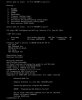
Hi,
I have problem to flash my H710.
I attached the screenshoot. Can You help me? The same problem I had, when I tried flash my H310 mini.
Best,
reboot/cold power the server off and on, go back into the iso, and try setting the sas address again (be sure to sudo first again)
Hello @fohdeesha
I have followed the instructions H710P D1 Full Size - Fohdeesha Docs and I can't get my card to work. I get stuck at the point where I should set the SAS address with the command setsas <address> when it only says:
The D1-H710 command returns the following:
lspci -s 28:00.0 -v says:
I have reverted twice now, but still no luck. Can you help?
Here is couple of pictures if they help: Pictures
I have followed the instructions H710P D1 Full Size - Fohdeesha Docs and I can't get my card to work. I get stuck at the point where I should set the SAS address with the command setsas <address> when it only says:
Code:
LSI Corporation SAS2 Flash Utility
Version 20.00.00.00 (2014.09.18)
Copyright (c) 2008-2014 LSI Corporation. All rights reserved

    No LSI SAS adapters found! Limited Command Set Available!
    ERROR: Command Not allowed without an adapter!
    ERROR: Couldn't Create Command -sasadd
    Exiting Program.
The D1-H710 command returns the following:
Code:
rmmod: ERROR: Module megaraid_sas is not currently loaded
rmmod: ERROR: Module mptctl is not currently loaded
rmmod: ERROR: Module mptbase is not currently loaded
Errors above are normal!
Trying unlock in MPT mode...
Device in MPT mode
Device in MPT mode
Resetting adapter in HCB mode...
Trying unlock in MPT mode...
Device in MPT mode
IOC is RESET
Device in MPT mode
Resetting adapter in HCB mode...
Trying unlock in MPT mode...
Device in MPT mode
IOC is RESET
Setting up HCB...
HCDW virtual: 0x7fc9fae00000
HCDW physical: 0x10a000000
Loading firmware...
Loaded 809436 bytes
Booting IOC...
IOC is READY
IOC Host Boot successful.
Device in MPT mode
Removing PCI device...
Rescanning PCI bus...
PCI bus rescan complete.
Pausing for 30 seconds to allow the card to boot

LSI Logic MPT Configuration Utility, Version 1.72, Sep 09, 2014

0 MPT Ports found

LSI Logic MPT Configuration Utility, Version 1.72, Sep 09, 2014

0 MPT Ports found
All Done! Continue following the guide to set SAS addr
lspci -s 28:00.0 -v says:
Code:
28:00.0 Serial Attached SCSI controller: Broadcom / LSI SAS2308 PCI-Express Fusion-MPT SAS-2 (rev 05)
    Subsystem: Dell SAS2308 PCI-Express Fusion-MPT SAS-2
    Physical Slot: 4
    Flags: fast devsel, IRQ 28
    I/O ports at e000 [size=256]
    Memory at e5040000 (64-bit, non-prefetchable) [size=64K]
    Memory at e5000000 (64-bit, non-prefetchable) [size=256K]
    Capabilities: [50] Power Management version 3
    Capabilities: [68] Express Endpoint, MSI 00
    Capabilities: [d0] Vital Product Data
    Capabilities: [a8] MSI: Enable- Count=1/1 Maskable- 64bit+
    Capabilities: [c0] MSI-X: Enable- Count=16 Masked-
    Capabilities: [100] Advanced Error Reporting
    Capabilities: [1e0] Secondary PCI Express
    Capabilities: [1c0] Power Budgeting <?>
    Capabilities: [190] Dynamic Power Allocation <?>
    Capabilities: [148] Alternative Routing-ID Interpretation (ARI)
    Kernel modules: mpt3sas
I have reverted twice now, but still no luck. Can you help?
Here is couple of pictures if they help: Pictures
Can anyone help me?
[edit] Problem solved.
hi, what ended up being the issue?
Similar threads
- Replies
- 26
- Views
- 9K
- Replies
- 4
- Views
- 4K
- Replies
- 462
- Views
- 281K
- Replies
- 4
- Views
- 2K
