
I just grabbed a bunch of what were called "X540-T2" dual 10G cards. The PCB is branded "Inspur". pciconf on FreeBSD reports them as:
They seem to be working just fine, are connecting at 10G easily, and seem to be pushing data at expected rates. So if these are "fakes", they're very good ones.
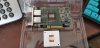
Also, one of the 3 cards I got arrived without the pushpins and springs holding the (passive) heatsink on, which had unsurprisingly come off the card in transit and was rattling around inside the plastic clamshell.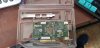
Code:
ix0@pci0:21:0:0:        class=0x020000 rev=0x01 hdr=0x00 vendor=0x8086 device=0x1528 subvendor=0x8086 subdevice=0x0000
    vendor     = 'Intel Corporation'
    device     = 'Ethernet Controller 10-Gigabit X540-AT2'
    class      = network
    subclass   = ethernet
    cap 01[40] = powerspec 3  supports D0 D3  current D0
    cap 05[50] = MSI supports 1 message, 64 bit, vector masks
    cap 11[70] = MSI-X supports 64 messages, enabled
                 Table in map 0x20[0x0], PBA in map 0x20[0x2000]
    cap 10[a0] = PCI-Express 2 endpoint max data 128(512) FLR RO NS
                 max read 4096
                 link x8(x8) speed 2.5(5.0) ASPM L1(L0s/L1)
    ecap 0001[100] = AER 2 0 fatal 0 non-fatal 1 corrected
    ecap 000e[150] = ARI 1
    ecap 0010[160] = SR-IOV 1 IOV disabled, Memory Space disabled, ARI disabled
                     0 VFs configured out of 64 supported
                     First VF RID Offset 0x0180, VF RID Stride 0x0002
                     VF Device ID 0x1515
                     Page Sizes: 4096 (enabled), 8192, 65536, 262144, 1048576, 4194304
    ecap 000d[1d0] = ACS 1
ix1@pci0:21:0:1:        class=0x020000 rev=0x01 hdr=0x00 vendor=0x8086 device=0x1528 subvendor=0x8086 subdevice=0x0000
    vendor     = 'Intel Corporation'
    device     = 'Ethernet Controller 10-Gigabit X540-AT2'
    class      = network
    subclass   = ethernet
    cap 01[40] = powerspec 3  supports D0 D3  current D0
    cap 05[50] = MSI supports 1 message, 64 bit, vector masks
    cap 11[70] = MSI-X supports 64 messages, enabled
                 Table in map 0x20[0x0], PBA in map 0x20[0x2000]
    cap 10[a0] = PCI-Express 2 endpoint max data 128(512) FLR RO NS
                 max read 4096
                 link x8(x8) speed 2.5(5.0) ASPM L1(L0s/L1)
    ecap 0001[100] = AER 2 0 fatal 0 non-fatal 1 corrected
    ecap 000e[150] = ARI 1
    ecap 0010[160] = SR-IOV 1 IOV disabled, Memory Space disabled, ARI disabled
                     0 VFs configured out of 64 supported
                     First VF RID Offset 0x0180, VF RID Stride 0x0002
                     VF Device ID 0x1515
                     Page Sizes: 4096 (enabled), 8192, 65536, 262144, 1048576, 4194304
ecap 000d[1d0] = ACS 1Also, one of the 3 cards I got arrived without the pushpins and springs holding the (passive) heatsink on, which had unsurprisingly come off the card in transit and was rattling around inside the plastic clamshell.
