

How much bandwidth have you used over the last month at home? Feb 2016 edition
- Thread starter Patrick
- Start date
You are using an out of date browser. It may not display this or other websites correctly.
You should upgrade or use an alternative browser.
You should upgrade or use an alternative browser.
Notice: Page may contain affiliate links for which we may earn a small commission through services like Amazon Affiliates or Skimlinks.


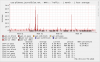

one of the things that I see on some of the charts is IPv6 utilization...
a good thing.
Chris
Difficult in Canada with most companies not implementing IPV6 yet...
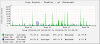

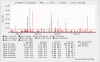

Slow month for me. 300/20 via TWC and I think I officially cut the cord around 2009.

My normal usage is measured in TB.
2011 restoring data which took a few months to download.

2010, don't recall what I was doing.

My normal usage is measured in TB.
2011 restoring data which took a few months to download.
2010, don't recall what I was doing.
Last edited:

Aright I now feel like a light weight.
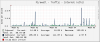
What I can say is that RRD graphs are what everyone uses which is impressive.
What I can say is that RRD graphs are what everyone uses which is impressive.

Fairly typical month....usually around 2T in\out combined. Still have a DirecTV subscription, mostly just for live events\sports though.
Abt typical for my household (fam of 5). No TV service, heavy netflix, cross-share plex libraries w/ a few friends, work from home, home lab, various VPN's, bit of bittorrent, voip (sometimes on business calls for hours), various devices (ipads, nexus7, iphone/andriod, raspi's, etc.)
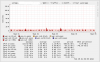
Retire that HOG, pfSense FTW BABY! hahah j/k I KNOW you luv that beastI'd never checked my Zyxel USG50 for usage but under my Traffic Statistics I found it:
"since 2016-01-27 Wed 07:03:59 to 2016-02-02 Tue 18:59:32"
Sadly it doesn't let me change date ranges, so I'm assuming this is only from last power-reset.
I'd imagine there is more data in the logs someplace I can access, but likely CLI... I'll have to check into it.

vconfig = win, nice out of the box but simple config/stats good sir.Code:uptime: 21:11:34 up 29 days, 36 min ifconfig eth4.301 eth4.301 Link encap:Ethernet HWaddr snip UP BROADCAST RUNNING MULTICAST MTU:1500 Metric:1 RX packets:534595035 errors:0 dropped:0 overruns:0 frame:0 TX packets:434536245 errors:0 dropped:0 overruns:0 carrier:0 collisions:0 txqueuelen:1000 RX bytes:336276988703 (313.1 GiB) TX bytes:513666316531 (478.3 GiB)
Not that bad for 100/10mbps connection, 313.1GB down and 478.3GB up.

@JSchuricht that is one of the reasons I tell people that local LAN backups should not be completely thrown away for cloud backups. If you ever have had to restore a ton of data from the cloud you end up with long restore times like that.
Ohh I live and die by my local/LAN backups because guess what...9 times out of 10 if not more (unless my house burnt down or a burglar snatched up my gear) I am absolutely resorting to LAN based snapshots send/recv's. Super simple, 10G speeds, yeah hell w/ sucking 700+ GB or so of my VM infra back in over a cloud/co-lo/offsite conn, I do also use those methods but rarely rely/use them to restore unless sh|t REALLY hit the fan.
@JSchuricht that is one of the reasons I tell people that local LAN backups should not be completely thrown away for cloud backups. If you ever have had to restore a ton of data from the cloud you end up with long restore times like that.
I do this over my DR site (which is on a VPN) + on the internal network. 10gbps transfers are far better than 1gbps

this thread needs a top 10 for both top 10 in terms of most bandwidth, and top 10 in least bandwidth
this thread needs a top 10 for both top 10 in terms of most bandwidth, and top 10 in least bandwidth
If we had that this month, there would be little room for improvement next time

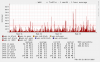
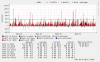
I have 2 WAN links that I loadbalance using PFsense.
WAN1 is a 200/40 Cable connection. WAN2 is a 500/500 Fibre connection.
WAN1:
WAN2:
LAN: (for the total)
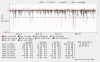
WAN1 is a 200/40 Cable connection. WAN2 is a 500/500 Fibre connection.
WAN1:
WAN2:
LAN: (for the total)
Similar threads

- Replies
- 21
- Views
- 6K
- Replies
- 12
- Views
- 3K

- Replies
- 16
- Views
- 5K

- Replies
- 3
- Views
- 3K
