EXPIRED $50: 1.9TB Micron 9200 Pro with Adapter

Notice: Page may contain affiliate links for which we may earn a small commission through services like Amazon Affiliates or Skimlinks.

nexox

Well-Known Member
May 3, 2023
1,828
885
113
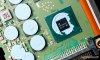
Also nice to see: 9 DRAM chips, so it's actually running ECC on the cache, not just the NAND (the product brief isn't really specific about that point.)

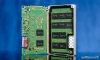
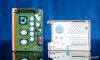
As I look harder at the photos, there seems to be more power circuitry than I would have expected, and most of it is on the opposite side of the drive from the power connector - I wonder if they're placed there so they get the coolest airflow through those small front vents, and whether that 71C temperature sensor might actually be on a VRM.
 

TRACKER

Active Member
Jan 14, 2019
318
143
43
i found pic of the internals of p4510 and also maybe interesting info: cap on the p4510 is rated up to 105°C, the one on micron drive is up to 125°C.
So perhaps just coincidence or perhaps there was a reason for that :)
 

Attachments

nexox

Well-Known Member
May 3, 2023
1,828
885
113
i found pic of the internals of p4510 and also maybe interesting info: cap on the p4510 is rated up to 105°C, the one on micron drive is up to 125°C.
So perhaps just coincidence or perhaps there was a reason for that :)
There's way less power circuitry in that p4510, and the VRM(s) and important inductors have thermal material on them, both more in line with what I would have expected from an SSD.
 

richardm

Member
Sep 27, 2013
55
19
8
How are these holding up for everyone? I've ordered one of these before finding this thread and now I think I've made a mistake. Cooling on the underside is easy but internal airflow from front to back is something else. Perhaps if I mount it nose down for some stack effect...
 

warlord1312

Member
Sep 17, 2015
58
25
18
35
I had a RAID0 of 4 of them and 3 of them failed at the same time which was odd. The 4th is still working perfectly though. Weird thing is that I was able to upgrade the firmware on some of the failed ones but it did not help.
 
  • Wow
Reactions: Whaaat

richardm

Member
Sep 27, 2013
55
19
8
I have it up and running. Updated firmware with:
sudo msecli -F -U micron-9200-fw-101008t0.tar -m ALL -n /dev/nvme0

....downloaded from the French site above.

Has multiple slots to (hopefully?) provide easy rollback:

sudo msecli -L -i -n /dev/nvme0

Device Name : /dev/nvme0
Active Slot : 2
Slot 1 : 101008S0 (Read-Only)
Slot 2 : 101008T0 (Read-Write)
Slot 3 : Empty (Read-Write)

Device Name : /dev/nvme0
Firmware slot information retrieved successfully
CMD_STATUS : Success
STATUS_CODE : 0
TIME_STAMP : Sat Jul 26 20:00:28 2025


Apparently the firmware process for the 9200 is different from other Micron drives (pg. 32).

Do these not support namespaces?


sudo nvme id-ctrl /dev/nvme0 | grep nn
nn : 1