
Dell PowerEdge T640 as a Workstation : Powerful and Silent.

Notice: Page may contain affiliate links for which we may earn a small commission through services like Amazon Affiliates or Skimlinks.

dmitry.n.medvedev

New Member
Jun 25, 2022
17
1
3
@ElCoyote_ good morning.

I have a problem with getting signal from NVidia Quadro p2200 - no signal goes out of it. I tried another GPU ( which known to work in a PC ) with the same result - no signal.

Have you ever experienced this type of a problem in your Dell T640? And if so, how did you fix it?

best regards,
Dmitry
 

ElCoyote_

Active Member
Jul 22, 2016
243
170
43
@ElCoyote_ good morning.

I have a problem with getting signal from NVidia Quadro p2200 - no signal goes out of it. I tried another GPU ( which known to work in a PC ) with the same result - no signal.

Have you ever experienced this type of a problem in your Dell T640? And if so, how did you fix it?

best regards,
Dmitry
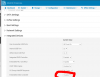
Hi Dmitry,
What OS are you using?
Did you set the onboard video controller as disabled in the BIOS?
1711811754391.png
 
  • Like
Reactions: dmitry.n.medvedev

IronRoarII

New Member
Apr 9, 2024
2
0
1
This is some great stuff! I too wanted to upgrade our T640 and I truly learned a lot here. Would you mind if you could share your CPU seller info in a dm? Can really use a reliable source. I am so tempted to buy a pair of 8272CLs from eBay but was scared by a one-star review that says:

Don't buy OEM unless you have after market motherboard
Very limited compatibility

I think I'll probably order the 8269CY like you did. Besides the fact that based on your test the 8272CL probably doesn't work on Dell in the first place, it was also quite sketchy to me that half of the 8272CLs from eBay were like ~$300 while the other half were ~$600
 
Last edited:

shadkeeper

New Member
Aug 26, 2024
3
0
1
Hi All,
Mb this thead not is dead yet (i hope 4 this)
have question about T640, mb here someone can answer

i want to use T640 18xLFF like workstation in tower mode
spec like this - 2x4114, 64Gb for each cpu, 2x750w psu and video card like P4000

here question about manual
"""
Requires a GPU-ready chassis in a rack form factor (GPUs are only supported in rack mode). 3.5 inch x18 HDD chassis is not supported.
Dual PERC (x32) configuration is not supported. Fresh Air configuration is not supported.
"""

1 - is it real needed to be in rack mode ?
2 - why not to use 18xLFF ?
3 - is it a enough 2x750x for 18 HDD (orSSD) and 1 video card ?
 

ElCoyote_

Active Member
Jul 22, 2016
243
170
43
Hi All,
Mb this thead not is dead yet (i hope 4 this)
have question about T640, mb here someone can answer

i want to use T640 18xLFF like workstation in tower mode
spec like this - 2x4114, 64Gb for each cpu, 2x750w psu and video card like P4000

here question about manual
"""
Requires a GPU-ready chassis in a rack form factor (GPUs are only supported in rack mode). 3.5 inch x18 HDD chassis is not supported.
Dual PERC (x32) configuration is not supported. Fresh Air configuration is not supported.
"""

1 - is it real needed to be in rack mode ?
2 - why not to use 18xLFF ?
3 - is it a enough 2x750x for 18 HDD (orSSD) and 1 video card ?
There are things that the manual says that don't necessarily apply to the actual homelab application.

1) No, this is not needed. They only say this in case the customer wants to do 4 x 300W GPUs because the airflow is slightly better in Rack mode.
2) what's the question? I've used some quadros in both 18LFF and 16SFF+NVMe chassis..
3) 2x750W isn't enough for 18HDDs, go with 2x1100W if on 120V (North America).

BTW, GPUs with external power will require the PDU board (located underneath the main sysboard) and will cause the machine to start requiring the external fans (noisy).

Pics here: Some Tips about using a Dell PowerEdge T640 as a Workstation (or Frankenstation)

Go for PCIe-slot power only if you can.

I hope this helps,
Vincent
 
  • Like
Reactions: abq

shadkeeper

New Member
Aug 26, 2024
3
0
1
There are things that the manual says that don't necessarily apply to the actual homelab application.

1) No, this is not needed. They only say this in case the customer wants to do 4 x 300W GPUs because the airflow is slightly better in Rack mode.
2) what's the question? I've used some quadros in both 18LFF and 16SFF+NVMe chassis..
3) 2x750W isn't enough for 18HDDs, go with 2x1100W if on 120V (North America).

BTW, GPUs with external power will require the PDU board (located underneath the main sysboard) and will cause the machine to start requiring the external fans (noisy).

Pics here: Some Tips about using a Dell PowerEdge T640 as a Workstation (or Frankenstation)

Go for PCIe-slot power only if you can.

I hope this helps,
Vincent
u help a lot! thx 4 this !

3 - 2x750 on 210-240v - what about this type ?

if i install PDU board and dont install ExFans - can it be turn off in BIOS (i mean warnings) or system will not start ?
Or mb we can make a plug for system board:
30 Fan connector (Ext R) Right external fan connector
39 Fan connector (Ext L) Right external fan connector
its from owner's manual (page 161)
like 4 system fans will be connected ?
 

steve1

New Member
Feb 14, 2025
4
1
3
This is a fantastic thread for new T640 owners. For those of you with a GPU, I have a question: when the high-performance fans and GPU power kit are installed, do the fans always run fast?

I ask because I have an opportunity to buy the GPU kit at a reasonable price, but the GPUs we're going to install are blower style -- meaning we don't need all that airflow through the case. And, since this tower will be in the same room as all of us (small office), keeping the noise down is important. I'm a bit worried iDRAC will say 'Oh, you've got a GPU installed, let's crank up the airflow' with no way for me to slow the fans down.
 
  • Like
Reactions: dmitry.n.medvedev

ElCoyote_

Active Member
Jul 22, 2016
243
170
43
This is a fantastic thread for new T640 owners. For those of you with a GPU, I have a question: when the high-performance fans and GPU power kit are installed, do the fans always run fast?

I ask because I have an opportunity to buy the GPU kit at a reasonable price, but the GPUs we're going to install are blower style -- meaning we don't need all that airflow through the case. And, since this tower will be in the same room as all of us (small office), keeping the noise down is important. I'm a bit worried iDRAC will say 'Oh, you've got a GPU installed, let's crank up the airflow' with no way for me to slow the fans down.
Hi Steve, glad this thread is of use to you and others!
First of all, the simple presence of the GPU Kit and cables will make the T640 request one or two of the external fans (I think people have figured this out and could give better instructions as to when the two fans are needed). There is no way to run a T640 with the GPU kit and -without- the external fans. If you want that, it would be a T630.

This is regardless of the GPU type; the iDRAC will start asking just for the external fan(s) just because of the GPU kit assembly and if missing will crank up the -other- fans to max.

Moreover if your GPU is not consumer-grade (GeForce) but rather RTX AX000 or the like, the system might start requesting 'high-performance' fans
(9000rpm max vs 6000rpm max, I think) depending on the wattage of your GPU.
( my 2nd T640 came with all that gear - external fans and high-performance fans - which I removed quickly from the machine and sold aferwards).

I've heard from a friend who got a T550 that the situation might be better in later generations but the GPU kit situation on the T640 will almost always result in more noise and this is why I went for a single-slot A4000 with extra power provided by SATA connectors.
 
  • Like
Reactions: dmitry.n.medvedev

steve1

New Member
Feb 14, 2025
4
1
3
The GPU is a Quadro P6000 to start with, at 250W. I'm fine with the fans, both internal and external, it's the noise I'm worried about. Good to know that the GPU Kit only forces the external fans. I thought the GPU kit also triggered the need for high-performance internal fans too. Buying just the external fans may be a cheaper option. The kit I'm considering has everything, internal and external fans, power unit and cables.

So, if I understand correctly, the system will spin up the internal/external fans depending on the wattage? I was rather hoping there was a way for the system to determine the temperature of the GPU and adjust the fans according to that.
 

steve1

New Member
Feb 14, 2025
4
1
3
Question on the power for these:

I'm looking at adding an Icy Dock FlexCage MB975SP-B R1 to house my repurposed Synology drives and am wondering how to power the cage. The specs say you need 3 SATA power connectors, and I can only be certain that the T640 has 1, which was for the optical drive (the server is a month or more away from arriving; I'm trying to spec out all the mods before it gets here).

I'm also intending to power a GPU with a molex-> PCIe cable and can only confirm one additional molex connector on the motherboard. Dell documentation for this sort of thing isn't all that great. I guess they don't intend folks to modify beyond the configurations they offer.

So, the question is: is there a way to have 3 SATA power connectors for the HDD flexcage and still have a molex left over for the GPU? I'm trying to avoid the GPU power kit because it will cause the fans to increase in speed.
 

dmitry.n.medvedev

New Member
Jun 25, 2022
17
1
3
So far, we have those SKUs confirmed to work 100% fine in our T640's:
- Platinum 8269CY
- Gold 6240C
- Gold 6271(C)
- Platinum 8255C (strange LINPACK numbers on these, though, only about half of the 8269CY performance)
- Gold 6267
regarding the Platinum 8269CY: did you have to do any VRM modifications for this CPU to be accepted by the server? It's not on the list of supported CPUs in dell t640 and I did already have problems installing CL versions in dell r640 servers.
 

ElCoyote_

Active Member
Jul 22, 2016
243
170
43
@dmitry.n.medvedev Hi. I've heard/read that people have had issues with CL cpus in the T640. That is unfortunate because for the 8269CY it's literally a drop-in replacement for the official CPUs - No modifications necessary.
Also, I've since updated one of my T640's to a pair of 8280M and these work super well too. (The 8269CY's were moved to my other T640).
 
  • Like
Reactions: dmitry.n.medvedev

frankly

New Member
Oct 14, 2025
7
1
3
@ElCoyote_ I hope you don't mind me reviving this thread to solicit your wisdom.

I recently picked up a T640 to use as a base for my first homelab and have been searching everywhere for information on how to reduce fan noise. I stumbled upon this thread and was blown away at the PWM/RPM of your fans at idle! I would be so happy if I could get 1500RPMs.

Like you, I have the 18-bay chassis that come with 4mid and 2rear fans. I am running the latest version of iDrac/bios configured with all the power saving features. My cooling settings are the same as yours based on the screenshot you posted.

I should be generating less heat than your setup since I am only running one mid-range cpu (5218), no GPU/power board, and the only PCIe slots being used are the 2 NICs that came from the factory. But my fans idle at 2.6k with an average PWM of 43.33%. This is with CPU/Memory/IO utilization under 1%.

Do you think it's my HDDs? I have 12x 8tb Dell EMC SAS, 3x 14tb WD SATA, 1x 14tb WD SAS, and a Samsung 860 EVO SSD. If it is the drives, do you know of any workarounds to the issue?

Do you think purchasing the performance mid fans would help? What about installing the left/right GPU shrouds/baffles?

Any advice you can offer me is greatly appreciated.


1761666050329.png

1761666084176.png
 
Last edited:

name stolen

Active Member
Feb 20, 2018
129
38
28
Might be worth a quick try (quick as server boots go) without the non-Dell drives, just to see what happen with the fans. To be absolutely certain, I might even make it a full poweroff shutdown, cords out, to be absolutely certain iDRAC is reset without the non-Dells.
 

ElCoyote_

Active Member
Jul 22, 2016
243
170
43
Hi @frankly Yes, unfortunately it's the HDDs. Any HDD in a T640 will make the fans go over 40%.
Even a single 1Tb Dell-Branded HDD does that. The T640 iDRAC has this stupid alorithm that pushes the fans above 40% if:
- an HDD is present.
- some SAS/SATA SSDs are present.. and their algo does not make any sense: a 4Tb Samsung EVO 870 does bump up the fans but the 2Tb EVO 870 of the same model does not, for example..

Your best bet to keep the machine silent is to use NVMe cards and carriers (which renders the 18bay backplane mostly useless).
I have two T640's with more or less the same SPECS (205W CPUs, 1Tb RAM, etc..) but the one which has the 18bay backplane (and the 5 x 16Tb disks) always has the fans at 43% even when completely idle. The other T640, with only a SATA tb 870 and lots of NVMe storage has the fans idling at around 18% on idle. The T640 iDRAC default fan response does not make any sense to me..
 
Last edited:

frankly

New Member
Oct 14, 2025
7
1
3
Might be worth a quick try (quick as server boots go) without the non-Dell drives, just to see what happen with the fans. To be absolutely certain, I might even make it a full poweroff shutdown, cords out, to be absolutely certain iDRAC is reset without the non-Dells.
Wow I can't believe it was that simple. Thank you!!

I took out the 4x WD drives, left the samsung SSD and 12x Dell EMC, and within a minute fans were at 1.6k RPM 16% PWM. It was so quiet!! I can't believe this level of silence is possible but I'd have to give up 14tb x4...that really hurts

Hi @frankly Yes, unfortunately it's the HDDs. Any HDD in a T640 will make the fans go over 40%.
Even a single 1Tb Dell-Branded HDD does that.
Thank you for the help. The test verified what you said. No chance you know of any workarounds to this issue besides buying really expensive Dell drives?
 

ElCoyote_

Active Member
Jul 22, 2016
243
170
43
Wow I can't believe it was that simple. Thank you!!

I took out the 4x WD drives, left the samsung SSD and 12x Dell EMC, and within a minute fans were at 1.6k RPM 16% PWM. It was so quiet!! I can't believe this level of silence is possible but I'd have to give up 14tb x4...that really hurts


Thank you for the help. The test verified what you said. No chance you know of any workarounds to this issue besides buying really expensive Dell drives?
Wow, I am very surprised the 12 x 8Tb Dell/EMC drives don't trigger the 43% fan response!
I had verified that even the default 1Tb dell boot drive did so I am surprised that higher capacity models work. Do you mind sharing more details about these Dell/EMC drives? Are they from an EMC NAS appliance?
Dell took out the ability to control fan response on the 14th gens in iDrac v3.34 (I had complained loudly about this to them) so unlike the T630 there is no default solution without expensive modding of the machine (6 PWM fake fan controllers + noctua'ing the system - IF it works) but that'd be quite an enadeavour.
 

ElCoyote_

Active Member
Jul 22, 2016
243
170
43
At any case, if official Dell/EMC SAS drives do -NOT- trigger the 43% fan reponse, then there is a glimpse of hope if we can crack this (and maybe cross-flash firmware on some drives).

Interestingly, even with 5 x 16Tb WD Red Pro drives (WD161KFGX) my 18bay T640 has the fans dropping to around 25% after a few minutes if the temp is low enough (20C).
 
Last edited: