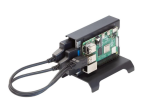
Using an ARM SBC as a lightweight home NAS

Notice: Page may contain affiliate links for which we may earn a small commission through services like Amazon Affiliates or Skimlinks.

Amir Nur

New Member
Oct 27, 2026
1
1
3
Has anyone here tried using an ARM SBC as a small NAS?
I’m testing FygoOS on a Radxa board. So far I’m using it for file sharing, backups, containers, and a few light media services.
I’ve used regular Linux for similar setups before. It worked, but dealing with Samba permissions, Docker, and the other services got annoying after a while.
FygoOS makes this part quite a bit easier. But I haven’t run it long enough to comment on long-term stability or performance yet. So far, the basic setup has been straightforward.
What are people using for ARM NAS setups? OpenMediaVault, Armbian with Docker, or something else?
 
  • Like
Reactions: Eric Austin
I did for years. Used a Raspbery PI 4, 4gb of RAM, OpenMediaVault, and I even backed it up to AWS Glacier using Rclone. I followed a guide from Network Chuck

I have long since moved on from that NAS however.
1793090031517.png
 
  • Like
Reactions: Amir Nur
I haven’t tried FydeOS on an ARM board for a NAS setup yet, but this sounds like an interesting project. I can see how having file sharing, backups, and containers managed in one place would make things easier than setting everything up manually on Linux.
 
I’d be interested to hear how it handles long-term stability, especially with multiple drives and continuous file transfers. How has the performance been on your Radxa board so far
 
The only real limitation with these devices is you cannot use RAID. The USB to SATA connection is not stable enough. I used to do an rsync to mirror the first drive to the second drive, and rclone to backup to AWS.
 
On an rpi5 you could install an M.2 multi-port SATA adapter and hang several drives off it. There'd still be the single PCIe lane bottleneck but you can run 3 or 4 SATA spinning rust drives off that. My Radxa Rock-5B has pcie 3.0 x4 (ish) available so there'd be no such bottleneck there. Housing it and powering it all would be another question.
 
Has anyone here tried using an ARM SBC as a small NAS?
I’m testing FygoOS on a Radxa board. So far I’m using it for file sharing, backups, containers, and a few light media services.
I’ve used regular Linux for similar setups before. It worked, but dealing with Samba permissions, Docker, and the other services got annoying after a while.
FygoOS makes this part quite a bit easier. But I haven’t run it long enough to comment on long-term stability or performance yet. So far, the basic setup has been straightforward.
What are people using for ARM NAS setups? OpenMediaVault, Armbian with Docker, or something else?
...considering that most (if not all) ARM SBCs don't have native storage slots you'll have to engage in some modding to make it work...although when you take a small board and proceed to hang an adapter, a few drives and a cage in there, it totally defeats the purpose of using a small board. It's like getting a decent tech toy and trying to shoehorn a better use for it…

A better move would be to use an old ARM based NAS - Qnap has a few based on the Marvell Kirkwood and Orion SoCs, and on the newer stuff (like the TS432/433s) they use relatively modern Rockchip RK3588s - the TS432x even has a single 288 pin DDR4 ECC RAM slot, which for an ARM SoC is freaking rare (almost all use soldered LPDDR RAM). Those "might" have setup instructions gor native Linux installs, but getting non-UEFI ARM builds of common OS images are a headache.

Of course, the ultimate question is - considering how prevalent Intel Atom and low wattage AMD are in low cost NASes…is there any benefit to running ARM instead?
 
Last edited:
  • Like
Reactions: nexox
For the "what are people using" part, Armbian with OpenMediaVault on top is still the most common route on Radxa boards, and it covers the Samba permissions and Docker side well enough through the OMV web UI and the compose plugin. A few things that haven't come up yet:
Run the OS from eMMC or NVMe rather than the SD card. OMV writes logs and stats constantly and the SD card is usually the first thing to die on these. The openmediavault-flashmemory plugin cuts those writes down a lot if you do stay on flash.
On drives, TrevorH is right that the M.2 slot is the way to go on RK3588 boards. An ASM1166 M.2 to 6x SATA card is the usual pick, and it's worth updating it to the newer ASM1166 firmware, since the older one has known issues with power saving and port detection. With real SATA ports you can run mdadm or ZFS normally, so the RAID limitation louie1961 mentioned really only applies to USB bridges.
If you stay on USB, check dmesg for UAS resets under load. Some USB to SATA bridges misbehave with UAS, and adding a usb-storage quirk for that bridge to fall back to plain mass storage usually fixes the random disconnects.
Also power the drives from their own supply. The board's input often can't handle several 3.5" drives spinning up at once, and that shows up as drives dropping or the board rebooting rather than as an obvious power problem.