Supermicro H12SSL-NT setting fan threshold blocked after certain BMC update

Notice: Page may contain affiliate links for which we may earn a small commission through services like Amazon Affiliates or Skimlinks.
does not seem to change anything:

Code:
ipmitool sensor thresh FAN1 lower 150 250 300
Locating sensor record 'FAN1'...
Setting sensor "FAN1" Lower Non-Recoverable threshold to 150.000
Setting sensor "FAN1" Lower Critical threshold to 250.000
Setting sensor "FAN1" Lower Non-Critical threshold to 300.000

ipmitool sensor get FAN1
Locating sensor record...
Sensor ID              : FAN1 (0x41)
Entity ID             : 29.1
Sensor Type (Threshold)  : Fan
Sensor Reading        : 280 (+/- 0) RPM
Status                : Lower Critical
Lower Non-Recoverable : 140.000
Lower Critical        : 280.000
Lower Non-Critical    : na
Upper Non-Critical    : na
Upper Critical        : 1820.000
Upper Non-Recoverable : 1960.000
Positive Hysteresis   : 140.000
Negative Hysteresis   : 140.000
Assertion Events      : lcr-
Assertions Enabled    : lcr- lnr-
Deassertions Enabled  : lcr- lnr-

It made it even more aggressive
 
Last edited:
It seems like the BMC is rounding to multiples of 140 RPM, maybe because of the hysteresis settings (not sure if that can be changed,) and it probably doesn't like it when two inputs round to the same value, try 140 280 420.
 
It seems like the BMC is rounding to multiples of 140 RPM, maybe because of the hysteresis settings (not sure if that can be changed,) and it probably doesn't like it when two inputs round to the same value, try 140 280 420.

Code:
ipmitool sensor thresh FAN1 lower 140 280 420
Locating sensor record 'FAN1'...
Setting sensor "FAN1" Lower Non-Recoverable threshold to 140.000
Setting sensor "FAN1" Lower Critical threshold to 280.000
Setting sensor "FAN1" Lower Non-Critical threshold to 420.000

ipmitool sensor get FAN1
Locating sensor record...
Sensor ID              : FAN1 (0x41)
 Entity ID             : 29.1
 Sensor Type (Threshold)  : Fan
 Sensor Reading        : 840 (+/- 0) RPM
 Status                : ok
 Lower Non-Recoverable : 140.000
 Lower Critical        : 280.000
 Lower Non-Critical    : na
 Upper Non-Critical    : na
 Upper Critical        : 1820.000
 Upper Non-Recoverable : 1960.000
 Positive Hysteresis   : 140.000
 Negative Hysteresis   : 140.000
 Assertion Events      :
 Assertions Enabled    : lcr- lnr-
 Deassertions Enabled  : lcr- lnr-

Doesn't seem to make a difference, Non-critical values still unset, I guess that's what triggering FAN state to be NA on low RPM
 
My output looks like this:

Code:
$ ipmitool -H server.example.com -U user1 sensor get FAN1
Password:
Locating sensor record...
Sensor ID              : FAN1 (0x41)
Entity ID             : 29.1
Sensor Type (Threshold)  : Fan
Sensor Reading        : 280 (+/- 0) RPM
Status                : ok
Lower Non-Recoverable : 0,000
Lower Critical        : 140,000
Lower Non-Critical    : na
Upper Non-Critical    : na
Upper Critical        : 35560,000
Upper Non-Recoverable : 35700,000
Positive Hysteresis   : 140,000
Negative Hysteresis   : 140,000
Assertion Events      :
Assertions Enabled    : lcr- lnr-
Deassertions Enabled  : lcr- lnr-

The lower non-critical shows up as N/A aswell here. I set my thresholds using "sensor thresh FAN1 lower 0 140 280" (repeat for all fans, including FANA and FANB).

Also, there are 3 types of factory reset: a) preserve user config, b) factory defaults and c) factory defaults + default user ADMIN/ADMIN. I picked a) and it worked for me. If the issue persists, you can try option b) instead (backup your configuration, so you can restore in 1 click, if it doesn't yield desired results). Ensure your firmware reads as BMC version 01.04.03.

with all these settings I can go only up to 280 RPM, when it goes bellow this value it just spins them to max
 
to avoid the errors of trying to set values which can no longer be set, use the lcr threshold instead of lower, that will just set the lower critical threshold value.

I went through the reset requirement after too many attempts at trying to set na thresholds, but when I changed the argument to lcr and set it to 200 (though it rounded to 140 as described above), i no longer got errors or max-ramping of the fans.

(this is on a H13ssl-nt and BMC 01.03.03)

can you give sample command, please? did it also work on new BMC?
 
I only tried it on the BMC I have on the board as I moved on to several other integration challenges I am having, hah. But the BMC 01.03.03 on my H13SSL-NT-O is dated September of 2024, so it is fairly new. There is a 2025 BMC on supermicro's website for this board, but I haven't updated yet. If/when I do, I will update this post.

The command I used was drawn from the ipmitool man page as I was performing this from a second system (Linux):

Code:
ipmitool -I lan -U [username] -H [BMC IP] sensor thresh [FAN ID] lcr 200

Replace the bracketed items with your specific requirements (eg my CPU fans are branched off the FAN2 header and my chassis exhaust fans are branched off the FAN4 header, so I used FAN2 and then FAN4 in subsequent commands.

I was watching the BMC on a third system via the Web UI and the lower threshold switched to 140, so I think the comment above that it rounds appears correct. This resolved the "pulsing" fan behavior and the critical state errors for me.
 
So I have an H12ssl-i in a Fractal Define 7 XL case (Running as a proxmox host with 12 drives in 2 zpools, hence the case). The case comes with 3 Fractal 3-pin fans and has a built in hub (For 4 3 pin fins and 3 4-pin fans). I’ve added 4 more 4-pin fans In addition to my CPU cooler, so 5 total. I’m getting the ramp up and down, and in the IPMI GUI it looks like my fans on the hub are in critical mode (not surprising given that they’re all on voltage mode).

Should I:
a. Put all the 3-pins on one separate header with a splitter and the 4-pins to separate headers?
b. Put all the 3-pins directly to individual headers and the 4-pins via splitters?
c.Get rid of the 3-pin fans and have all 4-pins via splitters?
d. It doesn’t matter and I just need to downgrade my BIOS (on latest)?
e. Something else?

Many thanks!
 
@Johnnyooo the reason for the ramp up/down is low RPM. Latest BMC doesn't let you configure low threshold anymore, hence it's ramping up and down. BIOS doesn't affect it, only BMC, so you can keep the latest BIOS version.

Your points a, b and probably also c won't fix the underlying issue. Maybe the built-in hub can be used to somehow workaround the issue (Link, Page 20). You would only have the Hub connected to one Fan Header on the mainboard, leave the other connectors on the mainboard unpopulated. Your CPU Fan connects to Hub PWM port (4-pin on the far right, like in the manual). It is responsible to report back PWM values to the mainboard. You can then use 2x Y-Splitters for your 4x 4-pin Fans and connect them to the other 2x 4-pin ports on the Hub. You can connect the rest of your fans to the 3-pin connectors on the Hub.

If it works cool, if it doesn't, then you can either fiddle around with other ideas (sidestep it all with good old PCI bracket potentiometer, or something similar to OpenFan) or just buy compatible fans and connect them directly to the mainboard. Avoid Noctua NF-A14 standard version *and* NF-A14 iPPC-2000, as I have experienced ramp up/down on both and had to downgrade BMC. Also, all my iPPC-2000 have an audible and annoying bearing noise, so I would avoid it at all costs.

Maybe P14 PWM/Max is worth a try, they're dirt cheap. The PWM curve is available here. But I have no hands on experience with them, so I can't promise anything. My tests showed for Noctua NF-A14 they're being driven at 20% PWM, which would translate to ~800RPM for the P14 Max. *If* the H12SSL-i drives them also at 20% PWM, they should be slightly audible and not trigger any warnings - theoretically. If for whatever reason the H12SSL-i decides to drive P14 Max PWM at 30% or even 50% PWM, the fans would be too loud in my opinion.

In any scenario, you can try out just downgrading BMC and adjusting the thresholds. It's non-destructive (you can always update again, if you want) and there is a good chance it will already fix your issue. Regarding long term: as long as you put the BMC in it's own network/VLAN and don't make it accessible from the internet (best practice anyway), the outdated version shouldn't really matter.
 
@Johnnyooo the reason for the ramp up/down is low RPM. Latest BMC doesn't let you configure low threshold anymore, hence it's ramping up and down. BIOS doesn't affect it, only BMC, so you can keep the latest BIOS version.

In any scenario, you can try out just downgrading BMC and adjusting the thresholds. It's non-destructive (you can always update again, if you want) and there is a good chance it will already fix your issue. Regarding long term: as long as you put the BMC in it's own network/VLAN and don't make it accessible from the internet (best practice anyway), the outdated version shouldn't really matter.

incredibly helpful. Thank you. Learned a lot
I think on reading this I may try first to just skip the hub completely and then use a couple Y suppliers that have a lead 4-wire PWM and 2 “invisible” 3-wire “slaves” straight to the mobo (though I’m guessing the fractal fans will still spin too fast), and if that is indeed too loud go to Arctic P14 PWM / PSTs. This sits in a basement laundry room so fan noise isn’t the worst thing but ramping up and down will drive me and my wife crazy if we have to hear it every time we go in.
 
I may try first to just skip the hub completely and then use a couple Y suppliers that have a lead 4-wire PWM and 2 “invisible” 3-wire “slaves” straight to the mobo (though I’m guessing the fractal fans will still spin too fast)

The default Fractal Design GP-14 fans are rated for 1000 RPM. Not quiet, but also not incredibly loud. If you just connect them to the mainboard, they will run at full speed and not trigger any warnings. So it kinda depends on your 4-pin PWM fans. With the hub, you have the option to "spoof" RPM using your fastest PWM fan, which most likely will be your CPU cooler. But if all your 4-pin PWM fans including your CPU cooler are the same brand and model, spoofing doesn't make any sense, as they will all run at the same slow speed.

At a second look, I think the P14 PWM PST might be right at the edge or even be too slow. They're rated for 1700 RPM, here are some more detailed information about it: Cybenetics Test - Arctic P14 PWM PST. They're running at ~380RPM at 20% PWM and ~600RPM at 30% PWM. Also, the H12SSL's readings are in multiples of 140RPM, so the accuracy is a bit off - you definitely need some wiggle room. The P14 PWM PST fans are 5€ per piece, so not the end of the world, but if you want to be on the safe(r) side and noise is not a big issue, just go with the P14 Max.
 
BMC version: 01.05.02 (latest)
Fans: ARCTIC P12 PWM PST (200-1800 rpm) and P14 PWM PST (200-1700 rpm)
Fan operation mode setting in BMC: "Standard"

Initially I was having the problem with BMC reporting some of the fans as failed, intermittently. At the same time they were revving up and down. First I set fan operation mode to "Full speed", as I found it a bit less annoying than constantly revving up and down. Finally I got tired of full speed as well and found this thread, that has been very helpful in resolving my issue.

At a closer look I found out that fans on headers FAN1 and FAN3 were not failing, but fans on headers FAN2,FAN4 and FAN5 were. First I daisy chained all fans to FAN1 and FAN3, and that solved the issue with revving up and down. Then I tried to change fan headers thresholds using ipmitool, and although it threw out some errors, it succeeded changing the Lower Critical threshold that was the main problem.

After running commands below even fan on FAN4 header is working fine now. I run the same commands on all headers that I have attached fans to, and it worked out just fine.

Bash:
# ipmitool sensor get "FAN4"

Locating sensor record...

Sensor ID              : FAN4 (0x44)

 Entity ID             : 29.4

 Sensor Type (Threshold)  : Fan

 Sensor Reading        : 420 (+/- 0) RPM

 Status                : Lower Critical

 Lower Non-Recoverable : na

 Lower Critical        : 420.000

 Lower Non-Critical    : na

 Upper Non-Critical    : na

 Upper Critical        : na

 Upper Non-Recoverable : na

 Positive Hysteresis   : 140.000

 Negative Hysteresis   : 140.000

 Assertion Events      : lcr-

 Assertions Enabled    : lcr-

 Deassertions Enabled  : lcr-


# ipmitool sensor thresh "FAN4" lower 140 140 140

Locating sensor record 'FAN4'...

Setting sensor "FAN4" Lower Non-Recoverable threshold to 140.000

Error setting threshold: Command illegal for specified sensor or record type

Setting sensor "FAN4" Lower Critical threshold to 140.000

Setting sensor "FAN4" Lower Non-Critical threshold to 140.000

Error setting threshold: Command illegal for specified sensor or record type

# ipmitool sensor get "FAN4"

Locating sensor record...

Sensor ID              : FAN4 (0x44)

 Entity ID             : 29.4

 Sensor Type (Threshold)  : Fan

 Sensor Reading        : 420 (+/- 0) RPM

 Status                : ok

 Lower Non-Recoverable : na

 Lower Critical        : 140.000

 Lower Non-Critical    : na

 Upper Non-Critical    : na

 Upper Critical        : na

 Upper Non-Recoverable : na

 Positive Hysteresis   : 140.000

 Negative Hysteresis   : 140.000

 Assertion Events      :

 Assertions Enabled    : lcr-

 Deassertions Enabled  : lcr-


It seems that the above solved the problem using ipmitool without downgrading the BMC. The Lower Critical threshold is now set to 140 RPM, which is well below 20% of the fans’ maximum operating speeds — about 340 RPM for the P14 (20% of 1700 RPM) and 360 RPM for the P12 (20% of 1800 RPM).

Problem solved. Thanks for this thread :)
 
Last edited:
  • Like
Reactions: tolga9009
@riboflavin you motivated me to look into this again. I saw Arctic's latest P12 Pro and P14 Pro, which are specified at 3000 RPM and 2500 RPM, I bought them in 5-Pack (P14 Pro PST) for case fans and 2x P12 Pro for the CPU cooler. Replaced Noctua NF-F12 PWM and NF-A14 PWM coolers. Happy to say, that even with the latest firmware, there is also no ramping up and down. The P14 Pro reads as 560 RPM, P12 Pro 840 RPM, so well above any sort of thresholds, even if not modifying anything.

Bonus: much better airflow than the 280 RPM my Noctua's provided. Still very quiet, they only start to get noticable beyond 1000 RPM (e.g. Heavy I/O setting, which runs at 1120 RPM). At full speed, they're very loud, but they also provide tons of airflow, even in a very airflow restricted case like the Fractal Design Define 7. Also, I paid like 45€ total for all 7 fans. The same amount of money would only buy me 1,5 Noctuas. So, highly recommended. They also offer a CO (continuous operation) version of the fan with dual ball bearing, but I'm not a fan of slightly noisier DBBs, so I opted for the regular ones.
 
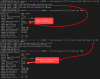
to add some more info to this (annoying) issue ive been fighting on my h12-ssl. I run this board as my desktop, so want quiet. i have 3x noctua fans, and run them slowly (so are quiet). this sys has very little load. also this machine runs 24/7, But occasionally after a shutdown ill start to get the fan ramp up and down (as one of the fans is going below the threshold), and usually this cmd below fixes it (i have a VM i run this from, as ipmi is on its own vlan and i usually keep it physically unplugged anyway, unless im going to be away):
for i in 1 2 3 4 5 6 A B; do ipmitool -H 10.6.6.199 -U ADMIN -f /root/myPass.txt -I lanplus sensor thresh FAN${i} lower 0 100 200;done

(and after id run bmc reset cold , and then id be good for many months) recently i was still getting the ramp up, i now found this will actually get the LNR to where i wanted it, ie 0:
for i in 1 2 3 4 5 6 A B; do ipmitool -H 10.6.6.199 -U ADMIN -f /root/myPass.txt -I lanplus sensor thresh FAN${i} lower 0 40 200;done
(note how the 0 40 200 gets LNR to 0 where as 0 100 200 gets it "rounded" to 140 rpm).

see image showing this, for the past 24hr this has worked for me, so i wanted to add this info here.
btw- i have not updated BMC FW nor bios (maybe fan is getting older so it was spinning even slower? )

Firmware Version 01.01.10 Firmware Build Time 03/23/2023 Redfish Version 1.9.0 BIOS Firmware Version 2.4 BIOS Build Time 04/14/2022

(unrelated; i say i keep the IPMI rj45 unplugged not for security reasons, but rather to keep from surges/static blowing the port - as i have fiber to this pc for network - and a while back on a h11 i had the ipmi rj45 blow during a lightning storm << this can be true for any rj45, not just ipmi/supermicro)

1774565315204.png
 
Has anyone tried to run latest BMC firmware 1.08.01 on H12SSL-i ?

Are you able to set Fan low thresholds via ipmitool ?

I'm still on 01.04.03 but itching to upgrade to latest