Napp-it 4ai/client server ZFS web-gui for any OS or mixed cluster

Notice: Page may contain affiliate links for which we may earn a small commission through services like Amazon Affiliates or Skimlinks.
Benchmarks

Benchmarks are something you always need, either to identify problems or to assess and compare performance between pools or platforms.

A benchmark should not run for too long (approx. 2–30 min) and should have only a few basic parameters so that you can make sense of it without a degree in computer science. It should be able to determine IOPS, sequential performance, sync write, concurrent read/write, single user vs. 5 user, and steady write (min. 30 min write). To ensure it runs on any OS, I write the tests in Perl. With ultra-fast storage, you may hit limits, which are marked as tool-limited.

The tool is included in napp-it 4ai, but runs easily on any OS including Windows, Linux, and Unix via:
perl ./benchmark_worker.pl pool=tank profile=basic
with profiles quick|basic|database|fileserver|mediaserver|mailserver|steadywrite|individual

Download: cs-scripts/benchmark at main · guenther-alka/cs-scripts

e.g., Proxmox with the basic profile on pool nvme (single Optane)
perl /opt/csweb-gui/data/menues/_lib/scripts/bench/benchmark_worker.pl pool=nvme profile=basic

testfile: /nvme/csbench_auto_20261012_154528/bench_file.dat cap=2048MB
phase: create 4k test file (recordsize=4K)
phase: 4k random read (single stream)
phase: 4k random sync write (sync=always, recordsize=4K)
phase: create test file (recordsize=128K)
phase: sequential read (1MB, single stream, linear sweep)
phase: sync write (1MB blocks, sync=always)
phase: async write (1MB blocks, sync=standard) -- cache indicator
phase: concurrent read+write (5 readers + 5 writers)
phase: multiuser read (4k, 1 vs 5 streams)

Pool : nvme (dataset, nvme/csbench_auto_20261012_154528)
Profile : basic, 2048 MB test file, 5 streams, 143 s

File create
4k file : 1449.9 MB/s
Main file : 5423.6 MB/s

4k random read (1 stream)
IOPS : 79458
Throughput : 310.4 MB/s
Latency p50/p99 : 50 / 50 us
Class : partial

4k random sync write (1 stream)
IOPS : 16999
Throughput : 66.40 MB/s
Latency p50/p99 : 100 / 250 us
Class : storage-bound

Sequential read (1 stream)
Throughput : 2276.5 MB/s
Latency p99 : 2000 us
Class : storage-bound

Sync write (1 MB blocks)
Throughput : 1111.0 MB/s
IOPS : 1111
Latency p99 : 2.0 ms
Class : storage-bound

Async write (1 MB blocks, cache indicator)
Throughput : 1391.1 MB/s
IOPS : 1391
Class : cache-influenced

Concurrent read+write (5 readers + 5 writers)
Read : 375.6 MB/s (p99 100 us)
Write : 5.8 MB/s (p99 32.0 ms)
Class : storage-bound

Multiuser read (4k, 1 vs 5 streams)
1 stream : 310.4 MB/s
5 streams : 525.7 MB/s
5 streams : 134590 IOPS
Scaling : 1.69 x
Class : tool-limited

Verdict : partial
sync write 1111 MB/s p99 2.0 ms (storage-bound)
4k write 16999 IOPS p99 250 us (storage-bound)
4k read 79458 IOPS p99 50 us (partial)
seq read 2277 MB/s (storage-bound)

BENCH_DONE ok (142.721115112305s) log=/opt/csweb-gui/data/menues/_lib/scripts/bench/last_benchmark.log
root@pve:~#
 
to compare a quite good Sata SSD (Intel 3510)


Pool : ssd (dataset, ssd/csbench_auto_20261012_181600)
Profile : basic, 2048 MB test file, 5 streams, 152 s

File create
4k file : 1436.2 MB/s
Main file : 332.0 MB/s

4k random read (1 stream)
IOPS : 60046
Throughput : 234.6 MB/s
Latency p50/p99 : 50 / 250 us
Class : partial

4k random sync write (1 stream)
IOPS : 6276
Throughput : 24.52 MB/s
Latency p50/p99 : 250 / 250 us
Class : storage-bound

Sequential read (1 stream)
Throughput : 173.0 MB/s
Latency p99 : 16000 us
Class : storage-bound

Sync write (1 MB blocks)
Throughput : 106.0 MB/s
IOPS : 106
Latency p99 : 16.0 ms
Class : storage-bound

Async write (1 MB blocks, cache indicator)
Throughput : 147.3 MB/s
IOPS : 147
Class : cache-influenced

Concurrent read+write (5 readers + 5 writers)
Read : 93.9 MB/s (p99 4000 us)
Write : 0.0 MB/s (p99 2.0 ms)
Class : storage-bound

Multiuser read (4k, 1 vs 5 streams)
1 stream : 234.6 MB/s
5 streams : 125.0 MB/s
5 streams : 32008 IOPS
Scaling : 0.53 x
Class : storage-bound

Verdict : partial
sync write 106 MB/s p99 16.0 ms (storage-bound)
4k write 6276 IOPS p99 250 us (storage-bound)
4k read 60046 IOPS p99 250 us (partial)
seq read 173 MB/s (storage-bound)

BENCH_DONE ok (151.572777032852s) log=/opt/csweb-gui/data/menues/_lib/scripts/bench/last_benchmark.log
 
and a very fast Sata HD

Pool : hd (dataset, hd/csbench_auto_20261012_185137)
Profile : basic, 2048 MB test file, 5 streams, 150 s

File create
4k file : 1507.5 MB/s
Main file : 699.7 MB/s

4k random read (1 stream)
IOPS : 59105
Throughput : 230.9 MB/s
Latency p50/p99 : 50 / 50 us
Class : cache

4k random sync write (1 stream)
IOPS : 120
Throughput : 0.47 MB/s
Latency p50/p99 : 16000 / 32000 us
Class : storage-bound

Sequential read (1 stream)
Throughput : 158.4 MB/s
Latency p99 : 32000 us
Class : storage-bound

Sync write (1 MB blocks)
Throughput : 52.0 MB/s
IOPS : 52
Latency p99 : 64.0 ms
Class : storage-bound

Async write (1 MB blocks, cache indicator)
Throughput : 300.0 MB/s
IOPS : 300
Class : cache-influenced

Concurrent read+write (5 readers + 5 writers)
Read : 1.3 MB/s (p99 64000 us)
Write : 0.0 MB/s (p99 32.0 ms)
Class : storage-bound

Multiuser read (4k, 1 vs 5 streams)
1 stream : 230.9 MB/s
5 streams : 1.6 MB/s
5 streams : 409 IOPS
Scaling : 0.01 x
Class : storage-bound

Verdict : partial
sync write 52 MB/s p99 64.0 ms (storage-bound)
4k write 120 IOPS p99 32.0 ms (storage-bound)
4k read 59105 IOPS p99 50 us (cache)
seq read 158 MB/s (storage-bound)
note: cache values are cache speed, not a storage limit

BENCH_DONE ok (150.186470985413s) log=/opt/csweb-gui/data/menues/_lib/scripts/bench/last_benchmark.log
root@pve:~#
 
Extra:
-remotepath allows to test local or remote NFS, SMB or S3 shares e.g. n: (Windows) or /mnt/smb
When you use several Putty sessions you can run real multiuser share tests manually.

Ai with ssh access can automate start and produce combined logs
 
Realtime ZFS Replication with cs-sync (first rc)
CS-Tools & Scripts — napp-it


ZFS replication normally works asynchronously and job-based. On a time grid, for example every hour, a snapshot is created and sent with the changed data blocks to a local or remote target ZFS filesystem to keep both in sync.

If you want realtime ZFS replication, for example for disaster recovery, you have to work event-driven. A write to a monitored ZFS dataset triggers the replication immediately. Because the data to send is always very small and is transferred very quickly, the delay between a change on the source and the change on the destination filesystem is minimal. What is needed after the initial replication is sensible management of the snapshot pairs, sensible timing on heavily loaded filesystems, and a resume after a network failure or a reboot, for example of the backup server. Realtime ZFS replication is especially useful for VM storage such as Proxmox, where file-based sync quickly reaches its limits because of the large files.

With Proxmox there are two more aspects. First, the VM configuration is not stored in the dataset as with ESXi, but in /etc/pve on Proxmox. To restore the realtime-replicated dataset of a VM, the VM configuration is required. When cs-sync finds at start that the source is a Proxmox host, it reads in every cycle the configuration file of each VM or container whose disk datasets are part of the sync (not the whole /etc/pve), and attaches it as the ZFS user property cs:pveconf to the associated dataset and to every sync snapshot. The property is transferred to the backup by the cs-sync protocol (not inside the zfs send stream); a pure configuration change goes over without a new send.

Second, a snapshot in Proxmox is not consistent in every case but has to be seen like a power failure, harmless to delicate depending on the VM. On a Proxmox source, cs-sync therefore sends the first snapshot of each day automatically through cs-freeze4snap, which freezes the VMs of the source dataset before the snapshot (guest agent, container freeze). This snapshot is kept as kf<MMDD> on both sides and marked with cs:consistent=app, or with paused if a VM could only be paused (then it is still only crash-consistent). If cs-sync does not find cs-freeze4snap (it looks in the same folder as cs-sync, in the napp-it tools folder and in PATH), the freeze is skipped with a warning in the log. On days without data changes no new snapshot is created. So there is at least one reliably restorable state per day.

The existing cs-sync stays
Folder Primary <-> Secondary: event-driven two-way sync, for example syncing an SMB share with an NFS/S3 share
Folder Primary -> local or remote backup: realtime sync, file-based or now also via ZFS send.


New: manuals for all cs-tools
CS-Tools & Scripts — napp-it
 
Webcraft Integration in napp-it 4ai and napp-it cs-team add on

1793309634090.png

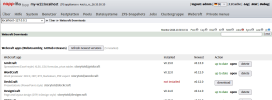
What are Webcraft applications?
They are programs that run directly in the browser. A local desktop installation is possible but not required, because a web server can deliver them directly.


Why is napp-it particularly well suited for Webcraft applications?
By web standards, Webcraft applications are huge, e.g. 20-50 MB, and this has to be loaded for every user. In napp-it cs, these web apps are preloaded and delivered in optimized form by the cs-proxy module.


Which Webcraft applications does napp-it provide? (Install, uninstall and update via the About menu)
The best known are the Artcraft programs (modeled on the complete Adobe Creative Suite and the complete MS Office Suite) and SolidWorks-class CAD. These programs are all open source and are being rebuilt from scratch in the Rust programming language by AI.


Are the Webcraft apps included in napp-it 4ai?
No, they have to be downloaded from GitHub. This is very easy via the menu About > Download.


Current status, e.g. Artcraft
Roughly 2 months since the project started, created and improved by iterative Anthropic Claude AI agents (the task: rebuild something from scratch that follows given constraints and comes close to the originals in functionality).


It is currently in alpha, but already surprisingly good, with updates sometimes several times per week. If this continues, we may have beta or RC before Christmas.
Load time: e.g. 3 s for PhotoCraft vs. 10 s for Photoshop, as a local desktop or web application.
Single-binary applications of roughly 30-100 MB, so they are very well suited to AI auditing, versus dozens to hundreds of files in the originals.


Installation, update: napp-it menu About > Webcraft Download
Start in the browser, e.g. https://localhost/webcraft/wordcraft/
or inside cs-team, e.g. http://localhost:9004 (multiuser office suite, an extra-small alternative to Nextcloud)


Manual
https://napp-it.org/pdf/webcraft_en.pdf
 
Designcraft (Indesign Clone) now included

1793353408403.png

Use Menu Files in cs-team to start WebCrafts

1793353445010.png
 
I have added Artcraft/Webapp support (installation, update, optimized webserver)

into the napp-it ZFS server web-gui for single server or server Clusters
www.napp-it.org

and the cs-team add-on (any OS, OpenSource, runs in napp-it or standalone)
https://www.napp-it.org/pdf/cs-team_en.pdf

- AI integration for helpdesk or common ideas based on Internet search with rating and sources.
- for multicultural teams or school classes with group management for next year
- for mixed computerpools for teams or schools
-optimized access via cs-proxy to all Artcraft tools (WebCraft, web efitions),
no need for local installation, they run in a browser

- local copy and run Office 365/Nextcloud light alternative with multiuser calc and text editing,
messaging, chat, video, calender and a ticketsystem beside the single user Artcraft tools
- HA capable master/standby with HA ip
-cs sync jobs for write driven near realtime sync master->standby system

- integrated Ldap server for centralized user management (team or classroom pool environments)
- Kiss installer for any OS clients to use Ldap (eg insert an USB stick and run setup)

1793815970256.png