Quick update on my GoodTop ZX310S-8T2XS project: it’s now running a replacement web interface called MxL Playground, inspired by RTLPlayground.
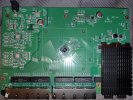
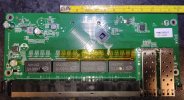
The switch originally shipped with 1.0.0.6. I successfully migrated it to the considerably better 2.0.0.4 firmware on the same hardware. The catch is that V2 uses a different flash partition layout: larger WSP slots and relocated GPHY/settings partitions. The stock web updater can’t make that change, so I used an SPI programmer and clip to back up the flash and write a rebuilt, device-specific image.
Some interesting findings:
- It runs Zephyr, with MaxLinear’s WSP management software.
- The firmware contains considerably more functionality than the original web interface exposes.
- Found a small change to the external boot-configuration record that allows modified WSP firmware to boot (the original verifies hashes), while preserving the executable bootloader code.
- After that initial modification, custom firmware updates can go through the existing web updater.
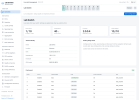
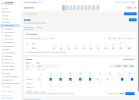
The replacement interface runs directly on the switch, no separate management server required. It includes a much more usable VLAN editor, switch name/location/contact fields, LLDP, SFP identity and optical diagnostics, jumbo-frame controls, management-VLAN controls, firmware backup/upload, and the actual Zephyr shell in the browser.
It’s still experimental and tested on one switch. Several features are working on hardware, but broader forwarding, persistence and recovery testing remains. The browser shell also has full privileges, including flash and RAM writes, so it sits behind an explicit warning.
This works today on MY switch, it may not work on yours. Getting it going involves soldering and 8-pin SOIC chips, and voiding warranty. This is an alpha release - I'm hopeful if I get more time, either me or the community may find a way to install it over the wire without opening the switch.
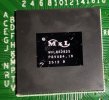
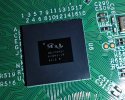
I have noted that the TP-Link Omada range has a few switches with this processor, I'm ordering one to see if we can get this running on that target too.
Please don’t upload V2 firmware directly to a V1 switch. The layout migration is a separate operation, and an interrupted SPI write can leave you needing external flash recovery. The current migration builder is deliberately restricted to my original backup until we’ve made it suitable for other units. There are notes on the repo on how to perform a v1 to v2 upgrade.
Here is the GitHub repo: GitHub - geoffwatts/mxl-playground: Experimental source-only management UI and native extensions for a researched MaxLinear MxL862xx switch
A few screenshots below. Particularly pleased to finally have a switch that advertises its configured name over LLDP and lets me inspect the SFPs!
The switch originally shipped with 1.0.0.6. I successfully migrated it to the considerably better 2.0.0.4 firmware on the same hardware. The catch is that V2 uses a different flash partition layout: larger WSP slots and relocated GPHY/settings partitions. The stock web updater can’t make that change, so I used an SPI programmer and clip to back up the flash and write a rebuilt, device-specific image.
Some interesting findings:
- It runs Zephyr, with MaxLinear’s WSP management software.
- The firmware contains considerably more functionality than the original web interface exposes.
- Found a small change to the external boot-configuration record that allows modified WSP firmware to boot (the original verifies hashes), while preserving the executable bootloader code.
- After that initial modification, custom firmware updates can go through the existing web updater.
The replacement interface runs directly on the switch, no separate management server required. It includes a much more usable VLAN editor, switch name/location/contact fields, LLDP, SFP identity and optical diagnostics, jumbo-frame controls, management-VLAN controls, firmware backup/upload, and the actual Zephyr shell in the browser.
It’s still experimental and tested on one switch. Several features are working on hardware, but broader forwarding, persistence and recovery testing remains. The browser shell also has full privileges, including flash and RAM writes, so it sits behind an explicit warning.
This works today on MY switch, it may not work on yours. Getting it going involves soldering and 8-pin SOIC chips, and voiding warranty. This is an alpha release - I'm hopeful if I get more time, either me or the community may find a way to install it over the wire without opening the switch.
I have noted that the TP-Link Omada range has a few switches with this processor, I'm ordering one to see if we can get this running on that target too.
Please don’t upload V2 firmware directly to a V1 switch. The layout migration is a separate operation, and an interrupted SPI write can leave you needing external flash recovery. The current migration builder is deliberately restricted to my original backup until we’ve made it suitable for other units. There are notes on the repo on how to perform a v1 to v2 upgrade.
Here is the GitHub repo: GitHub - geoffwatts/mxl-playground: Experimental source-only management UI and native extensions for a researched MaxLinear MxL862xx switch
A few screenshots below. Particularly pleased to finally have a switch that advertises its configured name over LLDP and lets me inspect the SFPs!