Migrate UnRAID JBOS with NetApp DS4246 to HP ProLiant DL360 - firmeware problem

Notice: Page may contain affiliate links for which we may earn a small commission through services like Amazon Affiliates or Skimlinks.

LazyAdmin

New Member
Apr 9, 2026
7
0
1
Hi,

I need to migrate my JBOD running on UnRAID, based on a NetApp DS4246 connected via an HBA NetApp Adapter PM8003.

The current configuration uses 16TB hard drives.

Current configuration:
unraid 7.2.3
ASRock H110M-ITX Version P7.20
i5-6500, 4 GiB DDR4
HBA Netapp 4x6Gb SAS QSFP Adapter 111-00341+G1

A few months ago (if I said I would do it, I will do it — please don't remind me every half a year) I bought an HP ProLiant DL360 with two LGA2011 v3 sockets. I upgraded the BIOS to the newest version with Xeon E5 v4 support.

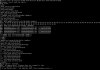
While trying to install it in the server, I received the following error:

Bash:
Kernel Offset: disabled
ERST: [Firmware Warn]: Firmware does not respond in time.
pstore: backend (erst) writing error (-5)
---[ end Kernel panic - not syncing: GHES: Fatal hardware error ]---

I need to know how to diagnose this and migrate my JBOD to the new server. Could this be a firmware incompatibility, or does HP block non-HP controllers?

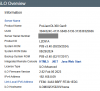
HP ProLiant DL360 Gen 9
Intel(R) Xeon(R) CPU E5-2695 v4 @ 2.10GHz (2x)
iLO 4
System ROM
P89 v3.40 (08/29/2024)
iLO Firmware Version
2.82 Feb 06 2023
 
Last edited:
Could you also provide a few more details?

Is this a DL360 Gen9, Gen8, or another model?
Which Xeon E5 v4 CPU(s) are installed?
Does the system still panic with the PM8003 completely removed?
Can you upload a photo of the actual boot screen showing the kernel panic instead of the copied log?

That information would make it much easier to narrow down the root cause.
 
The generation of the server matters a lot here. Since you say v3 and v4 it can only be Gen9 though.

This is not a block from HPE. I have installed a lot of things into these over the years, never seen an HP server block anything.

I would however recommend you to run the newest SPP on the machine. I believe the last one they ever did was named gen9.1. Be aware that SPP's only have the newest possible firmware, sometimes you need to step a firmware up (mostly controllers / network cards).

Are you sure it's your HBA card? Do you get kernel panic if you do not have it installed?
 
signal-2026-09-24-14-04-58-611_002.jpgsignal-2026-09-24-14-05-51-337_002.png


Sorry for late replay. I have already run Service Pack for ProLiant DL360 Gen9. I downloaded the latest version from hpe.com but there is no action.

Frimeware version in screens.

I have no idea how to fix this problem.
 
pm8001 is "PMC-Sierra PM8001/8006/8081/8088/8089/8074/8076/8077/8070/8072 SAS/SATA controller driver" so it does look like your card has problems. Does it show an e.g "Press F8 to enter BIOS" prompt at POST time and can you enter it and see if it looks correct?
 
Regarding issue with this particular card, i've purchased another a bit newer unit and the problem persists.

Both cards are fully working in another server, made out of desktop PC components.
After reverting bios to first available that supports only v3 CPUs, problem disappears.

Odds that both cards are non-functional are minimal.

ILO provides some errors that are visible below.

Is there any possible solution or card and HPE server is just intollerant of NETAPP product and another different model is only option ?signal-2026-09-24-18-58-52-877.png
 
I have seen NMI errors on HPE with third party card. This was on a DL360 Gen 8, and the server would not even boot, just POST and throw the error. My guess the cause is that the card is trying to use a memory segment which is in use somehow.

In my case, HPE made us a custom beta bios, and the problem was "resolved"
 
After a few weeks of trying to solve the problem, I decided to buy a new cable and controller. I ordered an LSI controller and a QSFP+ to SFF-8088 cable, but the seller cancelled the controller order. Now I have three options for a new JBOD controller:

Option 1 (no need to buy a new cable)
Used LSI 9207-4i4e. The cable is compatible.

Option 2 (I need to buy a different type of cable)
Original HP H241. According to HP’s specifications, this model is designed for the HP ProLiant DL360 Gen9.

Option 3 (I need to buy a different cable)
LSI 9300-8e

My concern:
I prefer an LSI controller because if my HP ProLiant DL360 Gen9 fails, I want to have the option of buying a server from another vendor.