EU Microsoft Project Olympus Dual Epyc 7003 Boards - 87,12€ each

Notice: Page may contain affiliate links for which we may earn a small commission through services like Amazon Affiliates or Skimlinks.
Anyone got it running? I ordered one to Spain and have some 7001 CPUs, so just would try to resell it maybe. The whole unit with risers/FPGA cost me 110€ ex. VAT by negotiating price on piosparts website.
Yes mine is working (full server system with PSU see few pages before for how to get that to work).
Bought EPYC 7601 for 30€ each (ebay he accepted offer of 30€ each).
I had to reset bios settings using the jumper to get it to boot but now it works. (using a Quadro K2000 I had lying around for graphics in x16 slot of CPU0).
I am using SATA at the moment (with diy adapter, the connectors same as PCIe 6 8 pin or CPU4 pin connectors but different pinout).
Shame there is no onboard LAN, I have to use USB ETH adapter at the moment.
Is there anyone with experience in Bios hacking here? Is there any chance of adding Rome or Milan support? (more than two times more performance would be great)
 
Main Bios read with CH341 programming adapter (files seems to have some differences compared to one which was uploaded earlier):

EDIT: file seems to be corrupted see post below for proper file
 
Last edited:
Is there anyone with experience in Bios hacking here? Is there any chance of adding Rome or Milan support?
almost impossible, AGESA is everywhere, not a single block.
more possible will be a crossflash a BIOS from similar motherboard.
VRM unit don't support Rome/Milan.
 
Last edited:
Main Bios read with CH341 programming adapter (files seems to have some differences compared to one which was uploaded earlier):
BIOS Date: 04/23/2020 10:19:02 Ver: T6U_3A25
Code:
CH341_Olympus_main_bios.bin (1/1)

╔════════════════════════════════════════════════════════════════╗
║                              AMD                               ║
╟───┬──────────┬──────────┬────────────┬───────┬──────────┬──────╢
║ # │  CPUID   │ Revision │    Date    │  Size │  Offset  │ Last ║
╟───┼──────────┼──────────┼────────────┼───────┼──────────┼──────╢
║ 1 │ 00800F12 │ 08001230 │ 2018-08-04 │ 0xC80 │ 0x26FE00 │  No  ║
╟───┼──────────┼──────────┼────────────┼───────┼──────────┼──────╢
║ 2 │ 00800F11 │ 08001129 │ 2017-07-14 │ 0xC80 │ 0x270B00 │  No  ║
╚═══╧══════════╧══════════╧════════════╧═══════╧══════════╧══════╝
 
Any chance the 7371 would work on these? I know it's slightly out of TDP spec... :-(
little chance. the Intel board is spec. up to 205W(no higher std. SKU avail. only OEMs consumer can't buy normaly)
and this board runs 8124M/8175M 240W, no TDP block.
 
Main Bios read with CH341 programming adapter (files seems to have some differences compared to one which was uploaded earlier):
Unfortunatelly it seems the above file was corrupted below one is definitly working (readback and written boots fine), it is from a different server (I have 2)
 
Yes mine is working (full server system with PSU see few pages before for how to get that to work).
Bought EPYC 7601 for 30€ each (ebay he accepted offer of 30€ each).
I had to reset bios settings using the jumper to get it to boot but now it works. (using a Quadro K2000 I had lying around for graphics in x16 slot of CPU0).
I am using SATA at the moment (with diy adapter, the connectors same as PCIe 6 8 pin or CPU4 pin connectors but different pinout).
Shame there is no onboard LAN, I have to use USB ETH adapter at the moment.
Is there anyone with experience in Bios hacking here? Is there any chance of adding Rome or Milan support? (more than two times more performance would be great)

Thanks!
So to power on the server you connected C2 and D1 to A3 GND ?
  • A3 (analog ground)
  • C2 (blade enable)
  • D1 PSKILL (the short pin the top left corner)
How you connected the AC part of the power supply?
 
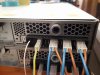
Got the server with case. Tried to connect power to the power supply for testing by connecting the individual pins using connector like this (not these exact ones need to use connectors which are flat enough that the can fit next to each other) "https://www.reichelt.de/de/de/shop/...MI28vWxN_ekAMVj7CDBx27fT1vEAQYAiABEgKf6_D_BwE" The connectors need to be compressed a little bit using thongs to fit the quite thin Pins (the are designed for 0.8mm thickness pins, but psu pins are more like 0.3-0.4mm).
I connected all three phases (only feed A not backup so 3* 2 Pins) of the power supply to a single phase plus the GND. .....
For insulation between the connectors I used these (slide over connectors):

Pinout you can find in the power supply specification.(http://files.opencompute.org/oc/public.php?service=files&t=2247ac812c026ea8fa15d29622779fa7&download) Make sure all of the connectors are secure (compress a little until tight fit) especially the "safety GND".
Use this information at your own risk!

To turn on actually only connecting to ground of "D1 PSKILL (the short pin the top left corner)" is required (I connected PSKILL to case GND)
The server will turn on once this pin is pulled low.
 
Last edited:
My 2x Quanta T6U (Project Olympus) servers came yesterday , outside on case is written Quanta (and Microsoft too).
Open one server - surprise up to 8 nvme M.2 SSD ca be installed/plugged, even found on ebay M2. adapter double sided Low profile for ~17euro from same seller will test on desktop PC before order 4 more.
Clear Password and CMOS memory using jumpers.
CPU 16 cores Naples installed have to connect two wires for 220V and using previous advises to power on and see working or not, if ok switch CPU with 16 core Rome family (which I have laying around) to test further.
 
Now these boards are listed with a chassis 179€ pios website and 199€ with -10% discount on ebay. The listing on ebay says support for 7003 gen. Is this incorrect like mentioned previously? Pios own website only mentions 7001 series support.
 
The listing on ebay says support for 7003 gen. Is this incorrect like mentioned previously? Pios own website only mentions 7001 series support.
they sayd to me.
das Gehäuse wurde von Quanta hergestellt mit der Bezeichnung T6U. Um Milan CPUs verwenden zu können muss eventuell das BIOS auf eine kompatible Version geupdatet werden.

The case was manufactured by Quanta and is designated T6U. To use Milan CPUs, the BIOS may need to be updated to a compatible version.

afaik the EPYC SP3 olympus board with 7003 support is the next model, not this.
edit: same for the intel dual LGA3647 olympus, to run 2nd scalables the MS Project Cerberus motherboard is required
( Cerberus = Root of Trust Hardware/Firmware )
 
Last edited:
  • Like
Reactions: sal0
Just in case anyone still has one of these servers and for future documentation below the image of how I connected the power supply. (all to same phase). Pin at top left need to be connected to GND to power on (you can use case gnd)
 

Attachments

  • Olypus_Powersupplyconnection.jpg
    Olypus_Powersupplyconnection.jpg
    273.2 KB · Views: 160
As I also got one of them cheap Olympus Servers on eBay. Here is what I achieved so far:

Bridge D1 (PSKILL) and A3 (AGND) and PSU powers up fine.

Code:
ipmitool -I lanplus -H 192.168.6.248 -C3 -U admin -P admin sol activate
[SOL Session operational.  Use ~? for help]
~. [terminated ipmitool]

You can have a console.

Code:
ssh -o HostKeyAlgorithms=+ssh-rsa admin@192.168.6.248                                                 
admin@192.168.6.248's password:
~?
Supported escape sequences:
 ~.   - terminate connection (and any multiplexed sessions)
 ~B   - send a BREAK to the remote system
 ~R   - request rekey
 ~V/v - decrease/increase verbosity (LogLevel)
 ~^Z  - suspend ssh
 ~#   - list forwarded connections
 ~&   - background ssh (when waiting for connections to terminate)
 ~?   - this message
 ~~   - send the escape character by typing it twice
(Note that escapes are only recognized immediately after newline.)

Same with SSH. SSH is not dead ist has the same commands as the SOL console.

So far so good. My next step would be to boot from USB.

Can anyone help me with that?
 
  • Like
Reactions: int0x2e
set USB on top in BIOS boot option priorities or Boot Override ?
or supermicro IPMIView
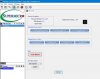
View attachment 47270
Ok, thanks, that worked. I can set the Boot Option and it is stored. But nothing happens. Is there a way to check that CPU and RAM is correct and recognized? I got a CPU from eBay with a label "maybe Dell locked" the seller said, I should test and if it is locked, he would exchange it. But I was so far not able to get anything out of the system regarding CPU or RAM. The only thing I have noticed ius, the CPUs are warm and the the temp sensors show values.
 
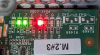
the eight Port80 POST code LEDs. see manual.
with the dual LGA3647 board i got display with GT630 (in the x16 slot by the x8)
Unfortunately the only thing in the Manual mentioned is:
Post Code Green Indicates the Boot status of the motherboard (Port 80)

So I am not sure what this means.
 

Attachments

  • Bildschirmfoto 2026-01-11 um 15.13.27.png
    Bildschirmfoto 2026-01-11 um 15.13.27.png
    593.1 KB · Views: 119