Looking for Samsung PM863 3.84TB Firmware...please help!

Notice: Page may contain affiliate links for which we may earn a small commission through services like Amazon Affiliates or Skimlinks.

Manzur Fahim

New Member
Aug 4, 2018
2
0
1
Hello everyone,

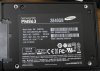
Hope you are doing well. I have two PM863 3.84TB SATA SSD that I purchased a long time ago. They shipped with the old GXT3003Q firmware. There were some mentions of firmware bug that marks NAND bad, and I want to see if my SSD genuinely developed the bad block it reports. If you have, or know where to get the latest firmware, please let me know. The drives have Samsung sticker, I bought them from a website new, they are not HP/Dell brands etc.

I downloaded this file from here: Firmware Enterprise SSDs - SM1625, PM853T, and others | ServeTheHome Forums , but the firmware file name is different and I'm not sure if it is the correct one.

Please help. Many thanks in advance.
 

Attachments

  • 20261004_220650.jpg
    20261004_220650.jpg
    819.6 KB · Views: 11
Good thing you checked, I'm no expert but the PM863 and PM853 series are 2 years apart (2014 vs 2016) in introduction date.
So there might be good chance you'll brick the SSD if it happens to accept the firmware.
To be able to advise a better/correct firmware more details are needed about the drive, just post the full output of a "smartctl.exe -x drive_path" or a screenshot from Cristaldiskinfo I mention below.
Btw there is a good chance you SSD and firmware predate the NAND corruption bugs (unless mentioned specifically somewhere) as all the issues I know of are on newer models and firmware.

I recommend you first try the Samsung SSD Toolkit for Data center drives bottom of this download page
It should automatically detect the drive model and notify about any updates.
To verify any corruption has been detected, you can check the SMART attribute called: "Media and Data Integrity Errors"
Usually SMART id 0E, a value from 0 to 20 is not a issue but if the number is higher it means something might be wrong but necessarily a firmware issue.
Samsung firmware issues (I know of) usually generate a few thousand errors to if the disk in use for a long time.
When the SMART value has a bunch of zero's in front of the number it's in raw/hexadecimal format and need to be converted to decimal to read it.
If you're on Windows Cristaldiskinfo is a easy tool, on Linux "smartctl -a drive_path", the Samsung SSD Toolkit might also have a option to view SMART maybe.

This is an enterprise SSD, so Samsung Magician won't work. And DC Toolkit does not notify about updates, it is a CLI program.

My SSD got some bad blocks, which is what I want to fix, to find out if they are real or a result of firmware bug.
 
I flashed my MZILS3T8HCJM with CQPJ...

Though I'm not sure where I got it from. That said...

My SSD got some bad blocks, which is what I want to fix, to find out if they are real or a result of firmware bug.

I would not expect a firmware update to fix grown defects. However, if you "just" have some "sectors pending reallocation", you may be able to force the reallocation by writing over them. Of course the problem is that it's hard to figure out which sectors those are. What I've done in the past is do a blkdiscard over the entire drive and then fill it using dd if=/dev/zero. Be warned, doing this this will destroy all data on the drive.