
H12SSL-I Stuck at "bmc initiating"
- Thread starter Dick Lee
- Start date
-
- Tags
- bmc boot failure supermicro
You are using an out of date browser. It may not display this or other websites correctly.
You should upgrade or use an alternative browser.
You should upgrade or use an alternative browser.
Notice: Page may contain affiliate links for which we may earn a small commission through services like Amazon Affiliates or Skimlinks.
Hello, dear friends! Help me understand and possibly solve the problem. The CPU fans and the case stopped working on my motherboard. The KVM stopped working. The BIOS does not display the BMC firmware version. It does not allow you to install a new BMC firmware. What can I do? This happened after installing the GPU in the lower slot. Could I have closed some contacts for the mod factor or something else? I tried to do everything carefully. Right now, when power is applied, only the green light at the bottom of the board is on ( it flashes at the beginning ) . It starts up and is -fully functional, except for fan control and kvm and bmc. This is my first server board, I bought a new one. ( H12DSI-N6-O )
Attachments
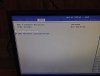
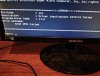
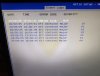
Last edited:
you may have bricked one of the BMC chip VRMs. it RMA time then.It does not allow you to install a new BMC firmware. What can I do? This happened after installing the GPU in the lower slot. Could I have closed some contacts for the mod factor or something else?
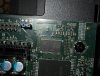
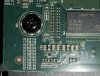
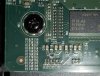
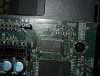
can you provide a pic of this area ?
I hope it's clearly visible.you may have bricked one of the BMC chip VRMs. it RMA time then.
can you provide a pic of this area ?

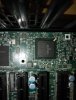
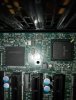
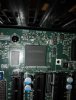
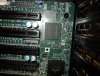
what board and revision is this ?I hope it's clearly visible.
pls investigate these two closer
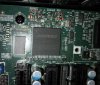
I hope it's clearly visible.View attachment 42976View attachment 42977View attachment 42978View attachment 42979
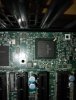
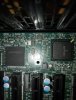
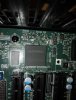
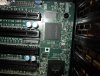
Attachments
-
 IMG-20250407-WA0059.jpg167.6 KB · Views: 18
-
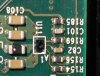 IMG-20250407-WA0060.jpg174.9 KB · Views: 15
-
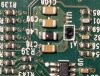 IMG-20250407-WA0061.jpg225 KB · Views: 13
-
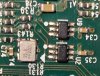 IMG-20250407-WA0062.jpg199.8 KB · Views: 14
-
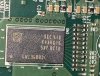 IMG-20250407-WA0063.jpg258 KB · Views: 13
-
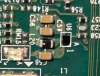 IMG-20250407-WA0065.jpg206.8 KB · Views: 14
-
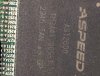 IMG-20250407-WA0064.jpg228.3 KB · Views: 12
-
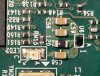 IMG-20250407-WA0066.jpg266.7 KB · Views: 10
-
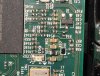 IMG-20250407-WA0067.jpg285.3 KB · Views: 9
-
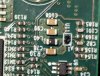 IMG-20250407-WA0068.jpg221.4 KB · Views: 8
-
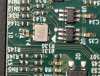 IMG-20250407-WA0069.jpg270.6 KB · Views: 9
-
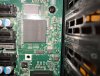 IMG-20250407-WA0070.jpg287 KB · Views: 11
-
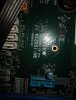 IMG-20250407-WA0071.jpg186.5 KB · Views: 12

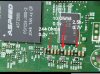
They look like a black mirror, I don't see any defects.sensitive are the VRM regs U6 U11, U7 U16.
are they bricked off silicon ? (magnifying glass)
they are th eusual bandits on the H12ssl.They look like a black mirror, I don't see any defects.
if your BMC heartbeat LED doesn't flash as it should the BMC is not working,
the damage typcialy happen if you swap a PCIe Card.
Tell me, what is it? How can I check?U11 bricked off a bit. machanical damage or forgot to unplug AC and wait....
voltage regulation for BMC chip. sliced yout of bare wafer. cut = damage.Tell me, what is it? How can I check?
is the BMC working again if you put the GPU in the old place ? if not pray and RMA.Tell me, what is it? How can I check?
I forgot to tell you , it does not allow you to flash either the BIOS or the BMC.voltage regulation for BMC chip. sliced yout of bare wafer. cut = damage.
supermicro H12 is RoT Firmware. BIOS & BMC flash only with BMC. BMC dead = no Firmware flash.I forgot to tell you , it does not allow you to flash either the BIOS or the BMC.
I'll try to check it out. Thanks for the help.is the BMC working again if you put the GPU in the old place ? if not pray and RMA.
note that parts are still under voltage in standby(BMC led flashing), and some seconds after AC pull.I'll try to check it out. Thanks for the help.
Similar threads
- Replies
- 23
- Views
- 8K
- Replies
- 23
- Views
- 4K

- Replies
- 2
- Views
- 2K
- Replies
- 1
- Views
- 1K
