Hi all-
Have a Supermicro H12ssl-i / 7502 set-up that's been wonderfully stable for nearly a year. I got greedy and decided to upgrade to an EPYC 7713 when I saw a good deal on both of those. Long story short, I might have blown up my motherboard and I need some help.
When I received the 7713, I looked at it and it looked clean, so I decided to swap it for my 7502, repaste, bring up the system and see how it worked. I popped it in my system, torqued to 14 lbft-in, pasted, cooler back on, and went to boot. Nothing - no blinking or solid LEDs on mobo, no fans, nothing - not getting pre-power, not getting IPMI, let alone POST. Lo and behold, after checking a bunch of things I look at the pictures I took before, and the seller had very thoughtfully tried to clean up old thermal paste, and had unwittingly put the chip back in the carrier backwards / reversed. I didn't notice / think - chips are in carriers so they only go in one way, right? So I'd torqued it down backwards. Yikes. Very yikes. [Let's not get harsh on the seller; I've made mistakes in my life, and he's being cool about it and willing to help make things right if it all goes pear shaped, so I'm not going to say who it was.]
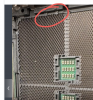
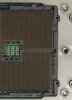
Here's images (1) the correct / original / working 7502 orientation, (2) the reversed 7713, (3) the pins from one angle - the spot you can see is actually dust, (4) the pins from another angle after blew dust away:
I opened up the CPU frame again carefully, and it looks to me like pins aren't bent. There was one spot in the picture I'm posting - but that was dust - I blew that out and it's fine. If they are bent, they're all bent (and I need to know what to compare to so I can tell). Very carefully inspected - perhaps they're all bent but it's consistent if so. Reversed CPU in carrier, re-inserted, torque, paste, cooler, power. Now a green light & IPMI! But no post. IPMI still says 7502 (because no post).
Ok. I've tried a few things, including putting back the 7502, using jumper to blank CMOS. Still can get to IPMI but no post, no VGA (external), nothing on the IPMI remote control screen.
So now I have several choices
I would love any advice or wisdom.
Thanks!
Have a Supermicro H12ssl-i / 7502 set-up that's been wonderfully stable for nearly a year. I got greedy and decided to upgrade to an EPYC 7713 when I saw a good deal on both of those. Long story short, I might have blown up my motherboard and I need some help.
When I received the 7713, I looked at it and it looked clean, so I decided to swap it for my 7502, repaste, bring up the system and see how it worked. I popped it in my system, torqued to 14 lbft-in, pasted, cooler back on, and went to boot. Nothing - no blinking or solid LEDs on mobo, no fans, nothing - not getting pre-power, not getting IPMI, let alone POST. Lo and behold, after checking a bunch of things I look at the pictures I took before, and the seller had very thoughtfully tried to clean up old thermal paste, and had unwittingly put the chip back in the carrier backwards / reversed. I didn't notice / think - chips are in carriers so they only go in one way, right? So I'd torqued it down backwards. Yikes. Very yikes. [Let's not get harsh on the seller; I've made mistakes in my life, and he's being cool about it and willing to help make things right if it all goes pear shaped, so I'm not going to say who it was.]
Here's images (1) the correct / original / working 7502 orientation, (2) the reversed 7713, (3) the pins from one angle - the spot you can see is actually dust, (4) the pins from another angle after blew dust away:
I opened up the CPU frame again carefully, and it looks to me like pins aren't bent. There was one spot in the picture I'm posting - but that was dust - I blew that out and it's fine. If they are bent, they're all bent (and I need to know what to compare to so I can tell). Very carefully inspected - perhaps they're all bent but it's consistent if so. Reversed CPU in carrier, re-inserted, torque, paste, cooler, power. Now a green light & IPMI! But no post. IPMI still says 7502 (because no post).
Ok. I've tried a few things, including putting back the 7502, using jumper to blank CMOS. Still can get to IPMI but no post, no VGA (external), nothing on the IPMI remote control screen.
So now I have several choices
- Remove everything - all RAM but 1 stick, all PCIe (HBA, NIC, GPU, PCIe <> NVME adapter), SATA drives and try to get to post with 7502
- Reflash BIOS / firmware to get it to try to recognize the 7502 (or 7713) again (it was already on 3.3, but I can reflash to 3.3)
- Get a jeweler's loupe and examine the pins hyper carefully before trying again
- Something else
I would love any advice or wisdom.
Thanks!