F1100WP-4SX-4XGT -> Changing the Management VLAN -> Impossible?

Notice: Page may contain affiliate links for which we may earn a small commission through services like Amazon Affiliates or Skimlinks.

SDFeef

New Member
Apr 16, 2026
4
0
1
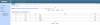
I don't want to lose a port on my Hasivo switch just for management purposes and I'm trying to get rid of VLAN1. I managed to create an interface VLAN99 with the IP 192.168.99.2/24 (where 192.168.99.1 is my uplink that has VLAN 99 on the interface).

I then managed to remove the IP from VLAN1 interface but now my IP Address is blank (even though I manage to reach it if i statically set my laptop to the 192.168.99.0/24 range and connect it to a port with being assigned to VLAN1.

When I set it the default VLAN to 99 and connect it to my pfsense who's the uplink, I can't communicate between them.

Is it possible that the MGMT VLAN on this Hasivo switch is kind of 'hardcoded' to VLAN 1?

What is advised in my scenario?

I was maybe thinking of getting a seperate switch and configure all ports to 99 and have my pfsense have a real interface for management traffic instead of a VLAN, sadly i find this also a waste of ports.

 

Attachments

  • Screenshot 2026-10-16 225110.png
    Screenshot 2026-10-16 225110.png
    72.2 KB · Views: 7
The fact that you can still reach 192.168.99.2 from a port that is untagged in VLAN1 tells you the switch CPU is still sitting in VLAN1. On a lot of these Realtek based boxes the L3 interface IP and the management VLAN are separate settings, so moving the IP to the VLAN99 interface doesn't move the CPU with it. Check whether your firmware has a separate management VLAN option (web UI or CLI) and set that to 99 too, ideally while you're connected through a path that already carries 99 so you don't lock yourself out.
Second thing: if 192.168.99.1 on pfSense is a VLAN interface on top of a physical port, the switch port facing pfSense needs VLAN 99 tagged. Setting the PVID to 99 sends it out untagged, pfSense sees that on the parent interface instead of the .99 VLAN interface, and nothing answers.
If it turns out management really is fixed to VLAN1 on this model, you still don't need another switch or a dedicated port. Make the untagged parent interface on pfSense your management network, leave VLAN1 untagged only on the uplink port, and give every other port a PVID in one of your real VLANs. VLAN1 then only exists between the switch and pfSense, which gets you the same isolation.
 
  • Like
Reactions: SDFeef
Thanks @jeremyx

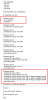
For those interested, I managed to get it working.

Port 8 on the switch is my "uplink" to the pfSense that has VLAN99 as a VLAN.

I'm however not sure if i managed to "kill" vlan1.
 

Attachments

  • MGMT_VLAN_1.png
    MGMT_VLAN_1.png
    181.4 KB · Views: 6
  • MGMT_VLAN_2.png
    MGMT_VLAN_2.png
    196.8 KB · Views: 6
  • MGMT_VLAN_3.png
    MGMT_VLAN_3.png
    112.3 KB · Views: 4
  • MGMT_VLAN_4.png
    MGMT_VLAN_4.png
    132.2 KB · Views: 4