ES Xeon Discussion

Notice: Page may contain affiliate links for which we may earn a small commission through services like Amazon Affiliates or Skimlinks.
I'm looking for an ES/QS Xeon 6 (LGA 4710) CPU that will work on an ASRock Rack GNRD8-2L2T motherboard
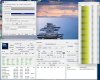
Q5LS ( 6741P B1 48C 136L 350W )
CPU-Z HWinfo all core 3700.jpg
with no major issues like missing memory channels or PCIe lanes.
except ice lake this is only a question of quality, not type.
I've come across Q3J1, Q4G9, Q462, Q4GN. Will any of these work or are there recommended ones out there?
these A2 run up to BIOS 1.15 on GNRD8-2L2T (PM me for older BIOS)
Q462 80c
Q463 64c (have 2x at home)
Q4GN 48c

avoid A0/A1 like Q3xx
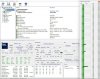
Q463CaptureScreenHWi_sth.jpg
 
Last edited:
any info on how well it clicks under all core load? Would it be better than a 48 core Epyc Rome 7642 for LLM inference?
It would depend on what else you would get. On a plus side for SPR-ES - AVX-512, some sort of AMX (might be buggy though, as there is no changelog for ES steppings available) and faster RAM if you can afford 8 channel DDR5 RDIMMs.

On the plus side for Epyc - 128 PCIe lanes (Gen4 though, not Gen5, but depends on if you even plan to use any accelerators) and still cheaper DDR4. Though LLM inference on CPU only is in general not a very good idea.
 
It would depend on what else you would get. On a plus side for SPR-ES - AVX-512, some sort of AMX (might be buggy though, as there is no changelog for ES steppings available) and faster RAM if you can afford 8 channel DDR5 RDIMMs.
I think you're confusing it with Sapphire Rapids. The QX97 I'm referring to is Ice Lake, LGA4189, DDR4, no AMX.

On the plus side for Epyc - 128 PCIe lanes (Gen4 though, not Gen5, but depends on if you even plan to use any accelerators) and still cheaper DDR4.
Well, I've been using Epyc for a few years. The lanes are nice, but the boards are getting ridiculously expensive.

Though LLM inference on CPU only is in general not a very good idea.
You're technically right, but you're assuming CPU only. If you have enough GPUs/VRAM to hold the non-MLP bits (attention layers, KV cache, router, etc), CPUs can be a very economic way for getting decent performance in very large models, even more so now with MTP and DFlash.
 
z13pe doesn't support pcie bifurcation, even with 2*80 pcie lanes provided by cpu... Is it normal on Xeon motherboards? But I see gigabytes supports this feature from other's posts. I haven't met this problem on asus epyc motherboard.

Hey, I have managed to turn on PCIe bifurcation for the z13pe-d16, and the process should be similar for other boards. I will be publishing a repo with a nice utility for this probably sometime this week that can set bifurcation settings in linux, and possibly unhide the Asus R&D Menu (not quite working yet)

1788228547623.png
 
Hey, I have managed to turn on PCIe bifurcation for the z13pe-d16, and the process should be similar for other boards. I will be publishing a repo with a nice utility for this probably sometime this week that can set bifurcation settings in linux, and possibly unhide the Asus R&D Menu (not quite working yet)

View attachment 50449
Nice job ! I thought enabing bifurcation in BIOS should migrate some modules from another BIOS because I didnt find relative strings in it.
 
I thought enabing bifurcation in BIOS should migrate some modules from another BIOS because I didnt find relative strings in it.
usualy the options are only hidden(suppressed)
Code:
    Form FormId: 0x47A, Title: "Socket0 Configuration"
        SuppressIf
            EqIdVal QuestionId: 0x1, Value: 0x0
            SuppressIf
                EqIdVal QuestionId: 0x99, Value: 0x0
                OneOf Prompt: "IOU0 (IIO PCIe Port 1)", Help: "Selects PCIe port Bifurcation for selected slot(s)
Port Format: xDxCxBxA
The port can further be x2x2", QuestionFlags: 0x10, QuestionId: 0xC0, VarStoreId: 0x1, VarOffset: 0x270, Flags: 0x10, Size: 8, Min: 0x0, Max: 0xFF, Step: 0x0
                    Default DefaultId: 0x0 Value: 4
                    OneOfOption Option: "Auto" Value: 255
                    OneOfOption Option: "x4x4x4x4" Value: 0
                    OneOfOption Option: "x4x4x_x8" Value: 1
                    OneOfOption Option: "x_x8x4x4" Value: 2
                    OneOfOption Option: "x_x8x_x8" Value: 3
                    OneOfOption Option: "x_x_x_x16" Value: 4
 
Last edited:
  • Like
Reactions: frogelder
usualy the options are only hidden(suppressed)
Code:
    Form FormId: 0x47A, Title: "Socket0 Configuration"
        SuppressIf
            EqIdVal QuestionId: 0x1, Value: 0x0
            SuppressIf
                EqIdVal QuestionId: 0x99, Value: 0x0
                OneOf Prompt: "IOU0 (IIO PCIe Port 1)", Help: "Selects PCIe port Bifurcation for selected slot(s)
Port Format: xDxCxBxA
The port can further be x2x2", QuestionFlags: 0x10, QuestionId: 0xC0, VarStoreId: 0x1, VarOffset: 0x270, Flags: 0x10, Size: 8, Min: 0x0, Max: 0xFF, Step: 0x0
                    Default DefaultId: 0x0 Value: 4
                    OneOfOption Option: "Auto" Value: 255
                    OneOfOption Option: "x4x4x4x4" Value: 0
                    OneOfOption Option: "x4x4x_x8" Value: 1
                    OneOfOption Option: "x_x8x4x4" Value: 2
                    OneOfOption Option: "x_x8x_x8" Value: 3
                    OneOfOption Option: "x_x_x_x16" Value: 4
Are they extracted from z13-pe BIOS? I didn't find them by this project GitHub - BoringBoredom/UEFI-Editor: Aptio V UEFI Editor: an alternative to AMIBCP

Agent just modified it for me. I will upload it later if it really works.
 
Last edited:
Are they extracted from z13-pe BIOS? I didn't find them by this project GitHub - BoringBoredom/UEFI-Editor: Aptio V UEFI Editor: an alternative to AMIBCP

Agent just modified it for me. I will upload it later if it really works.
It works.
Z13PE-D16 BIOS 2501 with PCIe bifurcation

PCIE1Socket0 → IOU2 (Port 3)
PCIE2Socket1 → IOU1 (Port 2)
PCIE3Socket0 → IOU1 (Port 2)
PCIE4Socket1 → IOU0 (Port 1)
PCIE5Socket0 → IOU0 (Port 1)
PCIE6Socket1 → IOU4 (Port 5)

Just downloaded this repo GitHub - BoringBoredom/UEFI-Editor: Aptio V UEFI Editor: an alternative to AMIBCP and told agent "make bifurcation options unsuppressed"
 
Last edited:
and in EU there are refurbished ASUS WS C422 DC's for sale at 170 EUR (27 sold)
i have Supermicro X11SRA-RF from same seller 180 EUR

Are there any good ES/QS deals of W-21xx or W-22xx CPU's out there atm with minimum 6 cores, preferably 8 or more, that would run on this board?
ES/QS are more expensive today.
only cheap 8 core is the W-2140B
At least I got two for 80 euros (both)
QS of 2140b is QMVZ
W-2150b 10 core retail $105usd
QS of 2150b is QN57

W-2145 retail $85usd
W-2245 retail $160usd
6 core:
W-2133 retail $20usd
W-2135 OEM higher clocks retail $45usb
W-2235 retail $50usb
 
Last edited:
For the 9468es QYPG , I know 2 models of mainboards can support it. One is Supermicro X13DEG-QT ,the other one is BYD R740s sever. Is there any way to dump the micro code from these firmwares?
 
For the 9468es QYPG , I know 2 models of mainboards can support it. One is Supermicro X13DEG-QT ,the other one is BYD R740s sever. Is there any way to dump the micro code from these firmwares?
it is not only the microcode. In experiments, the HBM ES proceeds further during POST without microcode, once added microcode we got only "cd"
drop the BIOS on MCextractor, microcode will be saved in /Extracted/Intel