
He mean "information about lot is confidential", but screenshot mean he sell ES.QS is confidential too. but you will see "intel xeon platinum 8592" etc.
ES Xeon Discussion
- Thread starter britinpdx
- Start date
You are using an out of date browser. It may not display this or other websites correctly.
You should upgrade or use an alternative browser.
Notice: Page may contain affiliate links for which we may earn a small commission through services like Amazon Affiliates or Skimlinks.
Now I know - Q2SR best value.2x Q2SR EMR-SP stepping A0 (A1 = production)
you can buy them alone for 1666 yuan and take any gigabyte motherboard, i can provide working BIOS.

they work. but cooling can be an issue if FANs are in a row.RolloZ170, could it be a problem - Q2SR have a 350W TDP, but MS73-HB only 270W per CPU. Is it a hardware or only BIOS limitation?
at cooling, special care must be taken
Hello, please help. There was a server supermicro X11DAi-N and Intel Xeon platinum 8160es and memory cards crucial 16gb pc4-2133p-rb0-10,
The motherboard went to kz, after much anguish service - I ordered a model Supermicro X11DPI-NT (I thought the closest analog that I found).
As a result, at startup all channels are disabled due to memory test failures at stage B7 (memory test).
I didn't understand from the whole thread whether I did the right thing by replacing this motherboard.
The only point of solution that I read for updating to BIOS to 3.3, but will start only one processor (based on the vastness of google).
Is it possible to solve the problem by changing the bios for 2 processors?
Thanks in advance
QL??Intel Xeon platinum 8160es
As a result, at startup all channels are disabled due to memory test failures at stage B7 (memory test).
B0 ES need old BIOS. without 2nd gen support or modyfied 3.x BIOS.The only point of solution that I read for updating to BIOS to 3.3,
It's an engineering processor. And there's no way to see the model except for the 8160es.QL??
B0 ES need old BIOS. without 2nd gen support or modyfied 3.x BIOS.
In fact, I can't enter the bios, the memory won't let me.
Consequently, I can not configure ipmi.
I can't do downgrade from a flash drive (I assume that only a programmer is needed, or am I wrong?).
If we are talking about a modified bios, should I search the internet? At least some ideas please
B0 BIOSIt's an engineering processor. And there's no way to see the model except for the 8160es.
In fact, I can't enter the bios, the memory won't let me.
Consequently, I can not configure ipmi.
I can't do downgrade from a flash drive (I assume that only a programmer is needed, or am I wrong?).
If we are talking about a modified bios, should I search the internet? At least some ideas please
or choose old 2.0 BIOS, yo ucan find here
you should be able to log into the IPMI, default is DHCP (check your router)
AFU may reject a modded BIOS.
if you can't buy 4108 e.g. they are cheap.
X11DPi-NT is not cheap, you can get a 6138 20 cores retail for $23 usd now.
Last edited:
Thanks for the answers!
I managed to go to ipmi, but it didn't show the firmware data.
According to the list and model I chose 2.0, it worked.
But now when I insert memory, I see the same error with memory. But already with unsupported frequency
- "All channels are disabled due to memory test failures"
- "P2-CHC: DIMM channel configured frequency is not supported. (PromoteWarningException)"
- "System Initializing.."
Attachments
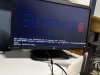
According to the list and model I chose 2.0, it worked.
But now when I insert memory, I see the same error with memory. But already with unsupported frequency
- "All channels are disabled due to memory test failures"
try with one CPU only. remove memory from CPU2On version 2.0 there shouldn't be such problems, right?
install RAM according to the manual.
remove CPU1 and check socket pins. reinstall CPU1 properly.
turn screws 3&4 until you feel the end, the leaf spring must touch the cooler.
edit:
clear CMOS, try my BIOS for SKL B0
what QDF ? QL1K ?It's an engineering processor. And there's no way to see the model except for the 8160es.
what ?The only point of solution that I read for updating to BIOS to 3.3, but will start only one processor (based on the vastness of google).
can you specify that ?
are the porcessors not same ?
Last edited:
i start to smell what the problem is.It's an engineering processor. And there's no way to see the model except for the 8160es.
8160es is shown as 8160 (ES) in CPU-Z ??? then it is a QS step 4, stepping H0
and your other processor is an engineering processor with no model shown,
i guess a QL1K or worst case a omnipath fabric QL2M.
( 'F' type SKU omnipath fabric is not supported by X11DPi-N(T) rev. 2 - only rev. 1.21 and lower )
if that is the case, sorry that don't work. both CPU must have same core count, base clock and step must not different than one step.
Tried all of your steps. No memory error. 8160 (ES) - Yes.i start to smell what the problem is.
8160es is shown as 8160 (ES) in CPU-Z ??? then it is a QS step 4, stepping H0
and your other processor is an engineering processor with no model shown,
i guess a QL1K or worst case a omnipath fabric QL2M.
( 'F' type SKU omnipath fabric is not supported by X11DPi-N(T) rev. 2 - only rev. 1.21 and lower )
if that is the case, sorry that don't work. both CPU must have same core count, base clock and step must not different than one step.
I don't understand your phrase
" both CPU must have same core count, base clock and step must not different than one step."
Both processors are the same. How easy it could work on a supermicro X11DAi-N motherboard with these processors.
The boards are very close to each other.
you sayd:I don't understand your phrase
" both CPU must have same core count, base clock and step must not different than one step."
sounds to me two diff. processors ("except")It's an engineering processor. And there's no way to see the model except for the 8160es.
depends on the revision.How easy it could work on a supermicro X11DAi-N motherboard with these processors.
The boards are very close to each other.
i still need the QDF of the 8160es
they are not 8160F right ?
means it works now ?Tried all of your steps. No memory error. 8160 (ES) - Yes.
with 2x 8160 QS QMRV ?
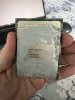

so not 8160 (ES) shown in CPU-ZI'm trying again with your firmware now.
The BMC doesn't see anything in the values.
But it's a QL1K
QL1K is 50652 B0 need modyfied BIOS.
BOTH CPU MUST BE SAME
X11DAi is a workstation motherboard. no magor changes in revisions.Both processors are the same. How easy it could work on a supermicro X11DAi-N motherboard with these processors.
The boards are very close to each other.
X11DPi is a server motherboard.
from rev. 1.21 to 2.x change of VRM controller from TI to MPS, removed omnipath Fabric ('F' type SKU) support
Took the processors off, wiped them both down. They are the same. I wrote 8160 es before (when I had access, but I can't reliably verify).
I ended up leaving one processor and rearranging the memory and it started.
Now I take it the question is to check both one CPU slot and half of the motherboard for memory.
I assume your original B0 option requires modifications?X11DAi is a workstation motherboard. no magor changes in revisions.
X11DPi is a server motherboard.
from rev. 1.21 to 2.x change of VRM controller from TI to MPS, removed omnipath Fabric ('F' type SKU) support
OK. if the other CPU also works in first socket, if both CPU are fine try with two processors.I ended up leaving one processor and rearranging the memory and it started.
Now I take it the question is to check both one CPU slot and half of the motherboard for memory.
if you get errors again the motherboard has issues.
B0 BIOS = modified to run B0.I assume your original B0 option requires modifications?
Similar threads
- Replies
- 0
- Views
- 674
- Replies
- 35
- Views
- 8K

- Replies
- 0
- Views
- 724
- Replies
- 2
- Views
- 2K
