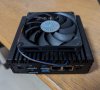
CWWK/Topton/... Nxxx quad NIC router

Notice: Page may contain affiliate links for which we may earn a small commission through services like Amazon Affiliates or Skimlinks.
I'm pretty sure the flaw is on your side, not the device. Btw my "device" is the same cwwk n100 as yours, just 2 nics instead of 4. Eanble all aspm in the bios. Take out any nvme, or pcie card. Boot the last ubuntu from usb drive. Pull all plugs, only leave powert and 1 network. Measure. Each plugged in nic adds 0.5-1w, hdmi plugged in adds 0.5-1w, nvme adds a couple as well...

Well that is good to hear you have better success on something similar. There are no ASPM settings in the BIOS, and I have tried without any drives in it, just the memory and booting up from USB and it still draws minimum 12 watt (or 10 watt without keyboard and monitor). The SATA interfaces are disabled in the BIOS as well as no SATA drives. Taking the USB boot drive out it drops by about a quarter of a watt if that.

I will search this thread for ASPM but if the settings aren't in the BIOS then its still a design fault with these boards. I've also used the newest BIOS from CWWK website and no change, although it did enable access to more advanced power settings they were all optimal already.
 
There are no ASPM settings in the BIOS

It is possible, that your cwwk device really has no aspm controls in the bios. Though it's very very unlikely. It's more likely, that you cannot find it. Also you cannot use the search function of the forum, as the 5th hit for aspm in this thread had an exact description of where to find it, and what to set:
Chipset > PCH-IO Config > PCI Express Configuration

  • Chipset > PCH-IO Config > PCI Express Configuration
    • DMI Link ASPM Control: Auto -> L0sL1
    • Per Root Port: L1 Substates: L1.1 & L1.2
It might not play well with some nvme drives, but most work ok with aspm.
 
  • Like
Reactions: Stovar and audit13
It is possible, that your cwwk device really has no aspm controls in the bios. Though it's very very unlikely. It's more likely, that you cannot find it. Also you cannot use the search function of the forum, as the 5th hit for aspm in this thread had an exact description of where to find it, and what to set:
Chipset > PCH-IO Config > PCI Express Configuration

  • Chipset > PCH-IO Config > PCI Express Configuration
    • DMI Link ASPM Control: Auto -> L0sL1
    • Per Root Port: L1 Substates: L1.1 & L1.2
It might not play well with some nvme drives, but most work ok with aspm.

Those settings are not available in either the original BIOS or the latest one on these 6 port units. I had seen the post you had linked to, but its of no use if the BIOS settings are not available. I will try and see if the BIOS can be modified to show any hidden settings when I get time. It is wrong to assume that just because you have a device from the same manufacturer with the same Intel chip its going to be the same for all their various models, as clearly there are differences in hardware, and it isn't simply a case of "we cannot find" the setting.
 
  • Like
Reactions: audit13
Hello,

I have created another video regarding CWWK N100 2 port version after 7 month of use, showing what I have hosted, how its going and other not obvious things worth noting,
someone might find it useful:

if someone missed first part with unboxing etc. (which I have shared in this topic too) here it is:
 
My Topton n100 4-port also lacks the ASPM options as well.

In the bios settings, I changed ACPI to enabled and it seemed to drop the wattage with no LAN, mouse, video or keyboard connected to 8.5 watts from 10.5/11 watts.

I think I'll leave the settings as they are since it may not be possible to get the wattage even lower without compromising stability.
 
I am new to this whole Aliexpress thing.

Is there a trick to ensuring I am buying from the right spot? I cannot seem to figure out all the differences between vendors, and which stores on Ali are 'trusted'.

I've got symmetrical gigabit, and been trying to figure out a firewall since my T710 stopped working well with OPNsense (it wont boot on latest patch). I am running it presently virtualized on Unraid, and can only seem to get 940/940. When running on The T710, I could see spikes up to 1.2gbps.

I use wireguard for all my VPN needs, don't use zenarmor or anything.
 
  • Like
Reactions: audit13
I am new to this whole Aliexpress thing.

Is there a trick to ensuring I am buying from the right spot? I cannot seem to figure out all the differences between vendors, and which stores on Ali are 'trusted'.

I've got symmetrical gigabit, and been trying to figure out a firewall since my T710 stopped working well with OPNsense (it wont boot on latest patch). I am running it presently virtualized on Unraid, and can only seem to get 940/940. When running on The T710, I could see spikes up to 1.2gbps.

I use wireguard for all my VPN needs, don't use zenarmor or anything.


Directly, cheapest and I think best quality comparing to topton etc.
 
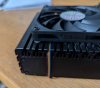
I have finally conquered my laziness and fixed the damn USB fan on my unit.
It's been a while since CWWK sent me the FAN adapter cables that were missing in the original box, and the included USB fan was killing me. No idea how fast was that thing spinning, but the new one is completely silent and was reporting about 770rpm in the BIOS.

Also behold my genius cable management :D
PXL_20240913_182605399.jpg
PXL_20240913_182613740.jpg
 
The FAN is a regular one. The adapter from CWWK though... that's something completely bizarre. The connector on the unit's board is even much smaller than the miniature connector you find on graphic cards.
 
have recently purchased one of these n100 devices and after reading through every single post in this thread I decide to share with you my experiences in trying to reduce the cpu temps. Just want to say a big thanks for everyone sharing their solutions to try and reduce the cpu temperature, it has been very helpful!

I decided to redo the thermal paste with some quality thermal grease. I got the kryonaut thermal grizzly paste.

after doing the re-paste the temps dropped from 50 idle to 25idle!! thats insane (room ambient temp is 20 degrees C). So for the people that has not done this. I would suggest this should be the first thing you should do. It was pretty simple taking it apart which was held on by 8 screws. The thermal grease was like $10 from amazon.

i couldn't believe what a massive difference just replacing the thermal grease did.

I am not using any external fans either.

I run proxmox and pfsense in a vm

Note: i did notice on mine there was an aluminium block that sits between the cpu and external case. and there is thermal grease on both the side that makes contact with the cpu and the side that makes contact with the case. So I removed the crappy paste that came from the factory and put the thermal grizzly on both sides. The block is just held on by the grease sandwich between the cpu and case.

1726277529794.png
 
Last edited:
  • Like
Reactions: KevinR
have recently purchased one of these n100 devices and after reading through every single post in this thread I decide to share with you my experiences in trying to reduce the cpu temps. Just want to say a big thanks for everyone sharing their solutions to try and reduce the cpu temperature, it has been very helpful!

I decided to redo the thermal paste with some quality thermal grease. I got the kryonaut thermal grizzly paste.

after doing the re-paste the temps dropped from 50 idle to 25idle!! thats insane (room ambient temp is 20 degrees C). So for the people that has not done this. I would suggest this should be the first thing you should do. It was pretty simple taking it apart which was held on by 8 screws. The thermal grease was like $10 from amazon.

i couldn't believe what a massive difference just replacing the thermal grease did.

I am not using any external fans either.

I run proxmox and pfsense in a vm

Note: i did notice on mine there was an aluminium block that sits between the cpu and external case. and there is thermal grease on both the side that makes contact with the cpu and the side that makes contact with the case. So I removed the crappy paste that came from the factory and put the thermal grizzly on both sides. The block is just held on by the grease sandwich between the cpu and case.

View attachment 38962

I re-did mine on the 6 port version, it didn't make any difference as the temperatures were low to start with so it was interfacing well already. Usually the interface material between the processor and the case on these types of unit is a thick copper slug, it certainly is on mine. There were/are some versions where there is a gap between the block of metal and the CPU, i.e. they don't quite meet, so the interface ends up being a thick layer of thermal paste to bridge the gap. Thermal paste on CPUs is only really intended to fill the microscopic imperfections of the metal surfaces, so you have a lot of metal to metal contact with paste only filling in any tiny gaps. If the paste is bridging bigger gaps then over time it can start to pull away and gaps return, and it also will not conduct heat away as quickly when the processor ramps up. So worth keeping an eye on it over time as they temperatures may rise again if that thermal paste is bridging too big a gap.
 
I am new here and have cwwk intel u300e unit with 8 NICs.
My question is how to disable any activity in standby mode?

Currently the box is connected to my labor power supply with 12v and draws 0.23a.
After reading some posts, I have ehabled ASPM on all PCIe devices. Now it goes lower from 0,26 to 0.23a, but I see still LAN activity (led blinks) and SSD is hot too.
 
If those values are correct from the lab power supply then it is only drawing about 2.7 watts (volts * amps = watts), I doubt you can get it much lower than that. Do you mean in standby its drawing 0.23 amp? If yes, then again that is the design of these boxes, they seem to keep the network active in standby, either to support Waking up over the LAN or to allow remote management using Intel ME which is a small computer essentially that allows remote access. These boxes tend to be designed to be always on.

From what I've seen there are no options to disable Intel ME in the BIOS. If there are any settings for Wake on LAN in the BIOS, you could try disabling that to see if that helps reduce standby power consumption. I see a draw of about 2.5 watt when my 6 port is powered off as well.
 
Do you mean in standby its drawing 0.23 amp?
Yes.
If yes, then again that is the design of these boxes, they seem to keep the network active in standby
I consider it is, but nvme is powered up too and it's no good.

or to allow remote management using Intel ME
This box doesn't have any setting for ip address and I have deactivate ME, TPE and other security features.

If there are any settings for Wake on LAN in the BIOS
No, there are not settings like wol.

Also somehow I figured out and the integrated NIC are no more active in standby, but the axtra 4 Port NIC is still active and may be ssd.

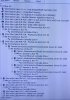
On the foto is the hw config. On the root pport #5 is the 4 port card with extra pcie switch.

I see a draw of about 2.5 watt when my 6 port is powered off as well.
From 12v connector or from included power supply? I did some tests with atx psu. 250w SFF is not so efficient as 450w with the same mainboard.
As you can see the 500w is 15w lower.

And I have b450 mainboard with ryzen 5600g, in stand by it draws 0w from wall socket.
Why is the little box with mobile cpu draws so moch power in standby? Its not normal.
I will try again some settings and then post the results and screenshots.
 

Attachments

  • IMG_20240911_024510.jpg
    IMG_20240911_024510.jpg
    253.5 KB · Views: 33
  • 500w full power intel.png
    500w full power intel.png
    301.9 KB · Views: 34
  • 250w full power intel.png
    250w full power intel.png
    297.9 KB · Views: 30
Has anyone gotten the mini PCIE slot to work? Tried adding a PCIE coral TPU card, and its not showing up at all in lspci, all the slots seem to be enabled in the BIOS
Did you end up making the PCIe port to work? I have a wifi card but it is not listed at all when connecting in. Tried Ubuntu and Openwrt
 
From 12v connector or from included power supply? I did some tests with atx psu. 250w SFF is not so efficient as 450w with the same mainboard.
As you can see the 500w is 15w lower.

And I have b450 mainboard with ryzen 5600g, in stand by it draws 0w from wall socket.
Why is the little box with mobile cpu draws so moch power in standby? Its not normal.
I will try again some settings and then post the results and screenshots.

My tests were using the included 12 volt power adaptor (and also a more efficient 12 volt adapter) and a mains power wattage meter, both showed about 2.5 to 2.7 watts when it was powered down. I have a 6 port similar style of box from a few years ago using a less efficent i7 7500U. With the same power adapter it uses 0 watts when off and idles at 5 watt in the OS. I think these CWWKs N100s are flawed or poorly designed, probably why they are so cheap. The N100s shouldn't be using so much power at idle or when off, I bet they don't when implement correctly in a laptop or other devices.