
Thanks for the input. I wonder if it's something to do with the P420. One thing I note is that the product and revision number reported by smartctl for your drive is different than other drives in this thread. Yours reports the micron model while Brick's reports an IBM model.I am also got a couple IBM branded Micron SSD( MTFDJAK800MBS-2AN ) with 528/b sector. And reformatted it in HP DL360e with P420 wihout any issues:
Changing block size IBM branded Micron S650DC-800 SSD
- Thread starter kdub
- Start date
You are using an out of date browser. It may not display this or other websites correctly.
You should upgrade or use an alternative browser.
You should upgrade or use an alternative browser.
Notice: Page may contain affiliate links for which we may earn a small commission through services like Amazon Affiliates or Skimlinks.
Sorry to necro a dead thread, but nobody ever found a solution to this, right?
A clutch of the 1.6TB versions of these just popped up on the used/refurb market, and I snagged a few for dirt cheap before I discovered this thread. They look to be barely used IBM-rebranded Micron S650DC-1600s, P/N: MTFDJAL1T6MBS-2AN16ABBA showing up in smartctl as Vendor: IBM-SSG, Product: MSVJ1P6, with 528-byte logical and 4224-byte physical sectors.
I managed to get them wiped and write-unlocked with an IT-mode-flashed Dell H710 using sedutil-cli --PSIDrevert, but the sector size does indeed seem to be firmware-locked; they won't format in sg_format or openSeaChest_Format as anything but 528. Attempting to push the Micron FIPS firmware linked upthread using sg_write_buffer errors out with "Write buffer failed: Data protect."
I think I have time before the return window closes to source an IBM M5210 or M1210 SAS controller and try iprutils, but I'm not sure if it's worth the effort at this point. Also possibly willing to try getting a USB SPI programmer and physically flashing the firmware that way, but that obviously requires disassembly and won't allow for a return... anyone have any insight?
No, we only have the 'insides'anyone have any insight?
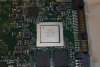
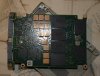
Don't waste your time, this will not workIBM M5210 or M1210 SAS controller and try iprutils
I just bought some Samsung PM1725b's with IBM Power System stickers on them. I assume they're going to be 520b or 528b blocks.
Hopefully I can delete and recreate the namespace with a 4k block size.
Hopefully I can delete and recreate the namespace with a 4k block size.

I was not married when I encountered this problem. I am now married and have a child. and I still couldn't solve the problem.
here are my experiences about 528 to 512.
The thing you should remember is that if the disk is a brand other than IBM, it is possible to convert it to 512, but if you have disks produced specifically for IBM by Seagate (like me), unfortunately I do not have your solution.
for example model number (XS7680SE70014)
so far, I have performed all stuff via Ubuntu. setblocksize (tried didnt work)
sedutil (tried didnt work)
sudo sg_format --format -v --size=4096 (I tried, it didn't work)
sg_format -F -F -F (I tried, it didn't work)
"A friend's comment on my post is very important, please read it."
"`Oh hey, I have this exact same drive, and exact same issue! I haven't been able to solve this yet, but maybe putting what I've tried to do on the internet might help someone actually solve it? If they do, I really hope they post it in a public place.
This SSD really is a piece of work. It's a Seagate Nytro 3131 Read Intensive 7.68TB SED SSD that's been rebranded to an IBM 3.84TB SED SSD. Not only is the firmware modified to show all the fancy IBM stuff, but the drive size has been cleaved in half for whatever reason (my current guess is so they could sell 3.84TB drives when the real ones ran out of stock?) and it being an SED absolutely doesn't help.
What I tried on Ubuntu 22.04 running on an IBM Slicestor 2448 chassis (intel x86, probably just rebranded SuperMicro?): While sg_format with --size=528 works, or at least doesn't error, other sizes (like 512, 4096, and even 4224) will fail with the Invalid field in parameter list error I've grown to despise. I even ended up going through the SCSI command spec (the SeaGate
one) to figure out if sg_format was sending incorrect commands, but even my manual attempts via sg_raw ran into that error. I'm going to guess that IBM's custom firmware doesn't follow the spec when you try to change the block size, and they have custom data fields that must be provided. Or perhaps it's actually the right format, but IBM is having the drive throw a bogus error because proprietary reasons.
I should probably mention that I'm not new to reformatting block sizes. The previous IBM drives I've gotten in with non-512 block sizes have all formatted fine to 512 via sg_format, but IBM-branded SSD's, especially the SED ones, reject being converted. All of the IBM HDD's I've gotten have converted fine, and even some SSD's (though not SED SSD's).
sedutil-cli can handle the SED portion of the drive fine. The standard PSID reset works fine, I can take ownership of the drive and the mess with the locking ranges, all that works as standard. Trying to do any of the sg_format stuff while the drive is locked will correctly throw errors that point to the drive being locked. Trying to do the sg_format stuff with the drive freshly PSID-reset or unlocked will result in the Invalid field in parameter list crap, so it doesn't look like the SED stuff is actually getting in the way. SeaChest, Seagates own utility for this stuff, doesn't seem to be able to handle the drive either. While SeaChest Format seems to recognize the drive, displaying some information and showing that it should be able to do 512, 520, and 528 sector sizes, all of my attempts to use SeaChest Format to reformat the drive to 512 have failed, seemingly running into the same Invalid field in parameter list error from the sg_* commands.
One of the things I found referenced in the IBM docs that is supposed to be able to change an "Advanced Function" disk into a JBOD disk is iprconfig, the IBM Power RAID Configuration utility. There's even a github repo
for it that I was able to grab, compile, and install. Unfortunately, likely due to the Slicestor not actually having a RAID card (seems to just be an HBA) let alone an IBM one, while iprconfig will launch fine it wont actually detect any RAID cards or the drive. Most of this you can find online on existing discussions if you look hard enough though, so not much of this is new info, but it is compiled here. Now to what else I've done that I haven't been able to find online at all: Using actual non-rebranded IBM hardware.
I managed to get my hands on an IBM Power8 8247-21L/S812L server and got it to boot AIX Diag 7.2 to try to have the AIX Diagnostics reformat it to JBOD/512. Unfortunately, the drive never showed up in AIX. I took the 2 HDD's that were in it, put them in a RAID 0, and installed the PowerPC version of SUSE Linux Enterprise 15 via the power of the free trial and got iprconfig running on there. This time, on the actual IBM hardware, iprconfig DID recognize the RAID card and was able to see the 2 drives I put in the RAID 0 for SUSE, but still wasn't able to see the SED SSD. After some more testing, it seems like it can't see any SSD's? Not sure if it's my setup or if the RAID card is just wack.
I proceeded to get my hands on an IBM Power9 9008-22L/L922 server, which actually came with 2 U.2 SAS 4224 block sized SSD's (not SED though), and popped the 2 RAID 0 SUSE HDD's and the SED SSD in there. Got SUSE up and running, ran iprconfig, and though the SSD was labeled "R/W Protected", it was able to see it! Unfortunately, I wasn't able to reformat it to 512. Based on the logs, it seems iprconfig was also running into the same issues as sg_format. iprconfig also wasn't able to make a single-drive RAID 0 from the drive, and just errored (TODO: Try again from SUSE and put error in here). Putting the drive back into my Ubuntu box and using sedutil-cli to take ownership, make a locking range that spans the entire drive, and having the locking range unlocked by default, and putting the drive back into the Power9 box made it stop showing up as "R/W Protected" and allowed me to create the RAID 0.
Putting the drive into my Ubuntu box, PSID-resetting the drive, putting it back into the Power9 box, and booting into AIX 7.2 it showed the drive but errored when trying to format it for JBOD/512. The drive was listed as "R/W Protected", but doing a general reformat (keeps the block size) that AIX offers not only worked, but changed the state of it to "zeroed". Booting into SUSE, I was able to use iprconfig to make it into a RAID 0, so that was neat.
In SUSE, the various /dev/sg*'s will point to the actual drives even if they are in a RAID. For me right now, /dev/sg1 and sg2 are pointing to the two 283 GB drives that are in the RAID 0 housing SUSE, and sg3 is the SSD SED. Very interestingly, smartctl in SUSE will show the SSD as having a logical block size of 512, though it wont mention the physical block size. Running sudo smartctl --test=short /dev/sg3 wont error, but doesn't seem to actually work. I ran a single short test a while ago, and I can see that in the SMART Self-test log on SUSE, but no new tests I try to run are added to that log. Starting a long test then cancelling it via sudo smartctl --test=long /dev/sg3 and sudo smartctl -X /dev/sg3 still wont error, but no cancelled test shows up in the log. Running sudo sg_readcap /dev/sg3 will show a logical block size of 512, Logical blocks per physical block exponent=0, and both lbpme=0 and lbprz=0, despite Ubuntu saying otherwise (both are set to 1). Running
Weirdly, after running the smartctl stuff just now, it allowed me to do the sg_format with --size=512. Unfortunately, removing it and checking in Ubuntu shows that it's still 528/4224 block size. It also doesn't show any of the (cancelled) SMART tests I ran on SUSE but I can run a test from Ubuntu and it does show up in the SMART log. The IBM RAID card doesn't seem to actually relay any of the test requests to the drive."
Someone replied to the friend above:
"The person with IBM hardware apparently stopped just short of going by IBM documentation.
AIX way is to convert from pdisk (RAID candidate) to hdisk (JBOD disk). This directs controller firmware to do so. I don't know which "AIX Diag" dialog they got into, but interfacing controller requires a special package installed, documented in the same place. Linux iprconfig is also documented, similarly allowing to set disk as JBOD or RAID candidate (they use SCSI T10).
Then there's documentation for the controllers. In feature comparison it says in a footnote "JBOD is not supported on SSDs" if it is offered at all which it mostly isn't.
In older generation there are old 3 Gb/s parts offered probably for compatibility reasons. SSDs weren't a thing in 3Gb/s times. Just some controllers had them on-board and the footnote says "The integrated SSDs are allowed to run in JBOD mode."
A book-like PDF with spelled out procedures elaborates on this:
also this is another message :
"You might want to read this:
The HDD Oracle. • View topic - HUS724030ALS640 SAS Dell DL vs Generic GN
The HDD Oracle. • View topic - Ultrastar15K600/viperc/shasta and Viperb
These disks have software locks, it's all in the firmware on the disk. I tried more or less some brutal methods, changing firmware-parts, but killed some disks on the way.
You don't need special hardware, a regular SAS2/SAS3 HBA with IT-firmware that can talk directly to the disk is enough.
I also have no solution, but narrowed it a bit down. If partitcular 3rd vendor firmware has locks (no other sector size than 520 (SSD should have 4096) or no write without verify), you must change the whole firmware to generic.
You need to send some magic unlock code(s?) to the disk, then a secure erase, quick format and whole firmware with mode14 (then a power on/off reset/camcontrol stop/start). In a way similar to the sbr change on a HBA ( Crossflashing the Fujitsu D2607 )
I am just not sure about the sequence order and the magic codes. I found out the protection stuff for SCSI/SAS began somewhere in 2005 and upwards , it is documented at t10.org, but there are too many files.
More info is spread over config files in niagara, I just can't put it together. You need to combine the info found in the readable config files over different niagara versions, then it all narrows down to regular scsi/sas commands.
In the links hddoracle you'll find videos of baking firmware with expensive software, but that is only needed to crossflash with mode5 and mode7 directly.
The important things: quick format, secure erase and/or start/stop a special smart-test gives a small time window, where the disk accepts more or THE magic codes.
I just can't put it together."
here are my experiences about 528 to 512.
The thing you should remember is that if the disk is a brand other than IBM, it is possible to convert it to 512, but if you have disks produced specifically for IBM by Seagate (like me), unfortunately I do not have your solution.
for example model number (XS7680SE70014)
so far, I have performed all stuff via Ubuntu. setblocksize (tried didnt work)
sedutil (tried didnt work)
sudo sg_format --format -v --size=4096 (I tried, it didn't work)
sg_format -F -F -F (I tried, it didn't work)
"A friend's comment on my post is very important, please read it."
"`Oh hey, I have this exact same drive, and exact same issue! I haven't been able to solve this yet, but maybe putting what I've tried to do on the internet might help someone actually solve it? If they do, I really hope they post it in a public place.
This SSD really is a piece of work. It's a Seagate Nytro 3131 Read Intensive 7.68TB SED SSD that's been rebranded to an IBM 3.84TB SED SSD. Not only is the firmware modified to show all the fancy IBM stuff, but the drive size has been cleaved in half for whatever reason (my current guess is so they could sell 3.84TB drives when the real ones ran out of stock?) and it being an SED absolutely doesn't help.
What I tried on Ubuntu 22.04 running on an IBM Slicestor 2448 chassis (intel x86, probably just rebranded SuperMicro?): While sg_format with --size=528 works, or at least doesn't error, other sizes (like 512, 4096, and even 4224) will fail with the Invalid field in parameter list error I've grown to despise. I even ended up going through the SCSI command spec (the SeaGate
one) to figure out if sg_format was sending incorrect commands, but even my manual attempts via sg_raw ran into that error. I'm going to guess that IBM's custom firmware doesn't follow the spec when you try to change the block size, and they have custom data fields that must be provided. Or perhaps it's actually the right format, but IBM is having the drive throw a bogus error because proprietary reasons.
This was the command I have in my notes, I think this is the correct one? It's been a bit since I've worked on this. I do recall that using \x02\x10 (528) instead of \x02\x00 (512) worked, which aligns with sg_format with --size=528 working but --size=512 not.echo -n -e "\x00\x00\x00\x00\x01\x00\x00\x10\x00\x00\x00\x03\x7e\x3e\x92\xb0\x00\x00\x00\x00\x00\x00\x02\x00" | sg_raw --cmdset=1 --send=24 /dev/sg2 55 11 00 00 00 00 00 00 18 00
I should probably mention that I'm not new to reformatting block sizes. The previous IBM drives I've gotten in with non-512 block sizes have all formatted fine to 512 via sg_format, but IBM-branded SSD's, especially the SED ones, reject being converted. All of the IBM HDD's I've gotten have converted fine, and even some SSD's (though not SED SSD's).
sedutil-cli can handle the SED portion of the drive fine. The standard PSID reset works fine, I can take ownership of the drive and the mess with the locking ranges, all that works as standard. Trying to do any of the sg_format stuff while the drive is locked will correctly throw errors that point to the drive being locked. Trying to do the sg_format stuff with the drive freshly PSID-reset or unlocked will result in the Invalid field in parameter list crap, so it doesn't look like the SED stuff is actually getting in the way. SeaChest, Seagates own utility for this stuff, doesn't seem to be able to handle the drive either. While SeaChest Format seems to recognize the drive, displaying some information and showing that it should be able to do 512, 520, and 528 sector sizes, all of my attempts to use SeaChest Format to reformat the drive to 512 have failed, seemingly running into the same Invalid field in parameter list error from the sg_* commands.
One of the things I found referenced in the IBM docs that is supposed to be able to change an "Advanced Function" disk into a JBOD disk is iprconfig, the IBM Power RAID Configuration utility. There's even a github repo
for it that I was able to grab, compile, and install. Unfortunately, likely due to the Slicestor not actually having a RAID card (seems to just be an HBA) let alone an IBM one, while iprconfig will launch fine it wont actually detect any RAID cards or the drive. Most of this you can find online on existing discussions if you look hard enough though, so not much of this is new info, but it is compiled here. Now to what else I've done that I haven't been able to find online at all: Using actual non-rebranded IBM hardware.
I managed to get my hands on an IBM Power8 8247-21L/S812L server and got it to boot AIX Diag 7.2 to try to have the AIX Diagnostics reformat it to JBOD/512. Unfortunately, the drive never showed up in AIX. I took the 2 HDD's that were in it, put them in a RAID 0, and installed the PowerPC version of SUSE Linux Enterprise 15 via the power of the free trial and got iprconfig running on there. This time, on the actual IBM hardware, iprconfig DID recognize the RAID card and was able to see the 2 drives I put in the RAID 0 for SUSE, but still wasn't able to see the SED SSD. After some more testing, it seems like it can't see any SSD's? Not sure if it's my setup or if the RAID card is just wack.
I proceeded to get my hands on an IBM Power9 9008-22L/L922 server, which actually came with 2 U.2 SAS 4224 block sized SSD's (not SED though), and popped the 2 RAID 0 SUSE HDD's and the SED SSD in there. Got SUSE up and running, ran iprconfig, and though the SSD was labeled "R/W Protected", it was able to see it! Unfortunately, I wasn't able to reformat it to 512. Based on the logs, it seems iprconfig was also running into the same issues as sg_format. iprconfig also wasn't able to make a single-drive RAID 0 from the drive, and just errored (TODO: Try again from SUSE and put error in here). Putting the drive back into my Ubuntu box and using sedutil-cli to take ownership, make a locking range that spans the entire drive, and having the locking range unlocked by default, and putting the drive back into the Power9 box made it stop showing up as "R/W Protected" and allowed me to create the RAID 0.
Putting the drive into my Ubuntu box, PSID-resetting the drive, putting it back into the Power9 box, and booting into AIX 7.2 it showed the drive but errored when trying to format it for JBOD/512. The drive was listed as "R/W Protected", but doing a general reformat (keeps the block size) that AIX offers not only worked, but changed the state of it to "zeroed". Booting into SUSE, I was able to use iprconfig to make it into a RAID 0, so that was neat.
In SUSE, the various /dev/sg*'s will point to the actual drives even if they are in a RAID. For me right now, /dev/sg1 and sg2 are pointing to the two 283 GB drives that are in the RAID 0 housing SUSE, and sg3 is the SSD SED. Very interestingly, smartctl in SUSE will show the SSD as having a logical block size of 512, though it wont mention the physical block size. Running sudo smartctl --test=short /dev/sg3 wont error, but doesn't seem to actually work. I ran a single short test a while ago, and I can see that in the SMART Self-test log on SUSE, but no new tests I try to run are added to that log. Starting a long test then cancelling it via sudo smartctl --test=long /dev/sg3 and sudo smartctl -X /dev/sg3 still wont error, but no cancelled test shows up in the log. Running sudo sg_readcap /dev/sg3 will show a logical block size of 512, Logical blocks per physical block exponent=0, and both lbpme=0 and lbprz=0, despite Ubuntu saying otherwise (both are set to 1). Running
yields a different error, "MODE SELECT command: Transport Error". I'm going to guess that the IBM RAID card is not providing direct communication to the drive, and shows a false version of the drive.udo sg_format --format --size=512 /dev/sg3
Weirdly, after running the smartctl stuff just now, it allowed me to do the sg_format with --size=512. Unfortunately, removing it and checking in Ubuntu shows that it's still 528/4224 block size. It also doesn't show any of the (cancelled) SMART tests I ran on SUSE but I can run a test from Ubuntu and it does show up in the SMART log. The IBM RAID card doesn't seem to actually relay any of the test requests to the drive."
Someone replied to the friend above:
"The person with IBM hardware apparently stopped just short of going by IBM documentation.
AIX way is to convert from pdisk (RAID candidate) to hdisk (JBOD disk). This directs controller firmware to do so. I don't know which "AIX Diag" dialog they got into, but interfacing controller requires a special package installed, documented in the same place. Linux iprconfig is also documented, similarly allowing to set disk as JBOD or RAID candidate (they use SCSI T10).
Then there's documentation for the controllers. In feature comparison it says in a footnote "JBOD is not supported on SSDs" if it is offered at all which it mostly isn't.
In older generation there are old 3 Gb/s parts offered probably for compatibility reasons. SSDs weren't a thing in 3Gb/s times. Just some controllers had them on-board and the footnote says "The integrated SSDs are allowed to run in JBOD mode."
A book-like PDF with spelled out procedures elaborates on this:
So the setting is volatile and transient."JBOD Workload Optimization
Additional optimization parameters are available through the sissasraidmgr utility for the PCIe RAID and SSD SAS adapter 3 Gb x8 when using SSD module CCIN 58B2. The sissasraidmgr provides a command line function which may enhance I/O performance for some types of I/O workloads. See table 1 in AIX command line interface to see the complete command string.
The command for workload optimization is used to prepare JBOD-only formatted SSDs (512 byte) for this performance tuning.
The JBOD workload optimization setting can be returned to its default value by either executing an I/O per second workload optimization command, recycling the power on the PCIe RAID and SSD SAS adapter, or downloading firmware to the SSD. It is recommended that a script be established to ensure the desired JBOD workload optimization parameters are activated whenever one of these actions occurs.
also this is another message :
"You might want to read this:
The HDD Oracle. • View topic - HUS724030ALS640 SAS Dell DL vs Generic GN
The HDD Oracle. • View topic - Ultrastar15K600/viperc/shasta and Viperb
These disks have software locks, it's all in the firmware on the disk. I tried more or less some brutal methods, changing firmware-parts, but killed some disks on the way.
You don't need special hardware, a regular SAS2/SAS3 HBA with IT-firmware that can talk directly to the disk is enough.
I also have no solution, but narrowed it a bit down. If partitcular 3rd vendor firmware has locks (no other sector size than 520 (SSD should have 4096) or no write without verify), you must change the whole firmware to generic.
You need to send some magic unlock code(s?) to the disk, then a secure erase, quick format and whole firmware with mode14 (then a power on/off reset/camcontrol stop/start). In a way similar to the sbr change on a HBA ( Crossflashing the Fujitsu D2607 )
I am just not sure about the sequence order and the magic codes. I found out the protection stuff for SCSI/SAS began somewhere in 2005 and upwards , it is documented at t10.org, but there are too many files.
More info is spread over config files in niagara, I just can't put it together. You need to combine the info found in the readable config files over different niagara versions, then it all narrows down to regular scsi/sas commands.
In the links hddoracle you'll find videos of baking firmware with expensive software, but that is only needed to crossflash with mode5 and mode7 directly.
The important things: quick format, secure erase and/or start/stop a special smart-test gives a small time window, where the disk accepts more or THE magic codes.
I just can't put it together."

I had a small chat with live support on the website of the seller selling this product on ebay.
the conversation between company
he said that it is a very large company and that these disks can be converted to 512, but they may turn into bricks while being converted anyhow,
This is my experience, I hope someone finds a solution because I have nearly 150 of them.
the conversation between company
he said that it is a very large company and that these disks can be converted to 512, but they may turn into bricks while being converted anyhow,
This is my experience, I hope someone finds a solution because I have nearly 150 of them.
This is a bit of an old post, but what hardware would you need to test this?After some trawling through the IBM Knowledge Center, and somewhat alluded to by @zack$, it does appear that an IBM pdisk (block size 528) can be converted to a hdisk (512) when it is no longer in the array via IBM's SAS Disk Array Manager.
Unfortunately, I do not own or have access to such hardware in order to try.
However, after more digging, it also seems that IBM's SMIT CLI tool is also capable of converting pdisks to hdisks.
Of course, there is a large caveat, SMIT runs on IBM's operating system named AIX, which only runs on Power PC architecture.
There are guides online to show how to emulate PPC with QEMU and run AIX, but to get native access to the drive, I believe you would need to pass through an entire drive controller which has the SSD attached. Sadly, I do not have the hardware requirements for this either so I am unable to test.
Are you willing to sell me 5 of these bricks to join the hunt for the solution?I had a small chat with live support on the website of the seller selling this product on ebay.
the conversation between company
he said that it is a very large company and that these disks can be converted to 512, but they may turn into bricks while being converted anyhow,
This is my experience, I hope someone finds a solution because I have nearly 150 of them.
I can identify if it is a supermicro design, if you have a few pictures. IBM has partnered with seagate a lot in the past for large scale storage, (e.g. 5U84/IBM J5D). IIRC they also had some solutions that used the corvault 4u106. Since they do use seagate for storage related hardware, and since seagate leans towards supermicro, I wouldn't be surprised if they were.What I tried on Ubuntu 22.04 running on an IBM Slicestor 2448 chassis (intel x86, probably just rebranded SuperMicro?)
I've been following this thread and others like it with great interest after salvaging an IBM-rebranded Seagate drive (XS1920SE70014) myself. The collective effort to defeat this firmware lock is incredible, and it's frustrating that such a robust piece of hardware has been so effectively firewalled by custom firmware.
Since it appears that all software avenues—from sg_format to SeaChest and even IBM's own utilities on native hardware—have been exhausted, I wanted to ask if the focus has shifted at all towards hardware-level solutions.
Has anyone attempted to map out the pins for a serial console? Getting access to the bootloader or a debug prompt seems like the most promising way to find the "magic" unlock commands that would allow a generic firmware flash. Bypassing the locked-down SCSI command set feels like the only way forward.
It's a shame to see these drives become e-waste, especially as they're becoming more common on the secondary market.

no good news here in my case, but did want to note for others- there are ALOT of these IBM labeled SAS SSDs popping up on ebay recently. In general you should avoid these.
(shame as fio was showing great performance on them, in my tests, ie slightly better perf/latency than a Samsung PM1643 ssd)
Freenas / truenas Core fails to wipe them, and thus you cant put them into a pool (even a single disk pool). Perhaps there's a way via the command line or manually partitioning it, but for me, that is not worth any potential risk. (some did mention that trunas scale handles weird sector sizes better, but im not on scale yet - And I did not see a specific mention of 528 byte )
There are a lot of ebay resellers that are about to get hosed (unfortunately) on these drives and returns of them. (IMO).
(i bought 3x, went through all the steps i could find online, but like others could not get it to format to anything except 528b , and thus had to return it to the seller). I try my best to never return ebay purchases, as I know their margins are thin. i also bought 3x HPE SSD drives (samsung make) that came with 520b and those had no issue with sg_format --size 512.
so PSA: For now stay away from IBM branded (or re-branded) SAS SSDs.
they look like this:
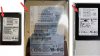
(shame as fio was showing great performance on them, in my tests, ie slightly better perf/latency than a Samsung PM1643 ssd)
Freenas / truenas Core fails to wipe them, and thus you cant put them into a pool (even a single disk pool). Perhaps there's a way via the command line or manually partitioning it, but for me, that is not worth any potential risk. (some did mention that trunas scale handles weird sector sizes better, but im not on scale yet - And I did not see a specific mention of 528 byte )
There are a lot of ebay resellers that are about to get hosed (unfortunately) on these drives and returns of them. (IMO).
(i bought 3x, went through all the steps i could find online, but like others could not get it to format to anything except 528b , and thus had to return it to the seller). I try my best to never return ebay purchases, as I know their margins are thin. i also bought 3x HPE SSD drives (samsung make) that came with 520b and those had no issue with sg_format --size 512.
so PSA: For now stay away from IBM branded (or re-branded) SAS SSDs.
they look like this:
so,i'm in the same shi*,several ibm branded nytros 3330 (xxx70113 - first 1 means sed drive)...i found firmware for it,but it does not want it and probably no way to force it...sorry,too much pages open,too late,maybe someone posted it here,but here we go again firmware
so just in case someone wants the firmware..also for 700x4 drives Nytro3x31-Lange-SAS-0004.zip (same directory) and 70xx5 Nytro3050_2050-Cooper-SAS-0002.zip ...and other nytros too
but how to get it in...
so just in case someone wants the firmware..also for 700x4 drives Nytro3x31-Lange-SAS-0004.zip (same directory) and 70xx5 Nytro3050_2050-Cooper-SAS-0002.zip ...and other nytros too
but how to get it in...