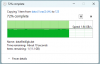
Mine seem to hit around 55c by the end of a 100GB transfer.
Same, 50 and 55C
Lot's of good reading here if you want to look it over.Same, 50 and 55C
Lot's of good reading here if you want to look it over.
Hard to say, I am not 100% positive PFC makes much of a difference or not as I just enable it from the get go as Nvidia's documentation states PFC is needed for ROCE.so I managed to enable PFC QOS on my Mikrotik CRS510 switch but that didnt change much as the switch is pretty un-used anyway
I do get stable 1.9gb/s on 140GB transfers with Windows Server 2025
Local NVMe to NVMe write on client PC gives me 3.4GB/s - so NVMe is not the bottle-neck for sure.
Local NVMe read on Server is 5+gb/s
Temperatures are under-control
I blame my cheap chinese Mellanox cards now
but to be fair 1.9Gb/s is not bad at all
Hard to say, I am not 100% positive PFC makes much of a difference or not as I just enable it from the get go as Nvidia's documentation states PFC is needed for ROCE.
This is all just a test environment so not staying this way.So
Are you happy with ReFS mirror raid ? is that your production setup ?
Now that speed is acceptable, I'm thinking whats next. Lots of not nice stories about ReFS on internet.
I re-tested ZFS on Windows Server 2025. Its so bad, even NVMe to NVMe local transfers are dead slow.
You're using a non-enterprise-iy switch...and apparently some kind of cheap knockoffs of Mellanox cards? I'm not sure how to interpret these statements.so I managed to enable PFC QOS on my Mikrotik CRS510 switch but that didnt change much as the switch is pretty un-used anyway
I do get stable 1.9gb/s on 140GB transfers with Windows Server 2025
Local NVMe to NVMe write on client PC gives me 3.4GB/s - so NVMe is not the bottle-neck for sure.
Local NVMe read on Server is 5+gb/s
Temperatures are under-control
I blame my cheap chinese Mellanox cards now
but to be fair 1.9Gb/s is not bad at all
You're using a non-enterprise-iy switch...and apparently some kind of cheap knockoffs of Mellanox cards? I'm not sure how to interpret these statements.
With a "regular" enterprise-iy switch (ICX6610, SX6036, etc) and "regular" CX3-Pro nics, I can saturate 40gbps all day long (with RDMA active).
robocopy x:\ e:\ /J /MT:16 /E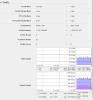
I've ran with and without multi channel on my setup and it doesn't change anything.Multi channel needs to be opened, try it out
Multi channel needs to be opened, try it out
What windows version is your client?I guess my issue is that I cannot get full saturation of 25gbps in single-threaded Explorer copy.
I can saturate 25gbps easily with robocopy in multi-threaded mode :
Code:robocopy x:\ e:\ /J /MT:16 /E
View attachment 42386
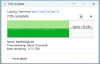
But a single-threaded Windows Explorer copy only gives me this :
View attachment 42387
So I wonder if my cheap CX4 Lx cards are here to blame.
What windows version is your client?
I'm using 24h2 pro for workstations as they say smb direct isn't supported on home or pro.
But your not reaching smb direct speeds with file explorer.11 pro
and its not about client either. smb direct speed is there.
Your only getting 1.9 GB/s which is like 15gbps on a 25gbps card so no you are not getting SMB direct speed it seems.@sultan.of.swing so I gave up on idea of windows server nas
I tried to install meaningful raid on 4 x nvmes today and with windows its a bit of disaster.
native disk manager doesnt support raid 1+0
and storage spaces kinda make me locked into their eco-system
going back to TrueNAS and ZFS for now.
But your not reaching smb direct speeds with file explorer.
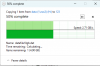
Your only getting 1.9 GB/s which is like 15gbps on a 25gbps card so no you are not getting SMB direct speed it seems.