Best NAS setup/OS for SMB share only?

Notice: Page may contain affiliate links for which we may earn a small commission through services like Amazon Affiliates or Skimlinks.
I'll post my setup more in detail tonight.
I am running server 2025, nvmes are in a striped config.
I do not use flow control on the nic as rdma works best with PFC which isn't exposed in the gui for the nics configuration.
I posted a link further up with a link to setting up the nics and that is how mine are setup.
Dcbx is set to host in charge.
9014 MTU
Base processor number is 8
I'll get some screenshots tonight of all my settings.
 
Make sure you check out this tutorial.
I have both the Windows Server and Client configured via that and on a 25gbe connection I am getting 3.1GB/s Both ways.
On a 40gbe Connection I get 4.4-4.5 GB/s both ways.

Nvme Pool on client Formatted as ReFS.

I did follow it but I can't enable PFC for some reason. Both PFC and ETS are still false after all commands.

Code:
 Get-NetAdapterQos -Name "Ethernet 2"

Name         : Ethernet 2
Enabled      : True
Capabilities :                       Hardware     Current
                                     --------     -------
               MacSecBypass        : NotSupported NotSupported
               DcbxSupport         : None         None
               NumTCs(Max/ETS/PFC) : 8/8/8        8/8/8

Code:
PS C:\Users\Administrator> Get-NetAdapterRdma

Name                      InterfaceDescription                     Enabled     Operational     PFC        ETS
----                      --------------------                     -------     -----------     ---        ---
Ethernet 2                Mellanox ConnectX-4 Lx Ethernet Adapter  True        True            False      False
 
I'll post up this evening after work since I'm not at my PC right now.
For the rdma stats open performance monitor, press the little plus button and scroll till you see RDMA, once you click on that right below it you will see your adapter listed, select it and click add.
Once that is done you will see a little icon that looks like a graph, click that twice.
Probably be easier when I get home to post a screenshot.
 
  • Like
Reactions: bugacha
I'll post up this evening after work since I'm not at my PC right now.
For the rdma stats open performance monitor, press the little plus button and scroll till you see RDMA, once you click on that right below it you will see your adapter listed, select it and click add.
Once that is done you will see a little icon that looks like a graph, click that twice.
Probably be easier when I get home to post a screenshot.

I changed few things as you said :

- Dcbx is set to host in charge.
- RSS Base processor number is 8 (was 0, and I dont think it's relevant as I have 16
- disabled Tx&Rx flow control on server / client / switch

RDMA deffo there but speed is so - so, can't get stable 2.6-2.8gb/s on a single-thread copy.

Server side CPU load is 20% - I wonder if CPU is not fast enough.
 
Last edited:
I changed few things as you said :

- Dcbx is set to host in charge.
- RSS Base processor number is 8 (was 0, and I dont think it's relevant as I have 16
- disabled Tx&Rx flow control on server / client / switch

RDMA deffo there but speed is so - so, can't get stable 2.6-2.8gb/s on a single-thread copy.

Server side CPU load is 20% - I wonder if CPU is not fast enough.

5.jpg
RDMA bypasses CPU limits, that's its sole purpose.
One thing to check is on the server look at the event viewer and see if you have any pcie whea errors or errors pertaining to the nics or RDMA.

A 40gig transfer could just be filling up the cache on the drives.
 
Last edited:
RDMA bypasses CPU limits, that's its sole purpose.
One thing to check is on the server look at the event viewer and see if you have any pcie whea errors or errors pertaining to the nics or RDMA.

A 40gig transfer could just be filling up the cache on the drives.

Im only on 25gbps and sometimes I can transfer 40GB at 2.6-2.8gb/s without a dip

This is a screenshot to a previous post

IMG_20250306_182337_583.jpg
 
No I am saying the 40 gig file size used for the transfer.
Maybe try a smaller size, like 10gb??


robocopy has no issues transferring 140GB file with 16 threads. I see full 25gbps utilization at switch level.
I wonder if it aggressively caches in RAM vs. explorer copy?

I will try with 10Gb shortly
 
robocopy has no issues transferring 140GB file with 16 threads. I see full 25gbps utilization at switch level.
I wonder if it aggressively caches in RAM vs. explorer copy?

I will try with 10Gb shortly
I personally have not tried much larger than 10gb file size, I have been using windows explorer which seems to top out at 2.8 GB/s.
If I do the same transfer but with directory opus it tops out at 3.1GB/s.
 
Last edited:
I personally have not tried much larger than 10gb file size, I have been using windows explorer which seems to top out at 2.GB/s.
If I do the same transfer but with directory opus it tops out at 3.1GB/s.


Ha, that's a very important detail!

Can you try a single file of 100gb+ in windows explorer? I'm curious to do head to head comparison
 
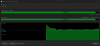
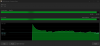
Windows File Explorer does seem to choke when doing these large files, I normally use Directory Opus anyway and this is what I am seeing.


Server>Client
Server-Client.png


Client>Server
Client-Server.png
 
@sultan.of.swing I can't get to your speeds

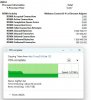
This is the best I have for 140GB file transfer with Diretory Opus

1741448711877.png


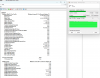
for 10GB files I do get decent speeds tho

1741448790891.png


Server is mirror ReFS 2 x Micron 9300 PRO
 
The fact that your 10GB file transfer speeds are what they should be but the 100+GB speeds are slower you may want to look into what the drive temps are doing during the file transfer.
Mine seem to hit around 55c by the end of a 100GB transfer.

You do have Data Center Bridging configured on the Client Machine correct? That is part of the process needed to get PFC working correctly.

Data Center Bridging wasn't installed on the client, no.

I did install it and setup QOS policy 3 on the client, but this didn't change anything.

Can you show me output from this command please ?

Code:
Get-NetAdapterQos -Name "Ethernet 4"

Name         : Ethernet 4
Enabled      : True
Capabilities :                       Hardware     Current
                                     --------     -------
               MacSecBypass        : NotSupported NotSupported
               DcbxSupport         : None         None
               NumTCs(Max/ETS/PFC) : 8/8/8        8/8/8


Client adapter-Funny we are both "network 4", For PFC Data Center Bridging needs to be added to the installed features on the client machine.

Code:
PS C:\Users\sean> Get-NetAdapterQos -Name "Ethernet 4"


Name                       : Ethernet 4
Enabled                    : True
Capabilities               :                       Hardware     Current
                                                   --------     -------
                             MacSecBypass        : NotSupported NotSupported
                             DcbxSupport         : None         None
                             NumTCs(Max/ETS/PFC) : 8/8/8        8/8/8

OperationalTrafficClasses  : TC TSA    Bandwidth Priorities
                             -- ---    --------- ----------
                              0 ETS    50%       0-2,4-7
                              1 ETS    50%       3

OperationalFlowControl     : Priorities 3,7 Enabled
OperationalClassifications : Protocol  Port/Type Priority
                             --------  --------- --------
                             Default             0
                             NetDirect 445       3