Best NAS setup/OS for SMB share only?

Notice: Page may contain affiliate links for which we may earn a small commission through services like Amazon Affiliates or Skimlinks.

vcth4nh

Member
Mar 7, 2024
30
1
8
For the context:
  • I'll use Nas on a VM
  • I can passthru SATA controller and NVMe
  • My VMs include Linux (Ubuntu, Linux Mint, Arch, etc.), Windows 11s, and a Windows Server 2022
  • All virtual NIC is vmxnet3 (10Gbps)
  • I don't need raid/redundancy. I have a single 4TB drive and it should be enough for me
What I want to achieve: A centralized storage, high performance for all my VM data files: a few big (>2 GB), SUPER lots of medium (200MB-2 GB) and small (<200MB) files

Now, I have two options:
  1. Setup a NAS to SMB share with all VMs
  2. SMB share on the Windows Server 2022
I've been using the 1st option with TrueNAS core, but the TrueNAS os seems to offer so much more than what I actually use.


So now I'm seeking other NAS setup/OS recommendations for my use case

Or should I just set up an SMB share on the Windows Server 2022?

Thanks, everyone.
 
Last edited:
I think TrueNAS core is going the way of the dodo bird, personally. I would use TrueNAS scale and I would use the passed through NVME as a cache to increase performance. I am not sure if or how you would do that with Windows server 2022, I have no experience with that OS. Is your usage more read heavy or more write oriented?
 
Linux + SAMBA is a pain compared to the ZFS/kernelbased SMB server in Solaris or OmniOS/OpenIndiana regarding usability (just set a SMB share to on for a ZFS filesystem, no smb.conf) or ZFS snaps=Windows previous versions without special or additional settings. Due the NFS4 filesystem, Solaris/OmniOS is fully comptible to Windows ntfs ACL at filesystem level not via fake settings like in SAMBA, lokal SMB groups that can contain groups give Windows alike user and group options (groups can contain users and groups). As the Solaris/OmniOS/Openindiana SMB server uses the worldwide unique Windows (AD) sid as security reference, not the simple uid/gid numbers, ACL remain intact without complicated id mappings after a filesystem retore/move. The SMB server is multthreads, so good for many concurrent users.

This or a Windows SMB server, I would not use anything else for SMB.
One additional aspect is performance. If you need more than 10G, the superiour solution is a Windows Server with SMB direct/RDMA. No other solution comes near to local NVMe performance over lan with low latency and CPU load (still only stable on Windows, can be the free 2019 or 2022, Windows 11 can be only SMB direct client not SMB direct server, requires rdma capable nics ex 20-100G in passthrough mode for Windows Server). Open-ZFS 2.2.6 on Windows is near to become usable (release candidate, beta), already with Raid-Z expansion or Fast Dedup.

Storage Spaces on Windows allow grouping/pooling of disks of any type or size with real data tiering. This is why I expanded my napp-it cs ZFS web-gui with Storage Spaces management for Windows servers.
 
Last edited:
I love windows and I have to say windows software raid and storage spaces suck, especially for parity based storage.
Personally I would look at something linux based with kernel v6.6 or newer for the kernel space smb3 server (ksmbd).
high performance for all my VM data files: a few big (>2 GB), SUPER lots of medium (200MB-2 GB) and small (<200MB) files
Adaptec would say these are all big files, the max stripe size on their current hardware raid is 10MB :D
 
  • Like
Reactions: lightsword
I love windows and I have to say windows software raid and storage spaces suck, especially for parity based storage.

Windows software raid is not good, Storage Spaces are better but with bad defaults, I hope for ZFS on Windows.
 
I've updated the question: I don't use raid/redundancy

Adaptec would say these are all big files, the max stripe size on their current hardware raid is 10MB :D
Well even if I count the file <1MB, there's still around 10-15GB of it

This or a Windows SMB server
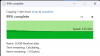
So you're saying I can just better off with a Windows SMB server? I have tried CrystalDiskMark with combo Sata SSD | TrueNAS Core, and the result is quite interesting. I'll attach the result below.

I suppose the read speed exceeding the 500Mbps cap is due to the ZFS cache on Ram?
 

Attachments

Disk, raid, nic , protocol (smb,iSCSI) or method (tcp, rdma) limit performance. Tuning means to come near the limits. If values are faster you bench caches. If you need a certain real world performance you must select proper hardware or software.

ex Sata 6G SSD max out at around 500 MB/s, SAS 12G at 1000 MB/s, faster values is RAM cache performance.
 
I run RoCE/RDMA with Windows SMB. It's fast and worked well almost right out of the box. I'd recommend it.

- Server side is ESXi 6.7 with a 50G Mellanox card PCI-passthrough to server 2022 VM
- Client is PC w/ i7-7700K Windows 11 Pro for Workstations, 100G Mellanox
- Switch is Celestica DX-010 (100G)

This is what it looks like copying files over the network with SMB-Direct, cache-to-cache, excluded from AV
1726206193432.png
I'm just re-copying the same uncompressible file every time, it's reading from and writing to the disk cache at both ends. If it doesn't hit the cache, like if it's the first time copying, it maxes out the slowest SSD.

If your workload is highly cachable, then using the most efficient protocol (RoCE/RDMA/SMB Direct) will give you a much faster experience, or just max out your drives.
 
I run RoCE/RDMA with Windows SMB. It's fast and worked well almost right out of the box. I'd recommend it.

- Server side is ESXi 6.7 with a 50G Mellanox card PCI-passthrough to server 2022 VM
- Client is PC w/ i7-7700K Windows 11 Pro for Workstations, 100G Mellanox
- Switch is Celestica DX-010 (100G)

This is what it looks like copying files over the network with SMB-Direct, cache-to-cache, excluded from AV
View attachment 38950
I'm just re-copying the same uncompressible file every time, it's reading from and writing to the disk cache at both ends. If it doesn't hit the cache, like if it's the first time copying, it maxes out the slowest SSD.

If your workload is highly cachable, then using the most efficient protocol (RoCE/RDMA/SMB Direct) will give you a much faster experience, or just max out your drives.

Thanks for the information and example
My workload is cacheable, but I only use the virtual 10G NIC to connect VMs. Can RDMA be used in my setup, or I must have a dedicated physical NIC?
 
Last edited:
I didn't read your setup carefully enough - You're doing VM-to-VM SMB. This already has some acceleration.

vmxnet3 NICs report their link speed as 10G, but they are capable of much faster speeds, only limited by your CPU, RAM.

RDMA isn't going to apply in this case, but SMB Multichannel will work. Just make sure RSS (Receive Side Scaling) is enabled in the advanced NIC properties. You can also use these Powershell commands to enable/verify if not on the client by default:

Set-SmbClientConfiguration -EnableMultiChannel $true
Get-SmbClientConfiguration | Select EnableMultichannel
Get-SmbClientNetworkInterface

Also I would recommend to use a high MTU (jumbo frames).

Be careful too with promiscuous mode in your hypervisor (if you're using it), it has a large CPU overhead.

It appears that TrueNAS does support SMB Multichannel, whether that'd be faster or Windows Server, I'm not sure, you could try it out.


I can do some experiments in my lab and let you know.
 
With a fresh install of Windows 11 and Server 2022 VMs, I get SMB speeds of 1.5 GB/s download and 2.5 GB/s upload reported by Windows Explorer file copy cache-to-cache. Upload (to the server 2022 VM) is faster.

So that's about 12Gbps / 20Gbps. Not bad, but not as crazy as with RDMA.

The only tuning I did was increase the MTU to 9014 and set the RSS processes to 8 in advanced NIC settings at both ends. No windows updates applied.
 
  • Like
Reactions: abq and vcth4nh
Wow, I must say I really appreciate your help!!
I'll try it myself this week, and I'll post the result

reported by Windows Explorer file copy cache-to-cache.
Can you elaborate the cache-to-cache part? How do you setup to test cache-to-cache? Does cache in this context mean RAM?
 
Yes, cache means RAM - There is a read and write disk cache in all OSs. So the most-recently read data stays in RAM. And when writing a file, it goes into RAM first, then when the RAM cache hits a "high water mark" it starts flushing to disk to be written permanently. (Depending on OS and system settings, presence of UPS, RAID battery backup, etc...)

So to eliminate the speed of the disks from the equation, I was copying a file small enough to not hit the high water mark (8.5GB out of 32GB total RAM in each VM) then I just copied it multiple times to make sure it's cached - So the 2nd copy is faster than the 1st, because it occupies the read cache during the first copy; so it's not read from disk, it's read out of RAM cache.

This way we're only measuring the speed of the "network" not the disks/SSDs. I'm putting network in quotes because it's VM-to-VM on the same host, so it's not a real network, it's some kind of memcpy operation inside of ESXi that's exposed as an emulated Ethernet network.

Good Luck!
 
I run RoCE/RDMA with Windows SMB. It's fast and worked well almost right out of the box. I'd recommend it.

- Server side is ESXi 6.7 with a 50G Mellanox card PCI-passthrough to server 2022 VM
- Client is PC w/ i7-7700K Windows 11 Pro for Workstations, 100G Mellanox
- Switch is Celestica DX-010 (100G)

This is what it looks like copying files over the network with SMB-Direct, cache-to-cache, excluded from AV
View attachment 38950
I'm just re-copying the same uncompressible file every time, it's reading from and writing to the disk cache at both ends. If it doesn't hit the cache, like if it's the first time copying, it maxes out the slowest SSD.

If your workload is highly cachable, then using the most efficient protocol (RoCE/RDMA/SMB Direct) will give you a much faster experience, or just max out your drives.

If physical machine is used, will the performance be improved or not significantly different?
 
This way we're only measuring the speed of the "network" not the disks/SSDs. I'm putting network in quotes because it's VM-to-VM on the same host, so it's not a real network, it's some kind of memcpy operation inside of ESXi that's exposed as an emulated Ethernet network.
It's not even memcpy...it's the same buffer that ESXi maps into the virtual address space of each VM. Basically, the "copy" time is just overhead inside the OS on each end and ESXi setting up memory mapping.
 
Thanks @nabsltd I didn't know that, it's super interesting!

@citrix - I don't know about physical-to-physical SMB-Direct (RoCE) I've never tried it. My client is physical, but my server is PCI-passthrough ESXi and that's the only way I've done it. I get good utilization out of the 50G adapter though, about 36 Gbps out of 50.
 
Just to add
A typical SMB direct setup is Windows Server + Windows 11 clients + RDMA capable nics like Mellanox CX4/5,
For the SMB server role, Linux ex Proxmox that comes with ZFS and the ksmbd SMB server seems an alternative as it supports RDMA SMB serverside too.

I have modified my napp-it cs web-gui to use ksmbd on Linux when installed instead SAMBA
 
If physical machine is used, will the performance be improved or not significantly different?
I spent some time this past weekend doing this on Bare Metal, I am seeing basically the same results as the OP using a 40gbe setup.

I forgot to get a screenshot of sending the file to the server but it's the same either direction, What I did find out is on my setup I was stuck on the client machine at 2GB/s receiving no matter what I did.
I found out that once I re-formatted the NVME Raid array as reFS instead of NTFS I got the 4.3-4.5 GB/s Like It should.
Screenshot (2).png
 
I must say Windows is so great out of the box.

I finally tested RDMA between Windows Server 2022 and Windows 11 Pro over Mellanox ConnectX-4 lx on both sides running at 25gbps.

Windows Server is VM inside Proxmox with Mellanox passed-thru. It has Virtual QEMU disk that resides on ZFS on Proxmox

I get 2.7gb/s stable read speed from Server to Client for 40GB files.

This is amazing.

Just need to migrate ZFS pool to Windows and say TrueNAS good bye
 
Last edited: