
Rolio, would you mind sharing your BIOS settings? Actual screenshots of your CPU configuration etc
You are using an out of date browser. It may not display this or other websites correctly.
You should upgrade or use an alternative browser.
You should upgrade or use an alternative browser.
Notice: Page may contain affiliate links for which we may earn a small commission through services like Amazon Affiliates or Skimlinks.
i sold my ASUS W790 Ace but was using this config.Rolio, would you mind sharing your BIOS settings? Actual screenshots of your CPU configuration etc
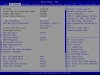
now don't have any Auto OC ASUS BIOS motherboard.
i use MS33-AR0 or supermicro X13SRA-TF

I managed to get my minimum clock down to 800mhz by resetting the bios to optimize defaults and re-inputting all my settings back.
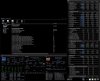
You can move to BIOS 0805 and manual set DDR5 speed to 6000. Then only adjust the CAS latency to 36. Leave everything else at AUTO. You use this screenshot as ref. to compare your timings.Same memory modules (8x16GB Kingston Renegade Pro 6000MHz) and XMP1 works without problem (BIOS0215).
Hi ghetto
Could you provide your bios screens and windows power options? But from your screenshot the wattage seems high still ?
Edit the lowest I could make the power usage is around 90
Thanks
Could you provide your bios screens and windows power options? But from your screenshot the wattage seems high still ?
Edit the lowest I could make the power usage is around 90
Thanks
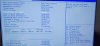
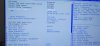
These are camera snapshots of the XMP1 6000mhz profile when I was on BIOS 0215 for comparison. (I am too lazy to make better snapshots)

I using BIOS0215 because I want.I managed to get my minimum clock down to 800mhz by resetting the bios to optimize defaults and re-inputting all my settings back.
You can move to BIOS 0805 and manual set DDR5 speed to 6000. Then only adjust the CAS latency to 36. Leave everything else at AUTO. You use this screenshot as ref. to compare your timings.
View attachment 37902
I think I would not get to 90 because I have a lot of my limits disabled as you will see.Hi ghetto
Could you provide your bios screens and windows power options? But from your screenshot the wattage seems high still ?
Edit the lowest I could make the power usage is around 90
Thanks








Also, if it's ask why i have everything unlocked. My watercooling setup has an Alphacool ES Jet paired with 560mm Alphacool NexXxoS Monsta 560mm Radiator. My ambient temp is typically 76F to 80F. My water temp is around 30C-34C. And if I am pushing the system CPU core temp never goes past 55C. My package temp is typically 34C and I just realized this computer will prob. never idle due to Firefox stays open.
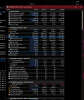
power profile with a max of 47 ???Okay after several more tweaking windows power profile with a max of 47, I am seeing a power usage of around 100 and no lag, which seems reasonable?
i have set min. 57%, max. 100%
possible. Q03J E0Maybe the 60 core Rolio has is more efficient?
you want 100% if needed ?Setting max the power goes back up
default is min. 100%, max. 100% i change just min. to reduce core frq. in unused times.
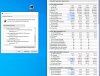
Thanks Rolio,
Even after your suggestions I am still seeing higher usage than yours, maybe the chip you have is more efficient? https://forums.servethehome.com/index.php?threads/es-xeon-discussion.5031/page-174
Even after your suggestions I am still seeing higher usage than yours, maybe the chip you have is more efficient? https://forums.servethehome.com/index.php?threads/es-xeon-discussion.5031/page-174
if your CPUs mesh/llc clock goes down to 800mhz that can be the case yes.Even after your suggestions I am still seeing higher usage than yours, maybe the chip you have is more efficient?
i found that the same processors use more IDLE on the ASUS compared to my MS33-AR0.
i think its the Auto OC BIOS, ASUS is well known for that.
or runs with only DDR5-4800 ?Even after your suggestions I am still seeing higher usage than yours, maybe the chip you have is more efficient?
I'm running xmp 6000 with first bios, it seems the first bios is missing 'Power Performance Tuning' parameter's?
but you understand what i mean ?I'm running xmp 6000
Yes, how is this? Also it seems 'Power Performance Tuning' parameter's are missing from the first BIOS?
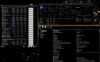
better but you have still some background tasks running(max.CPU/Thread Usage)Yes, how is this?
don't know. maybe its hide because of other setting.Also it seems 'Power Performance Tuning' parameter's are missing from the first BIOS?
don't let the BIOS control if you run windows or linux. usefull only for DOS.
Adv. Power Management
CPU - Advanced PM Tuning
Energy Perf BIAS
Power Perf. Tuning
its overclocked. for that config. 100 watts is good thought.My bios settings, with xmp
Last edited:
Similar threads
- Replies
- 9
- Views
- 5K
- Replies
- 74
- Views
- 30K
- Replies
- 4
- Views
- 699
- Replies
- 3
- Views
- 3K