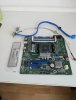
EU ASRock Rack B450D4U-V1LQ5 mATX AM4

Notice: Page may contain affiliate links for which we may earn a small commission through services like Amazon Affiliates or Skimlinks.
I tried ALL Keyboards that I had in the House and that I wasn't using for my main Desktop.

Like 5 different Keyboards. All USB2 of course. Are there even USB3 Keyboards around ???

I think the USB Ports in the back are triggering some Electronic Fuse or something. ONE Keyboard had CAPS LOCK + NUM LOCK + SCROLL LOCK lit up for like half a Second, then nothing again. All other Keyboards never showed any sign of Life.
 
I expected the same to happend with this as the mc12-le0, their remaining stock is bought up by resellers that then take over the market.
I was tempted at making a 15€/ea offer for a few hundread boards myself.

The alpha38 account now listing single boards at a higher cost is the same seller tho.
 
Did you try booting without a keyboard plugged in? If no, please try with correct fan placement, no keyboard plugged in and the gpu in the slot that gave you a screen.

Of you see the board booting and got a boot failure due to no OS, then plugin the or a keyboard.
As I said, it worked with the PCIe Graphics Card.

But the Keyboard NEVER responds. It doesn't matter if I plug it in since the start or after when the message "Press a Key to Continue" etc comes :( .

EDIT 1: And what would be the correct fan placement ? I have the CPU Fan plugged in FAN1 which according to the Manual is CPU Fan.

EDIT 2: I'm now ordering a bunch of USB3 Headers -> USB Type A Port off Aliexpress. Enough of this. It will take a while but for next Time ... Wednesday I should get a new Silverstone ML03 which has a couple USB3 Front Ports with the USB3 Header to plug into the Motherboard.

However this sucks big Time. What the hell did the Engineers at ASRock do ? Their EHCI/XHCI implementation is completely messed up !
 
Last edited:
I assembled my second board with 5700X in SilverStone RM23-502-MINI with Dynatron A47 cooler.
Rear USB works, VGA output works with default settings (CSM = enabled, video Oprom policy = legacy only, boot mode=legacy)

I used ECC RAM. dmidecode did show Total Width greater than Data Width, but did not show "Error Correction Type: Multi-bit ECC" for memory.
I will have to investigate further.
 
It seems "Error Correction Type: Multi-bit ECC" might be only with registered RAM.
On a E3 1230 v3 system using unbuffered ECC DDR3 is see in the "Physical Memory Array" section:
"Error Correction Type: Single-bit ECC"

However with my 5700X I have at the moment:
"Error Correction Type: None"
 
Last edited:
I mean what are the odds that the whole USB Controller is ***** up ? Then also the Internal Headers wouldn't work :(.

And I don't think these smart People at ASRock included some PCIe Driver in UEFI so that I could use a PCIe USB Controller instead of the one not working on the Motherboard. In that case I would never be able to enter BIOS to change anything, and it wouldn't help to transplant the BIOS on another Board because when transplanting back all settings would be lost anyways :rolleyes: .
 
There are ECC settings in the bios:
Advanced -> AMD CBS -> UMC Common Options -> DDR4 Common Options -> Common RAS -> ECC Configuration

"ECC Enable" is set by default to "Auto".
I will test later if setting it to "Enable" activates ECC for Linux.
 
  • Like
Reactions: luckylinux
I tried looking a bit around and "Fast Boot" comes up with ASRock Motherboards sometimes.

Either Clear CMOS (how many Times did I do that already) or press DEL/F2 BEFORE Boot. Well, I also tried that, but it does NOT make any sense ...

If "Fast Boot" causes USB Devices to NOT be initialized, then how would pressing DEL/F2 BEFORE Boot (Continuously), or during Boot (On-Off-On-Off-etc) help ?

I mean effectively I'm locked out of the System.

@dbram: What is your exact Dell Keyboard ? Is it USB3 or something Special ? All I had here were Logitech USB2 Keyboard plus a "Trust" Brand one. But as I said, only one of those showed any sign of Life on this System (but I also couldn't type anything with that one).
 
Last edited:
Just for clarification that these mysterious - V1LQ5 boards are nothing other then normal V1L boards. No M.2, no PCIe-Slot4 and so on. Why you guys keep separating them?

signal-2025-04-08-14-02-34-499.jpg
 
here's a long shot:
the linux command
systemctl reboot --firmware-setup
I didn't know you could trigger a BIOS Setup Screen from GNU/Linux :oops: .

Not sure it would really help though, as if I am in the BIOS Screen and Keyboard still not working ... Well, I still won't be able to do anything.

I saw a User on Reddit saying that in his case the USB3 Header / Front Panel appeared to work, whereas the Rear Ports didn't. I hope that's true also for me ...


chicken and egg problem if you're having to boot this from usb disk.
Yeah that sucks :D.


if you manage to put that an os on a sata drive, manage to ssh or rdp into it and being able to launch this, that would be nice :)

I could ... Just takes a bit more Time than I would have liked. Well it's been 2 Days too long already so I might just give a SATA Drive a try after installing Debian on it. Tomorrow when I'll be more wake up though.

no keyboard you say, well here the usb keyboard on a pcie -> usb card would work, even if it's not here at post time
You mean inside the BIOS, the USB Keyboard & Mouse would be fully initialized, as opposed to BIOS POST (where they are either Partially or Not Initialized) ?

you mention you saw a dhcp lease on opnsense from the board, that means it got the PXE sequence for network boot. you could trigger a network boot from there, but that's a whole other story to setup.
Well I think I actually had a Debian Testing Netinstall ISO setup, but to try to see if it was PXE Boot that was messing everything up, I decided to DISABLE it on OPNSense for that specific Host. I can try to re-enable it though ...
 
There are ECC settings in the bios:
Advanced -> AMD CBS -> UMC Common Options -> DDR4 Common Options -> Common RAS -> ECC Configuration
So it turns out these CBS settings are visible with the board that has 5500 Cezanne, but not visible on the board with 5700X Vermeer.
I have read that bios can be modded to enable hidden menus, but I have not done it myself. If anyone has pointers to instructions I would try it.
I have the ch341 programmer with correct adapter for flashing the chip.
 
So it turns out these CBS settings are visible with the board that has 5500 Cezanne, but not visible on the board with 5700X Vermeer.
i found these CbsSetupDxe functions in the BIOS, one for each supported arch.type.
CbsSetupDxeZP
CbsSetupDxeRN
CbsSetupDxeRV
CbsSetupDxeSSP
CbsSetupDxeZP extracted looks like this
sorry, code and picture upload don't work at STH currently
 
Good News: TFTP Boot works once I turned "Network Booting" ON in OPNSense DHCP Server Settings :D

Bad News: Keyboard refuses to do anything still :eek:

1742763792528.png
 
  • Like
Reactions: dbram
Yes ECC is NOT working for me at the moment with 5700X and yes exactly - big big BUMMER.
I tried with a Samsung M391 module, a SKhynix module and with Goodram modules.
 
  • Sad
Reactions: luckylinux
I ordered my box of 12 today. I saw that you can purchase the boards also on the sellers (alpha38) own web page.
There are some advantages when ordering directly:
- when I ordered the 12pcs box the shipping was free to most European countries
- when you use coupon code newsletter5 you get 5% off. There is a banner on homepage, but I guessed the code ;).
- if you are EU VAT registered you can order with 0% VAT.

At the moment 128 boards remain.

As for cases I think I will order a Netrack NP5107 for testing. Will probably have to use TFX type PSU with a 3d printed or lasercut baffle.
It's 10 EUR more expensive by default (without the Code) though, so in practice you "only" get +10 - 0.05*300 - 10 = 15 EUR Discount

Still something I would have gotten if I knew it though :D

Tempting but I think I blew my Budget for the Month. Cannot get another 12 of these when the first one I try to setup makes me lose 2 Days just because of a stupid USB Port not working at all.
 
Yes ECC is NOT working for me at the moment with 5700X and yes exactly - big big BUMMER.
I tried with a Samsung M391 module, a SKhynix module and with Goodram modules.
CBS Setup->Common RAS->ECC Configuration
Code:
VarStore Guid: 3A997502-647A-4C82-998E-52EF9486A247, VarStoreId: 0x5000, Size: 0x5A8, Name: "AmdSetup"

Form FormId: 0x7024, Title: "ECC Configuration"
        Subtitle Prompt: "ECC Configuration", Help: "", Flags: 0x0
        End
        Subtitle Prompt: "", Help: "", Flags: 0x0
        End
        OneOf Prompt: "DRAM ECC Symbol Size", Help: "DRAM ECC Symbol Size (x4/x8) - UMC_CH::EccCtrl[EccSymbolSize]", QuestionFlags: 0x10, QuestionId: 0x8A, VarStoreId: 0x5000, VarOffset: 0x90, Flags: 0x10, Size: 8, Min: 0x0, Max: 0xFF, Step: 0x0
            OneOfOption Option: "x4" Value: 0
            OneOfOption Option: "x8" Value: 1
            OneOfOption Option: "Auto" Value: 255, Default
        End
        OneOf Prompt: "DRAM ECC Enable", Help: "Use this option to enable / disable DRAM ECC. Auto will set ECC to enable.", QuestionFlags: 0x10, QuestionId: 0x8B, VarStoreId: 0x5000, VarOffset: 0x91, Flags: 0x10, Size: 8, Min: 0x0, Max: 0xFF, Step: 0x0
            OneOfOption Option: "Disabled" Value: 0
            OneOfOption Option: "Enabled" Value: 1
            OneOfOption Option: "Auto" Value: 255, Default
        End
        OneOf Prompt: "DRAM UECC Retry", Help: "Use this option to enable / disable DRAM UECC Retry.", QuestionFlags: 0x10, QuestionId: 0x8C, VarStoreId: 0x5000, VarOffset: 0x92, Flags: 0x10, Size: 8, Min: 0x0, Max: 0x1, Step: 0x0
            OneOfOption Option: "Enabled" Value: 1
            OneOfOption Option: "Disabled" Value: 0, Default
        End
    End
 
I tried changing the "ECC Enable" setting today with setup_var.efi.
Different CbsSetupDxe use different offset for the ECC enable setting.
I am not sure which CbsSetupDxe is used with Vermeer 5700X.
(It seems that Cezanne 5500 uses RN. UMC Common Options are supressed with SSP and ZP and not supressed with RN and RV. So most likely Vermeer uses ZP).
So I just set all to enable with:
AmdSetup:0x91=0x01
AmdSetup:0xE2=0x01
AmdSetup:0x11B=0x01
AmdSetup:0xF1=0x01

And nothing. Still ECC not active (dmidecode dsplays: "Error Correction Type: None".)

Then I tried the same with bios 2.09 (Just swapped the chip from another board. 2.09 uses same offsets) - Same result

I then loaded bios defaults and took a look at the default ECC enable settings:
2.09:
AmdSetup:0x91=0x00
AmdSetup:0xE2=0xFF
AmdSetup:0x11B=0xFF
AmdSetup:0xF1=0x00

2.12:
AmdSetup:0x91=0x01
AmdSetup:0xE2=0xFF
AmdSetup:0x11B=0xFF
AmdSetup:0xF1=0x00

If Vermeer uses ZP (offset 0xF1) then the defaults are to disable ECC!
And manually enabling it will not activate ECC.

Is anyone else testing/using ECC memory?
Are there any other settings that need to be set to specific value for ECC activation?

@luckylinux So you can't test anything because no coolers at the moment for your 5700X?
 
If Vermeer uses ZP (offset 0xF1) then the defaults are to disable ECC!
And manually enabling it will not activate ECC.
AMD Ryzen 7 2700X, ... Stepping: ZP-B2
AMD Ryzen 5 4500, ... Stepping: RN-A1, Renoir-X Zen2
AMD Ryzen 5 2400B, ... Stepping: RV-B0

looks to me Ryzen 5000 ( VMR ) do NOT have a CBS Setup Dxe file

ZP ECC configuration
Code:
    Form FormId: 0x7042, Title: "ECC Configuration"
        Subtitle Prompt: "ECC Configuration", Help: "", Flags: 0x0
        End
        Subtitle Prompt: "", Help: "", Flags: 0x0
        End
        OneOf Prompt: "DRAM ECC Symbol Size", Help: "DRAM ECC Symbol Size (x4/x8) - UMC_CH::EccCtrl[EccSymbolSize]", QuestionFlags: 0x10, QuestionId: 0x8B, VarStoreId: 0x5000, VarOffset: 0xF0, Flags: 0x10, Size: 8, Min: 0x0, Max: 0xFF, Step: 0x0
            OneOfOption Option: "x4" Value: 0
            OneOfOption Option: "x8" Value: 1
            OneOfOption Option: "Auto" Value: 255, Default
        End
        OneOf Prompt: "DRAM ECC Enable", Help: "Use this option to enable / disable DRAM ECC. Auto will set ECC to enable.", QuestionFlags: 0x10, QuestionId: 0x8C, VarStoreId: 0x5000, VarOffset: 0xF1, Flags: 0x10, Size: 8, Min: 0x0, Max: 0xFF, Step: 0x0
            OneOfOption Option: "Disabled" Value: 0
            OneOfOption Option: "Enabled" Value: 1
            OneOfOption Option: "Auto" Value: 255, Default
        End
    End
 
Last edited:
If I have the possibility tomorrow, i found a pcie to usb3 card here. I could try to put the keyboard on that pcie-usb card there and see if allows me to get into the bios.
I think I have a few of these PCIe-USB (2.0 or 3.0) Cards SOMEWHERE. The question is WHERE exactly though ;) . Cannot remember where I put it somewhere like 4 Years ago after the last Move ...

Worst case I know one Chassis where I could "borrow" one though.
 
Guys, I'm lost when I read what you talking about :-)

I suppose you are somehow activating hidden BIOS settings? How you do it? How you searching for that options? Can you please point me right direction how to start with these things?
 
I could do a Test with only 1 DIMM
For testing if ECC support is active 1 DIMM should do I think.
You are using a weird Syntax However.
setup_var.efi has now new syntax.

Shouldn't we "just" ask ASRock then ? Or they will just tell us to **** off ?
I too think we should try asking ASRock support about this issue.

In UEFITool if you search for VMR then CbsSetupDxeSSP (SSP) Comes up ;)
I did set "enable ECC" for all different platforms to be sure. If with 5700X CbsSetupDxeSSP is used then default setting is "Auto"

@ALinden: Did you try with BIOS L2.09 for real, or did you just try disassembling it ?
Both

EDIT 3: maybe you could also try to enable the other Settings:
Code:
setup_var.efi AmdSetup(0x5000):0x11C=0x1
This setting "DRAM UECC Retry" does not seem to be important for ECC activation. See here: Support - H3C AMD G6 Servers RAS Technology White Paper-6W101- H3C
If an uncorrected ECC error occurs, the processor can retry the command, providing recovery for transient errors on the data bus. If retrying doesn't result in an ECC error or corrects it, data is forwarded and the corrected error is recorded. If the maximum retry count is reached and the uncorrected ECC error persists, the data is poisoned, and the delayed error is recorded.


I suppose you are somehow activating hidden BIOS settings? How you do it? How you searching for that options? Can you please point me right direction how to start with these things?
Yes.
I learned how to do it from @luckylinux writeup: GitHub - luckylinux/aspm-troubleshooting: aspm-troubleshooting
 
  • Like
Reactions: luckylinux
Sorry, I was mistaken. Your syntax is the same (new) syntax only with additional id.
Documentation says it is optional id for distinguishing variables (VarStores in ifrextractor terms) with same name.
Also I used the possibility to read the bits to write (or read) form text file, that is why lines are not prepended with setup_var.efi .

I did not try Memory Clear Setting yet. Help text seems suggest it is only relevant for non-ECC RAM.
But it is probably good idea to try all the settings that even remotely have something to do with ECC or memory in general.

Cant post dmesg at the moment, because I am not near the system with 5700X tonight.
 
  • Like
Reactions: luckylinux
There are even more VarOffset Values that could be tried
These "new" seem messed up! Take a look at whole files:

Section_Volume_image_9E21FD93-9C72-4C15-8C4B-E77F1DB2D792_body.vol.1.3.en-US.uefi.ifr.txt Section_Volume_image_9E21FD93-9C72-4C15-8C4B-E77F1DB2D792_body.vol.1.4.en-US.uefi.ifr.txt


But no Settings AT ALL visible in BIOS L2.09 Concerning RAM !
Told you so!