4*2.5G RJ45 + 1*10G SFP+ Managed Switch Recommendation

Notice: Page may contain affiliate links for which we may earn a small commission through services like Amazon Affiliates or Skimlinks.

rapdodge

New Member
May 8, 2025
14
3
3
Indonesia
Hello guys,

Do you have any recommendations for a managed switch that has 4*2.5G RJ45 + 1*10G SFP+ ports and it could do VLAN on top the LACP interface?

This is what I mean:

This is example what I mean (since I not best to giving explanation) on the Huawei CE series switch:
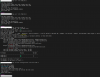
1759899742269.png

And this is example for Arista switch:
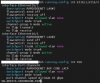
1759899874492.png

I only need 4*2.5G since I only wanted to LACP my BKHD mini-PC at home and the 1*10G SFP+ is for the trunking to my XikeStor switch...

I've already tried to do LACP on XikeStor switch, but it fails when I'm adding VLAN, or maybe someone could share how to set-up VLAN properly on the LACP interface for the XikeStor switch?

Thank you for reading this thread,

Best regards,
 
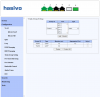
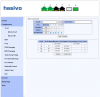
Hasivo S600W-4GT-2SX-S fulfil my needs.

1762567773971.png

The VLAN can be set on top the LACP interface. This switch can be used for spine-leaf topology

1762567860483.png
 
  • Like
Reactions: homeserver78
I have the same switch - once you receive it, I recommend you save a copy of the firmware for safekeeping.

Twice now during power outages it's soft-bricked itself and would only let me access the 'recovery' GUI on the default IP / port.
Unfortunately its default web GUI IP is also my PFSense box, which took my entire network down.

As soon as I uploaded the original firmware back up to it, it was back to normal, including all my old config/settings, including the management IP I'd configured previously.

First time took me a couple hours of panic to figure out what went wrong, but once I'd done it the first time, second time was only like 10 minutes to sort out. I asked them on AliExpress if they had an updated/fixed firmware but never got a response.
 
Last edited:
I have the same switch - once you receive it, I recommend you save a copy of the firmware for safekeeping.

Twice now during power outages it's soft-bricked itself and would only let me access the 'recovery' GUI on the default IP / port.
Unfortunately its default web GUI IP is also my PFSense box, which took my entire network down.

As soon as I uploaded the original firmware back up to it, it was back to normal, including all my old config/settings, including the management IP I'd configured previously.

First time took me a couple hours of panic to figure out what went wrong, but once I'd done it the first time, second time was only like 10 minutes to sort out. I asked them on AliExpress if they had an updated/fixed firmware but never got a response.

I've got the files

1000090014.jpg
 

Attachments

Last edited:
Awesome, thank you for sharing, mine came with 1.9, so I'll upgrade to your 1.9.1 version this evening.